1
Epson AcuLaser MX21/MX20 Series
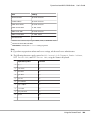
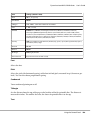
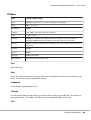
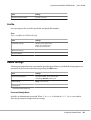
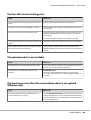
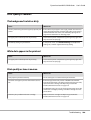
Item
Settings (default in bold)
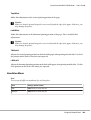
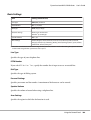
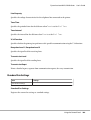
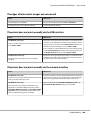
Sound Volume
Operation Sound: Off, Medium, Large
User's Guide
Finish Sound: Off, Medium, Large
Caution Sound: Off, Medium, Large
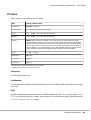
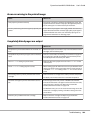
Local Time Diff.
-13:59 … 0:00 … +13:59
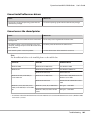
Time Setting
2000/ 01/01 00:00 to 2099/12/31 23:59
Date Format
DD/MM/YY, MM/DD/YY, YY/MM/DD
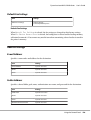
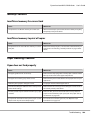
*1
Available only when the corresponding option is installed.
*2
Available only when you use A4 or LT size paper.
*3
Available only for ESC/Page, ESC/P2, FX, or I239X mode.
*4
Not available in PS3 and PCL.
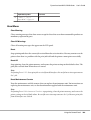
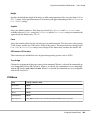
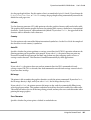
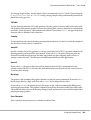
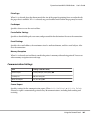
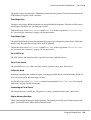
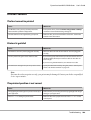
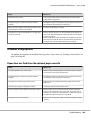
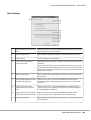
Time to Sleep
Specifies the length of time until the printer enters the sleep mode if there are no button operations and
no jobs to be printed.
Time Out
Specifies the length of the time, in seconds, before a time out when interfaces are being switched
automatically. The time before a time out occurs is the length of time from the point when no data is
being received from an interface until the point of switching the interface. If the printer has a print job
when switching the interface, the printer prints the print job.
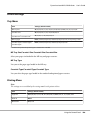
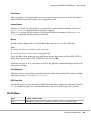
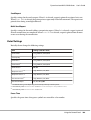
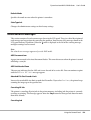
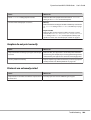
Paper Source
Specifies whether paper feeds into the printer from the MP tray, the standard paper cassette, or the
optional paper cassette unit.
If you select Auto, paper feeds from the paper source containing paper that matches your Paper Size
setting.
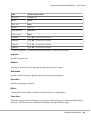
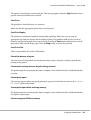
MP Mode
This setting determines whether the MP tray has the highest or lowest priority when Auto is selected
as the Paper Source setting in the printer driver. When Normal is selected as the MP Mode, the MP tray
has the highest priority as the paper source. If you select Last, the MP tray has the lowest priority.
Manual Feed
Using the Control Panel
143