1
Epson AcuLaser MX21/MX20 Series
User's Guide
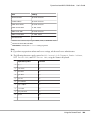
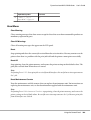
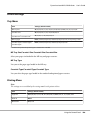
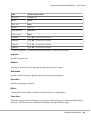
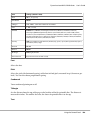
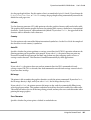
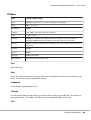
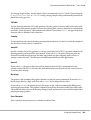
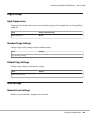
Notice Settings
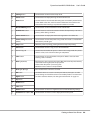
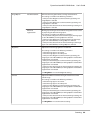
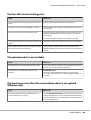
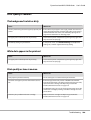
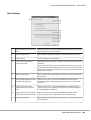
a.
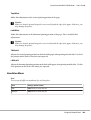
Monitor the Printing Status check
box:
When this check box is selected, EPSON Status Monitor monitors the printer
status during a print job is processed.
b.
More Settings button:
Opens the More Settings dialog box to set how to display the tray icon.
c.
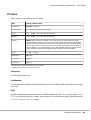
Pop-up Notice:
Sets the notification to be displayed.
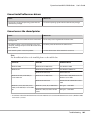
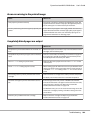
d.
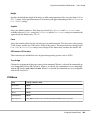
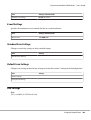
Allow monitoring of shared
printers check box:
When this check box is selected, a shared printer can be monitored by other
computers.
If you connect the printer via a server with Windows Point & Print and the
server and the client are both Windows XP or later, it communicates with the
OS communication function. Therefore you can monitor the printer without
selecting this check box.
e
More Settings button:
Opens the More Settings dialog box to set how to communicate with the
shared printer.
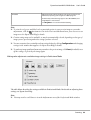
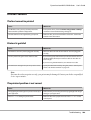
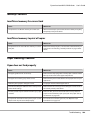
f.
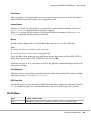
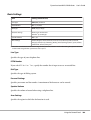
Display the Order Online window
automatically check box:
When this check box is selected, the Order Online window appears
automatically when a replacement part becomes low or reaches end of
service life.
g.
Display once a day when a
replacement part is low check
box:
When this radio button is selected, the Order Online window appears
automatically once a day when you start printing or display the status by
accessing EPSON Status Monitor.
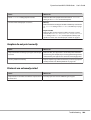
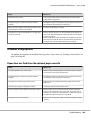
h.
Display only when a replacement
part first becomes low check box:
When this radio box is selected, the Order Online window appears
automatically only when a replacement part first becomes low.
i.
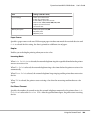
More Settings button:
Opens the More Settings dialog box in which you can set the URL for placing
an order appears.
About the Printer Software
261