1
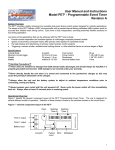
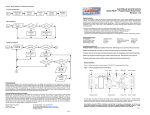
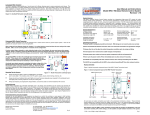
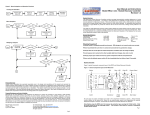
User Manual and Instructions Digi-Fire - Digital Spread Spectrum Wireless Launch Control System Overview The Digi-Fire Launch Control System provides a reliable, easy to setup, and easy to use launch control system. The RF communications operate using a 900MHz spread spectrum transmitter in conjunction with a broad band receiver. The communications also employ highly secure digitally encoded data packets which provide reliable, interference-free operation of the unit. This encoding also prevents accidental triggering from other RF units while at an organized launch. Specifications (Receiver) Dimensions: 8 "L x 6" W x 3"H Electrical: 11-14 VDC / 40ma nominal Frequency: 902-928 MHz Environment: 32-120 deg F / 95% RH Firing Current: 40 amp @ 12VDC max Test Current: 15ma @ 12VDC nominal Specifications (Transmitter) Dimensions: 6" L x 3" W x 2" H Electrical: 3 VDC / DL123A Lithium battery Frequency: 902-928 MHz frequency hopping Environment: 32-120 deg F / 95% RH Handling Precaution These units are sensitive to damage from ESD (electro-static discharge) and should always be handled in a properly grounded environment. ESD damage is not covered under your warranty. The Digi-Fire receiver utilizes standard 120VAC cordage and connectors, however DO NOT PLUG THE RECEIVER UNIT INTO A STANDARD 120VAC OUTLET. Always use a 12 volt DC power source for the Digi-Fire System. Transmitter Setup and Operation It is recommended that you first install the battery to activate the transmitter. Remove the top cover of the transmitter housing and insert the battery as shown, noting the polarity of the battery (negative towards top, positive towards bottom). Transmitter Unit Internal Assembly Reset Button Piezo Antenna TOP Transmitter PC Board Note the Battery Orientation! + DL123A - After the battery has been inserted, press the Reset Button on the transmitter board. This ensures the restoration of the transmitter ID code from the unit's non-volatile memory. It is also advised that the battery be checked for adequate voltage level under load. Using a DVM, connect the meter leads to the battery, engage the keyswitch and depress both of the front panel pushbuttons. The battery should maintain its 3-volt level. If the battery dips below 2.9 volts or lower, it is a good indication that the battery needs to be replaced. IMPORTANT: Do not operate the unit with a low-voltage transmitter battery as this might cause faulty operation. Always use a fresh battery and load test the transmitter battery prior to use. The transmitter is now ready for use. Replace the front cover. When operations with the unit are finished, you can remove the battery to increase its useful service life. 1 Transmitter Unit Front Panel Layout TX Arm Launch Safety ARM When you're ready to launch with your Digi-Fire system, the transmitter operation is very simple and straightforward: Step 1. Step 2. Step 3. Step 4. Insert the SAFETY KEY into the keyswitch. Turn clockwise to the ON position. The "armed" tone will sound. Press and hold the TX ARM pushbutton. Scan the range and skies, then commence with the countdown. At T-0, press and hold the LAUNCH pushbutton until the motor ignites or you've determined a misfire. Release both pushbuttons, turn the SAFETY KEY to the off position, remove it and store it in a safe location. IMPORTANT: Insert and Remove the SAFETY KEY in the OFF POSITION ONLY (white mark on key-switch body). Receiver Setup and Operation For optimal range performance with the Digi-Fire System, it is recommended you situate the receiver unit as high as practical off the ground. Once you've decided where to locate the receiver, plug the pad igniter cable and the battery cable into the respective receptacles (noting the plug orientation). Attach power cable clips to your battery system. IMPORTANT: Connect the RED clip to the battery positive (+) and the BLACK clip to the battery negative (-). Once the unit is connected to your battery, ensure the receiver power (RX POWER) indicator is ON by pressing the RX ARM pushbutton. Test the igniter cord wiring by temporarily shorting the alligator clips together and pressing the CONTINUITY test pushbutton. You should hear an audible tone. If not, inspect the clips and wiring connections. Receiver Unit Front Panel Layout Digi-Fire Digital Spread-Spectrum Wireless Launch Control Pad (+ ) (-) Continuity RX Power RX Arm Battery (+ ) (-) 2 When you're ready to launch with your Digi-Fire system, the receiver operation is very simple and straightforward. Step 1. Step 2. Step 3. Step 4. Step 5. Ensure the RX POWER light is OFF. Prep your rocket (electronics, Igniter, etc.), then connect the igniter clip leads to the igniter. Momentarily press the continuity button and ensure a good connection via the audible continuity tone. Press the RX ARM pushbutton and observe the illumination of RX POWER light. Clear the pad area and prepare to launch the rocket Product Warranty Missile Works Corporation has exercised reasonable care in the design and manufacture of this product and warrants the original purchaser that the Digi-Fire Wireless Launch Control System is free of defects and that will operate at a satisfactory level of performance for a period of one year from the original date of purchase. If the system fails to operate as specified, then return the unit (or units) within the warranty period for repair or replacement (at our discretion). The system must be returned by the original purchaser, and be free of modification or any other physical damage which renders the system inoperable. Upon repair of replacement of the unit, Missile Works Corporation will return the unit postage paid, to the original purchaser. Product Disclaimer and Limit of Liability Because the use and application of this equipment are beyond our control, the purchaser or user agrees to hold harmless Missile Works Corporation and their agents from any and all claims, demands, actions, debts, liabilities, judgements, costs, and attorney fees arising out of, claimed on account of, or in any manner predicated upon loss or damage to property of, or injuries to or the death of any and all persons arising out of the use this equipment. Due to the nature of electronic devices, the application and environments for those devices, the possibility of failure can never be totally ruled out. It is the responsibility of the purchaser or user of this equipment to properly test and simulate the actual conditions under which the device is intended to be used to ensure the highest degree of reliability and success. Rules to live and fly by 1. Before you use the Digi-Fire Wireless Launch Control System, make sure you have read and understand all the instructions, operations, and warnings contained herein. 2. Do not alter the system in any way, as this voids the warranty and could render the system inoperable or unreliable. 3. Always fly within the guidelines established by either the National Association of Rocketry or the Tripoli Rocketry Association whenever you participate in hobby rocketry activities. MISSILE WORKS P.O. Box 740714 Arvada CO 80006-0714 CORPORATION Tel: 303.426.1462 Fax: 303.426.1428 On the World Wide Web @ www.missileworks.com Copyright 2001 by Missile Works Corporation. All rights reserved 3