1
Chapter 2: What’s New in MapInfo Professional 9.0
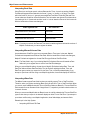
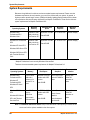
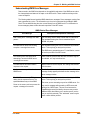
Using the Arithmetic Operators with the New Data Types
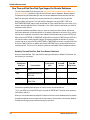
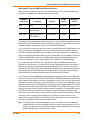
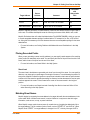
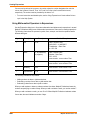
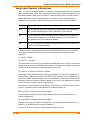
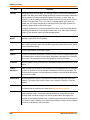
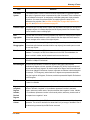
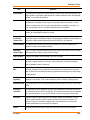
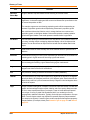
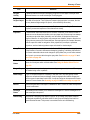
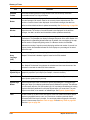
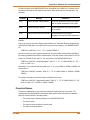
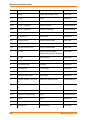
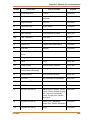
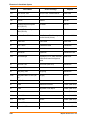
You can use the addition and subtraction operators with the new data types as follows:
Data type
Operator
Data type
Result
Notes
Time
minus (-)
Time
Number
The number represents the number of
seconds between two times as a floating
point number. The fractional part of the
result represents milliseconds.
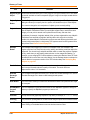
Time
+ or -
Number
Time
The number represents the seconds to
add to the first Time. The Time wraps
around midnight so that 11:59 PM + 120
seconds equals 12:01 AM.
DateTime
minus (-)
DateTime
Number
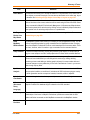
The number represents the number of
days between two DateTimes as a floating
point number. The fractional part of the
result is the fractional portion of a day, as
in today at noon minus today at midnight
equals one half day.
DateTime
+ or -
Number
DateTime
The number represents the number of
days to add to the first Time.
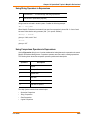
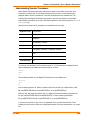
Using the Comparison Operators with the New Data Types
The comparison operators are =, <>, <, >, <=, >= and should all work as expected for the Time and
DateTime values. For Time values, the smallest Time is "12:00:00.000 AM" while the largest Time is
"11:59:59.999 PM".
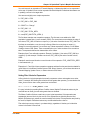
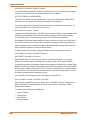
The "Between" operator works as expected for DateTime values. For Time values, we support wraparound comparisons. For example:
TimeValue Between "2:00 AM" And "10:00 PM" is true if the TimeValue is greater than or equal
to "2:00 AM" and less than or equal to "10:00 PM"
TimeValue Between "10:00 PM" And "2:00 AM" is true if the TimeValue is greater than or equal
to "10:00 PM" and less than or equal to "11:59:59.999" or greater than or equal to "12:00 AM"
and less than or equal to "2:00 AM"
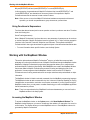
Using the Logical Operators with the New Data Types
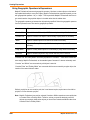
A Time or DateTime field with a value is true, while the same field with a null value indicates false.
The behavior of the logical operators And, Or, and Not should follow logically from this.
User Guide
29