1
Chapter 3: Installing and Configuring MapInfo Professional
Controlling Advanced System Settings
MapInfo Professional has some advanced system settings that cannot be configured through a
dialog box. These settings allow you to control several low-level, technical aspects of how MapInfo
Professional runs. Most users do not need to worry about these advanced settings.
For example, MapInfo Professional has a Dynamic Data Exchange (DDE) time-out setting, which
controls how long MapInfo Professional tries to communicate with other applications during DDE
communications. If you run a MapBasic application, and that application encounters time-out errors
during DDE, you may want to increase the DDE time-out setting. To modify one of MapInfo
Professional’s advanced system settings (such as the DDE time-out setting), use this procedure.
Modifying the Windows Registry
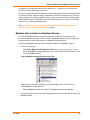
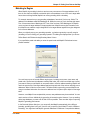
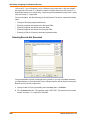
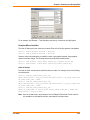
MapInfo Professional stores system settings in the Windows registry. To edit the Windows 2000
registry, use the REGEDT32 program.
CAUTION:
Be very careful when editing the registry; damaging the registry can cause
serious problems in your operating system.
For example, to set MapInfo Professional’s Dynamic Data Exchange (DDE) time-out setting, locate
the following key in the registry:
HKEY_LOCAL_MACHINE\SOFTWARE\MapInfo\MapInfo\Common
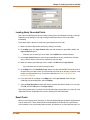
Within that key, edit the DDeTimeout value. If there is no value by that name, create a new value of
type string, and assign the name DDeTimeout to the value. Set the value’s data to be a number,
representing the number of milliseconds (for example, enter 30000 to specify a time-out of 30
seconds). For more on editing the registry, see the online help for REGEDIT or REGEDT32.
Descriptions of Advanced Registry Settings
This section describes advanced settings that are stored in the registry.
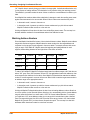
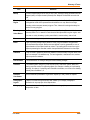
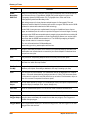
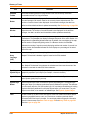
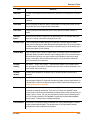
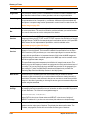
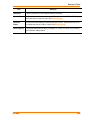
DDeTimeout = number
This setting controls MapInfo Professional’s time-out setting in DDE conversations where MapInfo
Professional is the client (the application that initiates a conversation). The number represents
milliseconds. The default value is 10,000 milliseconds (ten seconds). If you run a MapBasic
application that attempts to initiate a DDE conversation, but the conversation fails because the
server application does not respond within the time-out period, you may need to increase the
DDeTimeout number.
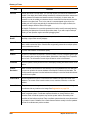
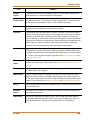
OffscreenBitmap = number
The number is 0 (zero) or 1 (one). A value of 1 (the default) indicates that MapInfo Professional will
process off-screen bitmaps when drawing a map. This means that if you cover a Map window, and
then bring the Map window to the front again, the map redraws instantly. If you set this setting to
zero, MapInfo Professional will not process off-screen bitmaps. This means that when you bring a
Map window to the front, MapInfo Professional will redraw the map. If you are using a video driver
that is problematic, and encounter video problems with Map windows, you may eliminate those
problems by setting the OffscreenBitmap number to 0.
User Guide
113