1
Preface
Preface
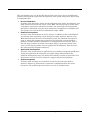
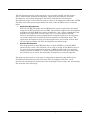
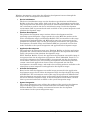
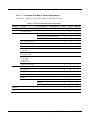
This document provides an overview of Windows Automotive 5.0 and describes how to
use its tools.
Chapter
Description
1
Overview of Windows Automotive 5.0
2
Windows Automotive Development Environment Configuration Guide
This chapter describes how to configure a development environment and use it to
take advantage of the characteristics of the Windows Automotive architecture.
Also covers efficient development techniques.
3
Automotive Configuration
This chapter describes the sample configurations that can be used as a basis for
user system development.
4
Virtual Memory (VM) Expansion Tool
This chapter describes the VM Expansion Tool as a solution for the problem of
insufficient processing memory.
5
CPU Time Measurement Tool
This chapter describes how the CPU is used by Windows Automotive, which is
essential to being able to tune the system optimally. This chapter also describes
the techniques and tools used to verify how the CPU is used.
6
Memory Usage Measurement Tool
To design a system which is more stable, it is important to obtain the size of
memory used by modules in the system. This chapter describes the techniques
and tools for understanding the characteristics of memory.
7
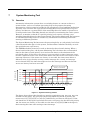
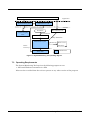
System Monitoring Tool
This chapter describes the tool that monitors the delay time for a thread of a
given priority in order to detect the program going into an infinite loop or
becoming unresponsive.
8
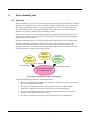
Error Handling Tool
This chapter describes the unified error management framework for the entire
system, as well as the method for detecting an application exception, saving
exception information, and restarting the system.
9
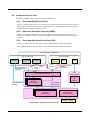
System Logging Tool
This chapter describes the logging tool that can collect various types of data, such
as application, OS, and AUI logs.
10
TFAT File System
The transaction-safe FAT file system is intended for automotive devices that
guard against a power cut or media removal during a write operation. This
chapter describes the extended functions of the TFAT file system.
11
High-Speed Graphics Processing Framework GDI-Sub
This chapter describes the standard specifications of the high-speed rendering
architecture GDI-Sub, which allows access to the functions of a graphic chip that
support the execution of rendering commands asynchronously with the CPU.
Windows Automotive User's Manual SP2
iii