1
2.0 HELP & QUICK START TUTORIAL
2.1 Help
Installation Help: These instructions are in the README file accompanying the product files.
Helper Window: A Helper Window is located at the bottom of the Perspective Filter User Interface. As you pass the cursor over any UI item (buttons,
windows, controls etc.), text in the Helper Text Window explains the item’s
function.
Technical Support: Technical Support is available online at
www.andromeda.com and [email protected].
Web site: www.andromeda.com is a source of additional information related to the Perspective Filter product. Andromeda product demos are
available free for downloading as well as fully functional products for online purchase.
2.2 Quick Start Tutorial: The Football Game Perspective
2.2.1 The Quarterback’s Perspective: The objective of this section of the
tutorial is to illustrate the degree of limited visual perspective that a football
quarterback encounters when attempting to successfully complete a forward pass during a football game.
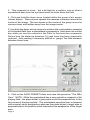
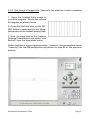
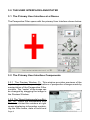
1. Open the “Football Field” image in
Photoshop and notice the optimum
degree of perspective that this image
provides. This “blimp” perspective of
the football playing field would be the
most ideal viewpoint for a quarterback
during a football pass play since his
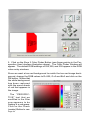
depth perspective would be dramatically enhanced. Now, open the Perspective Filter under Filters --> Andromeda --> Perspective.
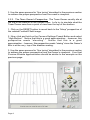
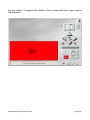
2. Click and hold on the Camera Settings Preset Button and select “Low Bottom” from the drop-down menu.
Andromeda Perspective Filter
Page 3