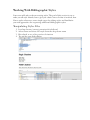
1
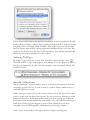
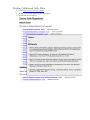
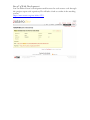
them, try checking the “Templates and Add-ins” window. Select “Tools” from
the dropdown menu at the top of your screen, pull down to “Templates and
Add-ins,” and make sure that the box for Zotero.dot is checked.
When you would like to cite something from your collection click the frst
button, “Zotero Insert Citation” ( ). If this is the frst citation you have added
to the document the Document Preferences window will open. Chose the
bibliographic format you would like to use from the list and click OK.
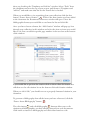
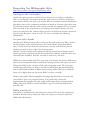
Once you have chosen a format, the “Add Citation” window will pop up. Sort
through your collection in this window and select the item or items you would
like to cite. You can add the specifc page number in the text box at the bottom
of the window.
If you would like to preview the citation click on show editor the button. You
will then see the edit citation box at the bottom of the add citation window.
When you click “OK,” you should now see a properly formatted citation in your
document.
To generate a bibliography from all the items you have referenced, click the
“Zotero Insert Bibliography” button ( ).
The edit citation( ) and edit bibliography( ) buttons allow you to edit
citations and bibliographies you have already inserted into your documents.
Click inside a citation or bibliography and click either button to edit.