1
19 | Keysight | Improving Throughput in Network Analyzer Applications - Application Note
If manual connections are being used for a two-port device, it is possible to speed up the
connection time using a part handler to automate the process. Gravity-feed part handlers tend to be faster and less expensive than pick-and-place part handlers, but they
are more limited in the types of device packages they can handle. Using a part handler
generally requires a custom test fixture, which adds development time and can also add
calibration time, so this might not be helpful in all situations. For devices that require
coaxial connections, push-on connectors can make the connection faster, but they will
be less repeatable and can result in more measurement uncertainty.
Special test fixtures that allow a user to connect devices more quickly can be useful,
with or without a part handler. Many companies make their own fixtures since they have
many custom packages for their devices. When designing a test fixture, it is important to
have good RF performance (low loss and low parasitics), and ease of calibration within
the fixture should be considered. Because of the difficulty in making good RF fixtures,
full two-port calibration is generally required, requiring a set of in-fixture calibration
standards. There are some vendors who specialize in making test fixtures and calibration
standards. The appendix contains some references for vendors and more information on
designing and calibrating fixtures.
If you already use a part handler, the easiest way to speed up connection time is to use a
faster part handler, although that will probably be more expensive. Another improvement
is to consider using the analyzer’s internal automation capability to control the part handler, instead of relying on an external controller, as described in the section on “Automation and Data Transfer Speed.” Using internal automation can be faster since no data has
to be transferred outside of the analyzer before a decision can be made and a command
sent to the part handler.
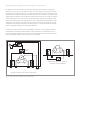
For multiport devices, some operators use the analyzer to test two ports at a time, with
terminations at the unused ports, and then switch the cable connections around to make
the other necessary measurements. For devices with many ports, this process can be
very tedious and time-consuming, and it can also contribute to operator fatigue.
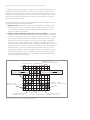
One alternative is to use a multiport test set that allows the operator to make connections to all of the ports once, and then have the analyzer make all necessary tests
without changing connections. Keysight provides a variety of test sets for its network
analyzers, including the 8753D Option K36 three-port duplexer test set (also available
for the 8711, 8752C, and 8720 families), the 87075C 75 ohm multiport test sets with the
innovative “SelfCal” feature for the 8711C family, and the 87050A/B series of 50 ohm
test sets for the 8711, 8753, or 8720 families. Other test set designs provide two sets of
test ports for one network analyzer, so that the operator can connect a new device while
another device is being tested.
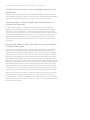
Some vendors offer multiport solutions for Keysight network analyzers. For example, the
SPTS-4 four-port S-parameter test system from ATN Microwave (see Appendix) provides
full four-port error-corrected measurements with an 8753 network analyzer. Users can
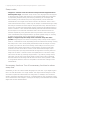
also build their own test sets to switch signals to and from the network analyzer to the
proper ports of the test device.