1
R&S®FSW
Instrument Tour
Front Panel View
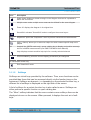
Arrow Left/Arrow Right Keys
The <arrow left> or <arrow right> keys do the following:
● In an alphanumeric edit dialog box, move the cursor.
● In a list, scroll forward and backward through the list entries.
● In a table, move the selection bar horizontally.
● In windows or dialog boxes with horizontal scroll bar, move the scroll bar.
3.1.12
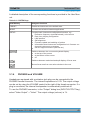
UNDO/REDO keys
● The UNDO key reverts the previously performed action, i.e. the status before
the previous action is retrieved.
The undo function is useful, for example, if you are performing a zero span
measurement with several markers and a limit line defined and accidentally
select a different measurement. In this case, many settings would be lost.
However, if you press UNDO immediately afterwards, the previous status is
retrieved, i.e. the zero span measurement and all settings.
● The REDO key repeats the previously reverted action, i.e. the most recently
performed action is repeated.
The UNDO function is not available after a PRESET or "RECALL" operation. When these functions are used, the history of previous actions is
deleted.
The UNDO/REDO functions are not available for some applications; see
Release Notes for details.
3.1.13
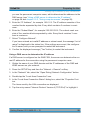
(Analog) Baseband Input 50 Ω Connectors (optional)
The R&S FSW Analog Baseband Interface option (R&S FSW-B71) provides four
BASEBAND INPUT BNC connectors on the front panel of the instrument for analog I and Q signals.
Getting Started 1312.9420.02 ─ 15
47