1
R&S®FSW
Preparing for Use
Setting Up a Network (LAN) Connection
2.5.1
Connecting the Instrument to the Network
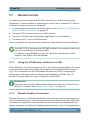
There are two methods to establish a LAN connection to the instrument:
● A non-dedicated network (Ethernet) connection from the instrument to an
existing network made with an ordinary RJ-45 network cable. The instrument
is assigned an IP address and can coexist with a computer and with other
hosts on the same network.
● A dedicated network connection (Point-to-point connection) between the
instrument and a single computer made with a (crossover) RJ-45 network
cable. The computer must be equipped with a network adapter and is directly
connected to the instrument. The use of hubs, switches, or gateways is not
required, however, data transfer is still performed using the TCP/IP protocol.
An IP address has to be assigned to the instrument and the computer, see
chapter 2.5.2, "Assigning the IP Address", on page 27.
Note: As the R&S FSW uses a 1 GBit LAN, a crossover cable is not necessary (due to Auto-MDI(X) functionality).
Risk of network failure
Before connecting the instrument to the network or configuring the network,
consult your network administrator. Errors may affect the entire network.
► To establish a non-dedicated network connection, connect a commercial
RJ-45 cable to one of the LAN ports.
To establish a dedicated connection, connect a (crossover) RJ-45 cable
between the instrument and a single PC.
If the instrument is connected to the LAN, Windows automatically detects the network connection and activates the required drivers.
The network card can be operated with a 1 GBit Ethernet IEEE 802.3u interface.
Getting Started 1312.9420.02 ─ 15
26