1
ProWriterTM F20 Operations Manual
Preface
About This Publication
Chapter Summary
Technical Support Directory - This directory explains how to contact CLC for technical
support by telephone, fax, and e-mail; how to order parts; and how to return components for
repair. Information about technical support programs, training classes, and the CLC website
are included.
Chapter 1. Safety - This chapter describes how the ProWriterTM F20 fulfills the performance
requirements established by the United States Title 21, Code of Federal Regulations,
Subchapter J (21 CFR), and the European Standard EN 60825:1992. This chapter
documents the users responsibility and safety precautions.
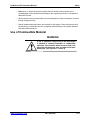
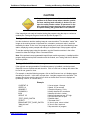
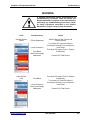
CAUTION
All users should read and understand the safety
chapter before attempting to operate the
ProWriterTM F20
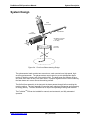
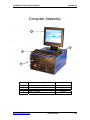
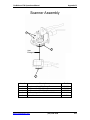
Chapter 2. System Description - This chapter outlines specifications for the ProWriterTM
F20. The following diagrams and descriptions are provided: control unit, marking head,
system design (beam-steering), marking field, computer architecture, and system operation
(software).
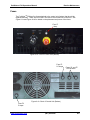
Chapter 3. System Function - This chapter provides diagrams and descriptions of the
ProWriterTM F20 controls and step-by-step instructions for system startup and shutdown.
Chapter 4. Installation - This chapter explains proper procedures for receiving, inspecting,
and unpacking the ProWriterTM F20. Space, environmental, and electrical requirements are
described. Step-by-step instructions for installing safety interlocks and connecting electrical
lines are included. Guidelines for moving and storing the system are also outlined.
Chapter 5. Software Setup - This chapter describes the basic features of the Laser Marking
StudioTM (LMS). An overview of LMS is provided as well as directions for navigating. Other
topics include setting passwords, help system, and accessing other applications.
Chapter 6. Creating and Running a Part-Marking Program - This chapter describes the
main concepts involved in using the LMS software to create and run a part-marking program.
It also describes how to set up a remote programming station and how to select the LMS
editor that best meets your programming needs. Setting process parameter values (speed,
power, and Q-switch frequency) are explained to achieve optimum marking quality. This
chapter also describes testing and debugging programs and provides step-by-step
instructions for loading and running programs.
Chapter 7. Software Commands - This chapter provides a Quick – Reference Guide to all
of the software programming commands. For details on creating, editing, and lasing
programs in the Visual and Command Editors, please refer to the online manual.
www.controllaser.com
(407) 926-3500
vi