1
Preparation
If desired, turn on your television set and select the
programme position for the DVD-player.
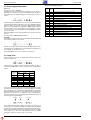
– You can control Audio-CD playback using the
OSD-menu.
2
Switch on stereo system and select the corres-ponding audio input for the DVD-player.
3
Switch on DVD-player.
Open CD compartment, insert desired CD and then
close the compartment again.
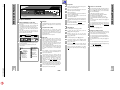
– An OSD-menu appears after a short time with
data of the inserted CD.
6
If the function “Autoplay” is switched on, then the
playback will start immediately.
6
Please observe the user guide on the TV screen.
❒
Playback
1
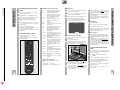
To start playback, press the Q/ R button.
– Playback stops at the end of the Audio-CD.
2
To select play pause, press the U/V button
during playback.
3
To continue playback, press the Q/ R button
again.
4
To finish playback, press the H/ I button.
5
6
❒
1
2
The “Resume” function not only works with the CD
just inserted into the device, it also functions with
the previous four CDs played by you. Simply insert
the CD again and press the buttonl twice Q/ R .
Selection of another title
To select the next title: press the %/% button
during playback.
To select the beginning of the current title, briefly
press the $/$ button.
To select the previous title: briefly press the $/$
button once again.
To select a desired section directly, enter the number of the required section with the digit buttons 1
… 0 using one or two digits.
❒
SEARCH – selecting various playback
speeds
6
The volume will be reduced when using the “selection of various playback speeds” function.
1
During playback, press the X/X (forward) or
Y/ Y (reverse) button, the symbol “2” appears on
the screen.
– The DVD-player switches to double playback
speed, forward or reverse.
2
During playback, keep pressing the X/X (forward) or Y/ Y (reverse) button, until the symbol “
8 ” appears on the screen.
– The DVD-player switches to the 8-fold playback
speed, forward or reverse.
3
To switch back to double playback speed, press the
X/ X (forward) or Y/Y (reverse) button again.
4
To return to normal playback, press the Q / R
button.
❒
Every title beginning will be played for approximately 10 seconds with this function.
1
Press the
SCAN button.
– The scan symbol will be displayed for approximately 10 seconds on the TV screen.
2
¢
To continue playback of current title, press the
SCAN or Q /R button.
¢
❒
SHUFFLE – playing the titles of a CD in a
random sequence
6
With this function, the titles are played in a random
sequence. The title sequence is changed every time.
1
Press the
SHUFFLE button during playback.
– The Shuffle symbol will be displayed for approximately 10 seconds on the TV screen.
– Every time a new title is played, the corresponding number in the DVD-player display will disappear.
2
1
REPEAT button during playback.
Press the
– “REPEAT TRACK“ appears on the DVD-player display. The title running is repeated.
2
REPEAT button twice during playback.
Press the
– “REPEAT“ appears on the DVD-player display.
The contents of the CD are repeated.
3
❒
6
6
To
¢
return to normal
SHUFFLE button again.
playback,
press
the
¢
¢
To finish the REPEAT functions, press the
REPEAT button a third time.
¢
Arrange your own music programme
With the DVD-player “Favourite Track Selection
(FTS)” function you can compile your favourite titles from various Audio-CDs.
You can either select the desired title (»Track Selection” or “Title Selection«), or
ignore the titles that you do not want to play
(»Exclude Tracks” or “Reject Title«).
Self-compiled music programmes can be made for
more than a total of 100 Audio-CDs.
If too many music programmes are made (over
100), then the less frequently played music programmes are automatically deleted.
These settings can only be activated on the OSDscreen menu.
Compiling music programme
1
Open CD compartment, insert desired CD and then
close the compartment again.
6
If the “AUTO FTS” function is switched on, then the
FTS-Routine playback will start immediately.
If it is not:
Rejecting title (ignore):
1
Open CD compartment, insert desired CD and then
close the compartment again.
2
To switch DVD-player to “STOP”, press the
H/ I button.
3
Press the Y/Y button.
4
Select the first title you wish to ignore with the cursor buttons Y/Y or X/X.
5
Press the/ button.
6
Select the other title numbers you wish to ignore
with the cursor buttons Y/Y or X/X.
6
If you want to add a rejected title number into the
title selection again, then you will have to select that
title again and activate it by pressing the ( cursor
button.
6
If you want to ignore the complete selection and
repeat programming, then press the H/ I button.
1
Open CD compartment, insert desired CD and then
close the compartment again.
2
To switch DVD-player to “STOP”, press the
H/ I button.
3
Press the X/X cursor button.
4
Select the first title you wish to play with the Y/Y
or X/X cursor buttons.
5
Press the ( cursor button.
6
Select the other title numbers you wish to play with
the Y/Y or X/X cursor buttons.
Selecting title:
2
Press the
FTS button.
– The “FTS” symbol illuminates on the DVD-player
display.
6
3
Press the Q/ R button.
– The FTS-playback will be started.
If you want to remove a selected title number from
the title selection, then you will have to select that
title again and delete it by pressing the cursor button /.
6
4
To switch over to normal playback,
press the
FTS button once again.
If you want to delete the complete selection and
repeat programming, then press the H/ I button.
7
If you have finished compiling your music programme, then press the Q/ R button to start the FTSplayback or
press the
RETURN button, the DVD-player switches to “STOP”.
– In both cases, your music programme will be
automaticallystored.
¢
¢
¢
¢
Finish playback using the H/I button.
k
16
With these functions, the currently running title or
the total contents of the CD is repeated.
SCAN – quickly “flip through” all titles
6
REPEAT – repeating a title or a CD.
6
k
➡
17
1 - 21
Allgemeiner Teil / General Section
3
The function “Resume”: to continue playback
at that point at which it had finished, press the
Q/ R button twice.
❒
Additional Functions of Playback
Audio-CD Playback
Audio-CD Playback
1
GDV 100 D/002
GRUNDIG Service
❒