1
maxgaming Qld
Wildcat User Guide
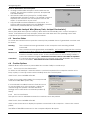
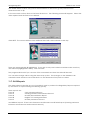
The Data Entry screen will calculate the net value by subtracting the Tare weight from the gross
weight. Save the data as per normal procedures.
Next time Data Entry is performed the dry weight will be populated where it is available so only the
gross weight needs to be entered.
11.3.2 Zero Hoppers for Conversions/Retired EGMs
To enter a $0 amount for a converted or retired EGM, the user will enter the TARE weight into the
GROSS HOPPER WEIGHT column (Gross MINUS Tare = Hopper). This will give Wildcat a $0 value to
calculate. Alternatively, NOT entering the TARE weight will give a $0 value also.
11.4 Correcting Data Entry Errors
If you input the incorrect entry, click in the cell, delete the incorrect entry and input the corrected
amount.
If you have already saved the incorrect data, click DATA ENTRY and repeat the steps to bring up
the information again. Click in the cell, delete the incorrect entry and input the corrected amount.
Click SAVE and if enabled, the data entry change will print (Note: it will ONLY print the change, not
the whole page)
11.5 Entering Data for Retired/Converted EGMs
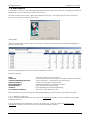
When entering data for retired/converted/changed EGMs, Wildcat will display two lines for each
machine configuration; one line showing the old machine details and the other line showing the
new details.
Ensure when entering data that the correct data is aligned with the correct machine. As a rule
always choose the machine name that the machine was previously or denomination (this should
be found in an old configuration report).
11.6 Reset Data Option
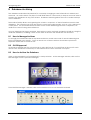
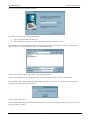
When a major mistake has been made i.e. if staff have entered information for an incorrect day,
Wildcat has the facility to clear all data without having to go in and perform an adjustment for
each EGM.
63