1
Simplay User Guide
14
Maxgaming QLD
Troubleshooting SIMPLAY
14.1 Abandoned Card
If a player’s card is left in a EGM for a set amount of time (min 240 secs) without any play on the
EGM, it is assumed that the player has forgotten their card. The funds are then transferred to their
account and the account locked.
If an EGM is suspended with the reason ABANDONED CARD, then the player must remove their
card to clear the EGM lockup. A pager message will be sent when a card becomes Abandoned.
To unlock the player’s account, insert the card at the kiosk, go to SIMPLAY and enter their PIN
number. ‘Validate Card’ will display on insertion into the Gemini until validated. If the player moves
to another EGM and gets the error ‘SIMPLAY –Active session at another EGM’, insert the player’s
card into the EGM that had the Abandoned Card previously and then remove it.
14.2 Take Win and Draw Up
An ECT to or from an EGM can not occur where there are credits on the Win Meter (Win Mode).
There are event types available to help identify this to the player and staff.
14.2.1 Take Win
If a machine already has credits on the Win Meter when the player inserts their card then an ECT to
EGM will not occur and a Simplay Session can not begin – this means that if the patron was to press
collect it would not transfer to their acocunt. When this happens the Gemini Unit will flash red and
show ‘Take Win’. The player needs to press Take Win before inserting their card to prevent this and
allow a Simplay session to begin.
14.2.2 Draw Up
If a patron removes their card when there are credits on the Win Meter then an ECT from EGM will
not occur and the EGM will disable. The Gemini unit will flash red and show ‘Game Suspended’ and
the credits will not transfer until Take Win is pressed. The patron’s card does not need to be
reinserted for this transfer to occur. The ‘Draw Up’ event will also show on the event report for that
EGM.
14.3 Daily Spend Limit Exceeded
If an EGM is suspended with the reason PLAYER EXCEEDED DAILY SPEND LIMIT, then the player has
reached the amount, predetermined by the player as their Daily Spend Limit set for that trading
day. The EGM will remain suspended until the card is removed. The card cannot be used for the
rest of that trading day.
This preference is set by the player on the kiosk and cannot be adjusted until the next trading day.
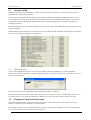
14.4 Gemini Unit Displays ‘VALIDATE CARD’
In every case that the Gemini Unit displays the message ‘Validate Card’, the player’s card needs to
be validated in the kiosk.
•
Insert card in kiosk, Click on SIMPLAY, Enter PIN number, Remove card.
If the player does not press SIMPLAY button and enter their PIN, the card will not validate.
14.5 ECT Timeouts
ECT Timeouts can occur when a player inserts their card and attempts to withdraw funds from their
account (ECT to EGM) or when they remove their card and try to deposit funds to their account
(ECT from EGM).
In both cases, insert an Attendant Card and remove it. DO NOT press any buttons on the Gemini
Unit.
65