1
13
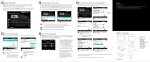
The storage window displays any stored presets. The active (recalled) preset is displayed in highlight
green. If any client value is changed, are displayed in italics. Eventually, both of these windows will be
configurable and editable, so that they can provide display and editing control for clients and storage sets.
N.B. When you open storage window, a message box will be displayed:
this is to avoid an overhead of CPU when displaying storage window.
• transition curve
All transition by defaults are linearly interpolation. You can superimpose your interpolation curve at one or
more subscribed widgets. Four draw functions are available, from toolbar or menù bar. Open one of them
and draw your curve. This feature is saved on Density.m4l device.
Draw a shape on the function window
In order to maps one or more subscribed clients with one of four functions draw, you need open clients
window and select table from pop-up menù (over interp header). Now you must digit the table name, that
can be: tab1, tab2, tab3 or tab4.