1
AVC, Application View Controller
User Manual
Table of Contents
1. Introduction....................................................................................................7
1.1.
1.2.
1.3.
1.4.
What is............................................................................................................................ 7
Features.......................................................................................................................... 7
Quick start....................................................................................................................... 8
Installation...................................................................................................................... 8
2. Common reference.......................................................................................10
2.1.
2.2.
2.3.
2.4.
2.5.
2.6.
2.7.
2.8.
2.9.
Supported widgets........................................................................................................ 10
Widgets-variables names matching...............................................................................11
Matching namespaces................................................................................................... 11
Connected objects......................................................................................................... 11
Static and dynamic connections....................................................................................11
Uniform separation between application logic and GUI.................................................12
AVC initialization............................................................................................................ 12
Connecting widgets with variables................................................................................12
Normal abstract widget collection.................................................................................13
Button.......................................................................................................................... 13
Check button................................................................................................................ 13
Combo box................................................................................................................... 13
Entry............................................................................................................................. 13
Label............................................................................................................................ 13
Progress bar................................................................................................................. 14
Radio button................................................................................................................. 14
Slider............................................................................................................................ 14
Spin button................................................................................................................... 14
Status bar..................................................................................................................... 14
Text view/edit............................................................................................................... 14
Toggle button............................................................................................................... 14
2.10. Advanced abstract widget collection...........................................................................15
Calendar....................................................................................................................... 15
Color selection.............................................................................................................. 15
List view....................................................................................................................... 16
Tree view...................................................................................................................... 16
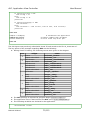
2.11. Connection update trigger events...............................................................................17
2.12. Caveat......................................................................................................................... 18
2.12.1. General caveat..................................................................................................... 18
2.12.2. Widget toolkit specific caveat..............................................................................18
2.13. Testing and debugging................................................................................................ 19
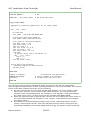
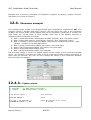
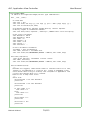
2.13.1. Testing printout for example gtk3_counter.py......................................................19
3. GTK2+ reference..........................................................................................21
3.1.
3.2.
3.3.
3.4.
Module dependencies.................................................................................................... 21
Widget naming.............................................................................................................. 21
Status bar widget.......................................................................................................... 21
Interface designer......................................................................................................... 21
4. GTK3+ reference..........................................................................................22
4.1. Module dependencies.................................................................................................... 22
4.2. Widget naming.............................................................................................................. 22
4.3. Interface designer......................................................................................................... 22
5. Qt4 and Qt5 reference..................................................................................23
5.1. Module dependencies.................................................................................................... 23
5.2. Widget naming.............................................................................................................. 23
Fabrizio Pollastri
3/115