1
AVC, Application View Controller
User Manual
version 0.10.0
Fabrizio Pollastri <[email protected]>
AVC, Application View Controller
User Manual
Copyright © 2007-2015 Fabrizio Pollastri
Permission is granted to copy, distribute and/or modify this document under the terms of the
GNU Free Documentation License, Version 1.2 [19] or any later version published by the Free
Software Foundation; with no Invariant Sections, no Front-Cover Texts, and no Back-Cover Texts.
A copy of the license is at the end of this document.
AVC outline
Current version is AVC 0.10.0, beta status, released 23-Apr-2015.
Tested on:
Kubuntu 14.04 LTS Trusty Tahr, FP 23-Apr-2015.
author:
Fabrizio Pollastri, e-mail: f.pollastri (at) inrim.it.
The AVC web site is hosted at http://avc.inrim.it
Logo:
Author note
The author will be happy to ear about any usage of AVC. Please, feel free to send questions,
corrections and suggestions to the author. The poor English of this manual requires special
indulgence.
Document info
author:
created:
modified:
version:
Fabrizio Pollastri
Fabrizio Pollastri
2007-07-10-11.25.23 PM
2015-04-23-15.06.58
224
2/115
AVC, Application View Controller
User Manual
Table of Contents
1. Introduction....................................................................................................7
1.1.
1.2.
1.3.
1.4.
What is............................................................................................................................ 7
Features.......................................................................................................................... 7
Quick start....................................................................................................................... 8
Installation...................................................................................................................... 8
2. Common reference.......................................................................................10
2.1.
2.2.
2.3.
2.4.
2.5.
2.6.
2.7.
2.8.
2.9.
Supported widgets........................................................................................................ 10
Widgets-variables names matching...............................................................................11
Matching namespaces................................................................................................... 11
Connected objects......................................................................................................... 11
Static and dynamic connections....................................................................................11
Uniform separation between application logic and GUI.................................................12
AVC initialization............................................................................................................ 12
Connecting widgets with variables................................................................................12
Normal abstract widget collection.................................................................................13
Button.......................................................................................................................... 13
Check button................................................................................................................ 13
Combo box................................................................................................................... 13
Entry............................................................................................................................. 13
Label............................................................................................................................ 13
Progress bar................................................................................................................. 14
Radio button................................................................................................................. 14
Slider............................................................................................................................ 14
Spin button................................................................................................................... 14
Status bar..................................................................................................................... 14
Text view/edit............................................................................................................... 14
Toggle button............................................................................................................... 14
2.10. Advanced abstract widget collection...........................................................................15
Calendar....................................................................................................................... 15
Color selection.............................................................................................................. 15
List view....................................................................................................................... 16
Tree view...................................................................................................................... 16
2.11. Connection update trigger events...............................................................................17
2.12. Caveat......................................................................................................................... 18
2.12.1. General caveat..................................................................................................... 18
2.12.2. Widget toolkit specific caveat..............................................................................18
2.13. Testing and debugging................................................................................................ 19
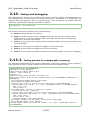
2.13.1. Testing printout for example gtk3_counter.py......................................................19
3. GTK2+ reference..........................................................................................21
3.1.
3.2.
3.3.
3.4.
Module dependencies.................................................................................................... 21
Widget naming.............................................................................................................. 21
Status bar widget.......................................................................................................... 21
Interface designer......................................................................................................... 21
4. GTK3+ reference..........................................................................................22
4.1. Module dependencies.................................................................................................... 22
4.2. Widget naming.............................................................................................................. 22
4.3. Interface designer......................................................................................................... 22
5. Qt4 and Qt5 reference..................................................................................23
5.1. Module dependencies.................................................................................................... 23
5.2. Widget naming.............................................................................................................. 23
Fabrizio Pollastri
3/115
AVC, Application View Controller
User Manual
5.3. Application GUI class..................................................................................................... 23
5.4. Interface designer......................................................................................................... 23
6. Tk reference.................................................................................................24
6.1. Module dependencies.................................................................................................... 24
6.2. Widget naming.............................................................................................................. 24
6.3. Interface designer......................................................................................................... 24
7. wxWidgets reference....................................................................................25
7.1.
7.2.
7.3.
7.4.
Module dependencies.................................................................................................... 25
Widget naming.............................................................................................................. 25
Application GUI class..................................................................................................... 25
Interface designer......................................................................................................... 25
8. Swing reference............................................................................................26
8.1. Module dependencies.................................................................................................... 26
8.2. Widget naming.............................................................................................................. 26
9. GTK2+ examples..........................................................................................27
9.1. Spin button example..................................................................................................... 27
9.1.1. Python source........................................................................................................ 27
9.2. Calendar example......................................................................................................... 28
9.2.1. Python source........................................................................................................ 28
9.3. Color selection example................................................................................................ 29
9.3.1. Python source........................................................................................................ 30
9.4. Counter example........................................................................................................... 31
9.4.1. Python source........................................................................................................ 31
9.5. Label example............................................................................................................... 33
9.5.1. Python source........................................................................................................ 33
9.6. Showcase example........................................................................................................ 35
9.6.1. Python source........................................................................................................ 35
9.7. Countdown example...................................................................................................... 38
9.7.1. Python source........................................................................................................ 38
9.8. List tree view example.................................................................................................. 41
9.8.1. Python source........................................................................................................ 41
10. GTK3+ examples........................................................................................44
10.1. Spin button example................................................................................................... 44
10.1.1. Python source...................................................................................................... 44
11. Qt4 examples.............................................................................................46
11.1. Spin box example........................................................................................................ 46
11.1.1. Python source...................................................................................................... 46
11.2. Calendar example....................................................................................................... 47
11.2.1. Python source...................................................................................................... 47
11.3. Color dialog example................................................................................................... 48
11.3.1. Python source...................................................................................................... 49
11.4. Counter example......................................................................................................... 51
11.4.1. Python source...................................................................................................... 51
11.5. Label example............................................................................................................. 53
11.5.1. Python source...................................................................................................... 53
11.6. Showcase example...................................................................................................... 54
11.6.1. Python source...................................................................................................... 55
11.7. Countdown example.................................................................................................... 58
11.7.1. Python source...................................................................................................... 59
11.8. List tree view example................................................................................................ 61
11.8.1. Python source...................................................................................................... 61
Fabrizio Pollastri
4/115
AVC, Application View Controller
User Manual
12. Tk examples...............................................................................................64
12.1. Spin box example........................................................................................................ 64
12.1.1. Python source...................................................................................................... 64
12.2. Counter example......................................................................................................... 65
12.2.1. Python source...................................................................................................... 65
12.3. Label example............................................................................................................. 67
12.3.1. Python source...................................................................................................... 67
12.4. Showcase example...................................................................................................... 69
12.4.1. Python source...................................................................................................... 69
12.5. Countdown example.................................................................................................... 72
12.5.1. Python source...................................................................................................... 72
13. wxWidgets examples..................................................................................75
13.1. Spin control example................................................................................................... 75
13.1.1. Python source...................................................................................................... 75
13.2. Calendar example....................................................................................................... 76
13.2.1. Python source...................................................................................................... 77
13.3. Color dialog example................................................................................................... 77
13.3.1. Python source...................................................................................................... 78
13.4. Counter example......................................................................................................... 79
13.4.1. Python source...................................................................................................... 80
13.5. Label example............................................................................................................. 82
13.5.1. Python source...................................................................................................... 82
13.6. Showcase example...................................................................................................... 83
13.6.1. Python source...................................................................................................... 84
13.7. Countdown example.................................................................................................... 87
13.7.1. Python source...................................................................................................... 87
13.8. List tree control example............................................................................................. 89
13.8.1. Python source...................................................................................................... 90
14. Swing examples..........................................................................................92
14.1. Button example........................................................................................................... 92
14.1.1. Jython source....................................................................................................... 92
14.2. Check box example..................................................................................................... 93
14.2.1. Jython source....................................................................................................... 93
14.3. Color chooser example................................................................................................ 94
14.3.1. Python source...................................................................................................... 94
14.4. Combo box example.................................................................................................... 95
14.4.1. Jython source....................................................................................................... 95
14.5. Countdown example.................................................................................................... 96
14.5.1. Jython source....................................................................................................... 97
14.6. Counter example......................................................................................................... 99
14.6.1. Jython source....................................................................................................... 99
14.7. Progress bar example................................................................................................ 101
14.7.1. Jython source..................................................................................................... 101
14.8. Radio button example............................................................................................... 102
14.8.1. Jython source..................................................................................................... 102
14.9. Slider example.......................................................................................................... 103
14.9.1. Jython source..................................................................................................... 103
14.10. Spinner example..................................................................................................... 104
14.10.1. Jython source................................................................................................... 104
14.11. Table example......................................................................................................... 105
14.11.1. Jython source................................................................................................... 105
14.12. Text area example................................................................................................... 107
14.12.1. Jython source................................................................................................... 107
14.13. Text field example................................................................................................... 108
14.13.1. Jython source................................................................................................... 108
Fabrizio Pollastri
5/115
AVC, Application View Controller
User Manual
14.14. Toggle button example............................................................................................ 109
14.14.1. Jython source................................................................................................... 109
14.15. Tree example........................................................................................................... 110
14.15.1. Jython source................................................................................................... 111
15. References................................................................................................113
Fabrizio Pollastri
6/115
AVC, Application View Controller
User Manual
1. Introduction
1.1.
What is
AVC, the Application View Controller is a multiplatform, fully automatic, live connection among
graphical interface widgets and application variables for the python [1] language.
AVC supports in a uniform way the most popular widget toolkits: GTK2+ and GTK3+ [2], Qt4
and Qt5 [3], Tk [4], wxWidgets [5]. The Swing [6] widget toolkit for the java [7] environment is
also supported via the jython [8] compiler.
AVC is a normal python package that can be imported by any python or jython application.
Graphical User Interfaces (GUIs) are the easy way to input data to an application software and
to view the data produced by the application. The management of data exchanges between the
GUI and the application is a central problem in GUI programming, it absorbs a relevant part of
the programming effort. AVC makes the programming of this data exchanges very easy.
AVC is a fully transparent and automatic connection between the values displayed and entered
by GUI widgets and the variables of an application using the GUI. The connection is
bidirectional. If the application sets a new value into a connected variable, AVC copies the new
value into all the widgets connected to the variable. If a new value is entered by a widget, AVC
copies the new value into all other widgets connected the variable, into the variable and
optionally notifies the change to the application. The connections are autogenerated by looking
for matching names between widget names and variable names.
The application is completely unaware of the presence of the connected variables, it reads and
writes them as normal variables. Only if the application requires to be immediately notified
when a connected variable changes value, a notify handler must be added to the application.
1.2.
●
●
●
●
●
●
●
●
●
●
●
●
●
●
●
●
Features
Fully transparent widget-variable connections
Automatic connection by matching widgets and variables names
Multiple matching namespaces
Dynamic connections
No design pattern, no application redesign, no widget toolkit dependent code,
separation between application logic and GUI.
Multiple widget toolkits support: GTK2+, GTK3+, Qt4, Qt5, Tk, wxWidgets, Swing.
Full compatibility and support for Glade Error: Reference source not found, Qt Designer
[15], Visual Tcl [16] and wxGlade [17] interface design tools.
Normal widgets: button, check button, combo box, entry, label, progress bar, radio
button, slider, spin button, status bar, text view/edit, toggle button.
Advanced widgets: calendar, color selection, list view, tree view.
Normal variable types: boolean, integer, float, string, list, tuple.
Advanced variable types: calendar tuple, color tuple, 2D table (list of lists), hierarchical
tree (dictionary with paths of values inside tree as keys)
Multiple widgets to one variable connection
Dual update timing of variable value views: immediate or periodic.
Testing printout logging activity with selectable verbosity
Python package written in pure python
Free software (GNU GPL license version 3 [18])
Fabrizio Pollastri
7/115
AVC, Application View Controller
1.3.
User Manual
Quick start
Essential instructions to get started with AVC. This instructions are valid for all supported
toolkits. The AVC package is supposed already installed. For a simple example, see further
along the section “Spinbutton/Spinbox/SpinCtrl/Spinner Example” of the widget toolkit of
interest.
Import the python binding of the widget toolkit of choice, then Import the AVC package.
from avc import *
Derive the application class from the AVC class. Let suppose that the application class name is
"theApp".
class theApp(AVC):
In the class __init__ method create the GUI previously designed with your preferred interface
designer or create it statement by statement, naming the widgets with the rule described
below.
Define all variables to be connected in the application by assigning them to the desired initial
values. Each variable must have a name equal to the matching name of the widgets that are to
be connected to the variable. A widget matching name is the widget name itself, if it does not
contain a double underscore '__', otherwise is the name part before the double underscore.
In the application, after the creation of the GUI and after the instantiation of all the variables to
be connected, call the instance method 'avc_init'. Let suppose that the application instance
name is "the_app".
the_app.avc_init()
All is done for AVC. When the application enters the toolkit event loop, AVC takes full control
over data exchange between the connected variables and widgets.
1.4.
Installation
AVC can be installed by both python and jython.
To run AVC with python, Python 2.2 or later must already be installed. The latest release is
recommended. Python is available from http://www.python.org/.
To run AVC with jython, Jython 2.5.1 or later must already be installed. The latest release is
recommended. Python is available from http://www.jython.org/.
The first step is to download the AVC tarball from http://avc.inrim.it/dist/.
Open a shell. Unpack the tarball in a temporary directory (not directly in Python's/Jython's
site-packages). Commands:
tar zxf avc-X.Y.Z.tar.gz
X, Y and Z are the major and minor version numbers of the tarball.
Go to the directory created by expanding the tarball:
cd avc-X.Y.Z
Get root privileges:
su
Fabrizio Pollastri
8/115
AVC, Application View Controller
User Manual
(enter root password)
To install for python type:
python setup.py install
To install for jython type:
jython setup.py install
If the python/jython executable isn't on your path, you'll have to specify the complete path,
such as /usr/local/bin/python or usr/local/bin/jython.
Fabrizio Pollastri
9/115
AVC, Application View Controller
User Manual
2. Common reference
This is the part of the user manual common to all supported widget toolkits: GTK+, Qt4, Tk,
wxWidgets and Swing.
2.1.
Supported widgets
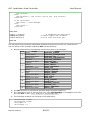
The following table shows the correspondences between the AVC abstract widget types and the
names of the real widgets in the supported toolkits.
Table 1: Map of supported widget
AVC
abstract
widget type
real widgets by supported toolkits
GTK2+
GTK3+
Qt4
Qt5
Tk
wxWidgets Swing
Button
Button
QPushButton(1)
Button
Button
JButton
BitmapButton
Calendar
Calendar
QCalendar
Check Button
CheckButton
QCheckBox
-
CalendarCtrl
Checkbutton CheckBox
Color Selection ColorSelection QColorDialog
JCheckBox
-
ColorPicker
JColorChooser
-
Choice
ComboBox
JComboBox
Combo Box
ComboBox
(2)
ComboBoxText QComboBox
Entry
Entry
QLineEdit
Entry
TextCtrl
JTextField
Label
Label
QLabel
Label
StaticText
JLabel
JTable
JProgressBar
List View
TreeView
QTreeWidget
-
ListCtrl(3)
Progress Bar
ProgressBar
QProgressBar
-
Gauge
Radio Button
RadioButton
QRadioButton
Slider
HScale VScale
QSlider(4)
Scale
Spin Button
SpinButton
Status Bar
StatusBar(6)
Text View
TextView
QTextEdit
Text
Toggle Button
ToggleButton
QPushButton(7)
Togglebutton ToggleButton JToggleButton
Tree View
TreeView
QTreeWidget
Radiobutton RadioBox
JRadioButton
Scale
Slider
JSlider
SpinCtrl
JSpinner
StatusBar(6)
-
TextCtrl
JTextArea
QSpinBox(5)
Spinbox
QdoubleSpinbox
-
-
-
TreeCtrl(8)
JTree(8)
Notes
(1) QPushButton with "toggleButton" property set to "False" (the default).
(2) QComboBox with "editable" property set to "False" (the default).
(3) ListCtrl with property “style” set to “report”.
(4) QSlider manages integer values only.
(5) QSpinBox manages integer values only.
(6) StatusBar is used as a simple output label.
(7) QPushButton with "toggleButton" property set to "True". Set it with QPushButton method
setToggleButton(True) .
(8) TreeCtrl and JTree do not support columns and header.
Fabrizio Pollastri
10/115
AVC, Application View Controller
2.2.
User Manual
Widgets-variables names matching
AVC connects widgets and variables using a names matching procedure with the following
rules.
The matching name for a variable is the variable name itself.
The matching name for a widget is the widget
name itself, if the name does not contain a
double
underscore
('__'),
otherwise
the
matching name is the part of the widget name
before the double underscore. This allow to
differentiate widget names for widgets that are
to be connected to the same variable.
Each widget having a matching name equal to a
variable matching name is connected to that
variable.
widget name
button_ok
toggle__button
check_button_1
radio_button__2
matching name
button_ok
toggle
check_button_1
radio_button
Table 2: Examples of matching names
A widget can be connected to one variable. A variable can be connected to one or more
widgets.
2.3.
Matching namespaces
The name matching process of AVC works on two sides. One is the application program where
AVC search for matching names of variables. The other is the GUI where AVC search for
matching names of widgets. The matching process can be performed any number of times and
at any moment during application run time by a simple call to the proper AVC method
(“avc_init” or “avc_connect”). For each call, the name search in the application is bounded to
the attributes of the python object calling the AVC method. While the name search in the
widgets is bounded to a widgets subtree, if the subtree root widget is specified in the call. If no
root widget is specified, the whole GUI widget tree is searched. In other words, the search
namespace of the application variables is the scope (the directly accessible namespace or the
set of local symbols) of the object calling the AVC method. See the “countdown” example.
2.4.
Connected objects
Each python object calling one of the connecting methods of AVC (“avc_init” or “avc_connect”)
is a “connected” object. All connected objects must be instances of classes derived from the
AVC class. Let suppose that the class name is "myConnectedClass", the class definition
statement will be
class myConnectedClass(AVC):
The AVC class is derived from the builtin object class that is the base of all new style classes
introduced with python 2.2. So, also the derived class becomes a new style class.
2.5.
Static and dynamic connections
Any widget-variable connection created by AVC is dynamic, in the sense that it can be created
or deleted at any moment during the application run time. The simplest usage of AVC as
outlined in 1.3 uses the connections in a “static” mode: the connections are setup only one
Fabrizio Pollastri
11/115
AVC, Application View Controller
User Manual
time at the application init (call to avc_init) and they stay alive and unchanged until application
termination. In a more flexible usage, AVC creates some connections at application init time,
then during run time new GUIs or parts of GUI come up as connected objects and when the
application destroy some part of this GUIs, the corresponding connections are automatically
deleted. When the application deletes a widget that belongs to a connection, AVC automatically
removes it from the connection and if the connection has no more widgets, the connection is
also removed (see "countdown" example). An example of dynamic connection is a dialog
window that cames up at some execution time. The application can connect any widget in the
dialog that is referenced by some application variable by the following call:
the_app.avc_connect(new_dialog_window).
2.6.
Uniform separation between application logic and
GUI
AVC allows to structure the application with a program logic separated from GUI statements for
all supported toolkits. For example, program logic can be put in one class and GUI management
in another class (see "counter" example).
2.7.
AVC initialization
AVC start its job just after it is initialized. AVC initialization can take place in the application
after the creation of the GUI and after the instantiation of all variables to be connected. AVC
initialization is done by calling the instance method avc_init. Let suppose that the application
instance name is "the_app", the AVC init statement will be
the_app.avc_init()
When the value of a connected variable is changed, the values displayed by the widgets
connected to it are updated by AVC in one of two allowed modes: immediate or periodic. Mode
selection is done at AVC initialization specifying the "view_period" argument. If the argument is
omitted, like in the_app.avc_init(), it is assigned a default value of 0.1 seconds, selecting a
periodic views update with that period. If the argument is assigned a value, like in
the_app.avc_init(view_period=0.2), views will be updated every "view_period" seconds. If the
argument is assigned to zero or to "None" value, like in the_app.avc_init(view_period=0),
views will be updated immediately after each change of the variable value.
2.8.
Connecting widgets with variables
Two AVC methods can be called to perform widgets-variables connections: “avc_init” and
“avc_connect”. As detailed in 2.7, any application using AVC must call the “avc_init” method at
init time. This call is normally performed by the application object that implements the “main”
function of the application. avc_init initializes all the internal logic of AVC and makes any
required connection of the “main” object between its attributes and the whole widget tree of
the GUI. In many cases this is enough, so no more AVC calls are required. If other application
objects needs to perform connections, they must call the “avc_connect” method. This method
makes any required connection of the calling object between its attributes and the widget tree
whose root widget is given as argument. Let suppose that the object name is “object1”, the call
statement will be
object1.avc_connect(tree_root_widget)
Fabrizio Pollastri
12/115
AVC, Application View Controller
User Manual
If the argument is omitted, the widget tree defaults to the whole GUI widget tree. The following
rules apply to avc_connect operations: widget trees can overlap, a connected widget can not
be reconnected in another way. See "countdown" example.
2.9.
Normal abstract widget collection
All supported widgets are divided into two groups: normal and advanced. Normal widgets
embed simple data that can be connected to a basic python type, i.e. the button widget can be
connected to a boolean variable. Advanced widgets embed complex data that needs to be
connected to a more complex python type.
The normal real widgets of the supported toolkits are mapped to the following set of abstract
widgets. The detailed python data corresponding at each abstract widget is given.
Button
The memoryless press button, its connected variable must be a boolean. In normal state
(button not pressed) the variable is "False", in pressed state (mouse pointer over button and
mouse button 1 pressed) the variable is "True".
Names for button widget in supported toolkits: GTK+ "Button" and Qt4 "QPushButton" with
toggle attribute off, Tk “Button”, wxWidgets “Button”, Swing “JButton”.
Check button
The behavior of the check button widget is the same of the toggle button widget. See toggle
button.
Names for check button widget in supported toolkits: GTK + "CheckButton", Qt4 "QCheckBox",
Tk “Checkbutton”, wxWidgets “CheckBox”, Swing “JCheckBox”.
Combo box
The combo box, an item selector. The connected variable must be of type integer, its value is
the index of the selected item. When no item is selected index is -1.
Names for combo box widget in supported toolkits: GTK2+ “ComboBox”, GTK3+
“ComboBoxText”, Qt4 "QComboBox", not available in Tk, wxWidgets “Choice” “ComboBox”,
Swing “JComboBox”.
Entry
The text entry, its connected variable can be integer, float or string. Text input must conform to
the type of the connected variable. If the connected variable is of type string, its value is
copied to the entry widget "as is", if type is integer or float, the value is converted to string
before copy.
Names for text entry widget in supported toolkits: GTK+ "Entry", Qt4 "QLineEdit", Tk “Entry”,
wxWidgets “TextCtrl”, Swing “JTextField”.
Label
The text label, its connected variable can be boolean, integer, float, string, list, tuple or object.
If the label is created with a default text, AVC tests it against the connected variable to be a
valid python formatting string. If the test is successful, the default text is saved by AVC and
used to format the label text updates when the connected variable value changes. If the
connected variable is a generic python object, the formatting string is applied to the dictionary
of the object. If the test is not successful, the label text updates are rendered by the standard
python string representation applying the str function to the connected variable. For further
details, see the “label example”.
Names for text entry widget in supported toolkits: GTK+ “Label”, Qt4 “QLabel”, Tk “Label”,
Fabrizio Pollastri
13/115
AVC, Application View Controller
User Manual
wxWidgets “StaticText”, Swing “JLabel”.
Progress bar
The progress bar, its connected variable must be a float. If the value assigned to the variable is
negative, the progress bar is pulsed (display effect: a short colored segment shuttling along the
progress bar). If the value assigned to the variable is in the range 0.0 – 1.0, the progress bar is
extended for the proportional amount (0.0 → 0%, 1.0 → 100%).
Names for progress bar widget in supported toolkits: GTK+ “ProgressBar”, Qt4 “QProgressBar”,
Tk not supported, wxWidgets “Gauge”, Swing “JProgressBar”.
Radio button
The radio buttons come always in groups of two or more radio buttons. Each radio button
behaves like a check button, but only one radio button at a time can be checked in each group.
A variable of type integer can be connected to each group of radio buttons, its value is the
index of the checked radio button in the group.
Names for text entry widget in supported toolkits: GTK+ “RadioButton”, Qt4 “QRadioButton”, Tk
“Radiobutton”, wxWidgets “RadioBox”, Swing “JRadioButton”.
Slider
The slider, its connected variable can be integer or float. The GTK+ "HScale" and "VScale"
support both types. On the contrary, Qt4 supports only integers with "QSlider" widget. Also
Swing with “Jslider” support only integers. Remember that in python floats are always doubles.
Names for text entry widget in supported toolkits: GTK2+ “Hscale” and “Vscale”, GTK3+
“Scale”, Qt4 “QSlider”, Tk “Slider”, wxWidgets “Slider”, Swing “JSlider”.
Spin button
The spin button, its connected variable can be integer or float. The GTK+ "SpinButton" support
both types. On the contrary, Qt4 differentiate integer or float support with two widgets:
"SpinBox" and "DoubleSpinBox". Remember that in python floats are always doubles.
Names for spin button widget in supported toolkits: GTK+ "SpinButton", Qt4 "QSpinBox" for
integer and "QDoubleSpinBox" for float, Tk “Spinbox”, wxWidgets “SpinCtrl”, Swing “JSpinner”.
Status bar
The status bar, its connected variable is a string.
Names for text view/edit widget in supported toolkits: GTK+ "StatusBar", Qt4 and Tk not
supported, wxWidgets “StatusBar”.
Text view/edit
The text view/edit, its connected variable is a string.
Names for text view/edit widget in supported toolkits: GTK+ "TextView", Qt4 "QtextEdit", Tk
“Text”, wxWidgets “TextCtrl”, Swing “JTextArea”.
Toggle button
The toggle button, a button with memory, its connected variable must be a boolean. Each time
the button is pressed, it changes its state: from on to off or viceversa. In off state the variable
is "False", in on state the variable is "True".
Names for toggle button widget in supported toolkits: GTK+ "ToggleButton", Qt4 "PushButton"
with toggle attribute on, Tk “Togglebutton”, wxWidgets “ToggleButton”, Swing “JToggleButton”.
Fabrizio Pollastri
14/115
AVC, Application View Controller
2.10.
User Manual
Advanced abstract widget collection
The advanced real widgets of the supported toolkits are mapped to the following set of abstract
widgets. The detailed python data corresponding at each abstract widget is given. The widget
graphics show belove depends on the toolkit used. The example images as taken from GTK
widgets.
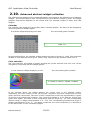
Calendar
The calendar, this widget the current date with a calendar graphic. The date can be changed by
interacting with the widget graphic.
A calendar widget displaying some date
The connected python variable
[2000,1,1]
In the example above, the calendar widget displays the date of January 1, 2000. The connected
variable is a list with the format [year, month, day]. Month and day numbers starts from 1.
Color selection
The color selection, this widget a graphic showing the current selected color. The color can be
changed by interacting with the widget graphic.
A color selection widget displaying a color
The connected python variable
[0.249989,0.499992,1.000000,1.000000]
In the example above, the widget displays the current color in four different modes.
Graphically, the color triangle on the left. By Hue, saturation and value components. By red,
green and blue components. The value of each components of this last representation is given
in decimal and hexadecimal numbers. The connected variable is a list with the format [red,
green, blue, alpha]. The value of each components span the range 0.0 – 1.0. The corresponding
decimal range in widget representation is 0 – 255. The corresponding hexadecimal range in
widget representation is 00 – ff . The alpha component, the color transparency, is assumed to
be 1.0 that means a color completely opaque.
Fabrizio Pollastri
15/115
AVC, Application View Controller
User Manual
List view
The list view, this widget can display data as a 2D table of one or more columns, the columns
can have an optional header. All items in one column may have the same type. Different
columns can have different types. At present, only textual data can by displayed: no icons, no
check boxes, etc. Let explain the connected python variable with an example.
A list view widget displaying some data
The connected python variable
{'head':['col1 int','col2 str'], \
'body':[[1,'one'],[2,'two'],[3,'three']]}
In the above example, the list view displays a data table with two columns and three rows plus
an header. The connected python variable is contained into a dictionary with two keys: “head”
and “body”. The value of the key “head” controls the header of the list view. Its value type
must be a list of strings, each string appears into the head of a column. To remove the header
in the widget, remove the “head” key/value pair from the dictionary. The value of the key
“body” controls the data displayed in the table. Its must be a list of row data, where each row is
a list of column values.
Names for list view widget in supported toolkits: GTK+ “TreeView”, Qt4 “QTreeWidget”, Tk not
supported, wxWidgets “ListCtrl”, Swing “JTable”.
Note: wxWidgets “ListCtrl”works with property “style” set to ”report”.
Tree view
The tree view, this widget can display a hierarchical data tree, it can have an optional header.
At present, only textual data can be diplayed: no icons, no check boxes, etc. Let explain the
connected python variable with an example.
A tree view widget displaying some data
The connected python variable
{'head':['col1 int','col2 str'], \
'body':{'1':[1,'one'],'2':[2,'two'], \
'1.1':[11,'one one'],'1.2':[12,'one two'],\
'2.1':[21,'two one'],'2.2':[22,'two two']}}
In the above example, the tree view displays two root rows, rows 1 and 2. Each root row has
two children rows, rows 11 and 12 for root row 1, rows 21 and 22 for root rows 2. The whole
tree has 6 rows and two columns with an header. The connected python variable is contained
into a dictionary with two keys: “head” and “body”. The value of the key “head” controls the
header of the tree view. Its value type must be a list of strings, each string appears into the
head of a column. To remove the header in the widget, remove the “head” key/value pair from
Fabrizio Pollastri
16/115
AVC, Application View Controller
User Manual
the dictionary. The value of the key “body” controls the data displayed in the tree. Its must be a
dictionary of row data. The row value is a list of column values. The key of each row is the path
of the row in the tree, referred only to the visual current position of the row respect to the other
rows. A row path is represented as a string with one or more integers separated by dots. Root
rows paths have only one integer, starting from 1 for the topmost row and increasing by one at
each root row going toward bottom. First level children have two integers. The first is the
parent path, the second is the child top-down order, starting from 1 for the topmost child and
increasing by one at each child of the same parent going toward bottom. Path of deeper rows in
a tree is built applying recursively the above rules.
Names for tree view widget in supported toolkits: GTK+ “TreeView”, Qt4 “QTreeWidget”, Tk not
supported, wxWidgets “TreeCtrl”, Swing “JTree”.
Note: wxWidgets “TreeCtrl” and Swing “JTree”do not support columns and headers.
2.11.
Connection update trigger events
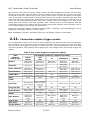
On the application side there is only one event triggering the update of the connected widgets,
the assignment of a new value to the connected variable. On the contrary, from the GUI side,
several events can trigger the update of a new value in the connected variable and in the other
connected widgets. The following table specifies for each widget which GUI events trigger the
update.
Table 3: GUI events triggering connection update
AVC
abstract
widget type
real widgets events by supported toolkits
GTK2+
GTK3+
Qt4
Qt5
Tk
wxWidgets
Swing
MLB press
MLB release
MLB press
MLB release
MLB press
MLB release
MLB press
MLB release
MLB press
MLB release
MLB press
MLB release
-
MLB press
MLB release
-
MLB press
Label edit end
MLB release on
OK button
-
MLB release on
OK button
MLB release
Label edit end
MLB release
MLB release
MLB press
MLB release
MLB release
MLB release
Arrows+Enter
MLB release
Arrows+Enter
NA
MLB release
Arrows+Enter
MLB release
Arrows
Entry
Enter
Enter
Enter
Key press
Key release
Label
-
Button
Calendar
Color Selection
Check Button
Combo Box
List View
Row deleted
Row changed
-
-
-
-
Layout changed
Data changed
NA
Label edit end
Label edit end
Header data
changed
Progress Bar
NE
NE
NA
NE
NE
Radio Button
MLB release
Arrow press
MLB release
Arrow press
MLB press
MLB release
Arrow press
MLB release
Drag
Drag
Drag
Drag end
Drag
MLB press
MRB press
Enter
MLB press
Key press
MLB release
Enter
MLB press
MRB press
Enter
MLB press
Enter
NE
NE
NA
NE
NE
Slider
Spin Button
Status Bar
Text View
Toggle Button
Fabrizio Pollastri
Key press
Key press
Enter
Key press
Key press
MLB release
MLB release
MLB press
MLB release
MLB release
17/115
AVC, Application View Controller
Row deleted
Row changed
Tree View
User Manual
Layout changed
Data changed
Header data
changed
NA
Label edit end
Label edit end
Notes
Arrows: up and down arrow keys.
Drag: mouse left button pressed while moving.
Enter: the enter key.
Key: any printable key.
Label edit end: enter key pressed after label editing.
MLB: mouse left button.
MRB: mouse right button.
NA: widget not available.
NE : display only widget, no input event.
2.12.
Caveat
Below, there is a list of things to pay attention to have a good experience with AVC. They are in
part limitations chosen by design to keep AVC as simple as possible, in part limitations imposed
by the python language. They may become development targets in the future.
2.12.1.
General caveat
The attributes exploration goes deep one level, it is not recursive on objects. This means that
only attributes of the current class are considered for matching. If an attribute of the current
object class is an object containing other attributes, these are not considered for matching.
Several core operation of AVC must be executed atomically, to avoid the burden of mutually
exclusive execution provisions, AVC cannot be used together with multiple thread of control.
When the connected variable is a mutable sequence (list or dictionary), the assignment to the
variable with subscripts do not trigger the value update into the connected widgets. So, assign
the connected variable as a whole without any subscript.
For efficient programming, use small (in memory footprint sense) connected variables: avoid
long lists or big dictionaries.
At present, no persistence of connected variables is implemented. At application termination,
nothing is saved about the status of the connected variables.
The update of tree view widgets rewrites completely
expanded/collapsed status of each tree node is lost.
2.12.2.
the
displayed
tree,
so
the
Widget toolkit specific caveat
AVC for Swing do not implement widget removal: it seems that Swing do not have a widget
destroy signal to listen.
GTK2+ glade interface designer rename automatically different widget with the same name by
appending a number.
Fabrizio Pollastri
18/115
AVC, Application View Controller
2.13.
User Manual
Testing and debugging
AVC can produce a printout of its activity that can be useful for testing and debug purposes.
The verbosity level of the printout can be selected from 0 (minimum) to 4 (maximum). Let
suppose that the program to test is “myprogram.py”, then to produce the printout with the
maximum verbosity the following command is required.
myprogram.py --avc-verbosity 4
The content of the each verbosity level is the following.
●
level 0: nothing printed, the default.
●
level 1: header with AVC version, widget toolkit type and version, program name,
verbosity level, connection update mode; connection list with name, variable type,
initial value, removed connections.
level 2: as level 1 plus the widgets and the change handlers list of each connection, the
removed widgets.
●
●
level 3: as level 2 plus the details of widgets in connections lists.
●
level 4: as level 3 plus full widget tree for each scansion.
●
level 5: as level 4 plus full printout of internal structures (cogets, connections, widgets).
2.13.1.
Testing printout for example gtk3_counter.py
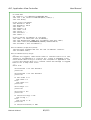
The following example shows the output produced by running the example “gtk3_counter.py”
with verbosity at level 4. Similar outputs are given for the other widget toolkits.
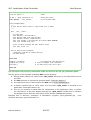
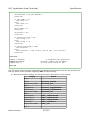
./gtk3_counter.py --avc-verbosity 4
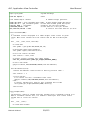
AVC 0.10.0 - Activity Report
widget toolkit binding: GTK3 v3.10.8
program: ./gtk3_counter.py
verbosity: 4
connection update mode: periodic, period=0.1 sec
widget tree scansion from top level [<Window object at 0x7f5289538870 (GtkWindow at
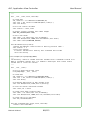
0x1b1a360)>]
skip unsupported widget Window,"root_window"
skip unsupported widget Box,"GtkBox"
creating coget "counter" in <avc.avccore.Coget object at 0x7f52837b0e10>
creating connection "counter" in <__main__.ExampleMain object at 0x7f528c64c610>
type: <type 'int'>
initial value: 0
add widget Label,"counter" to connection "counter"
valid format string: "<b>%d</b>"
creating coget "high_speed" in <avc.avccore.Coget object at 0x7f52837b0e50>
creating connection "high_speed" in <__main__.ExampleMain object at 0x7f528c64c610>
type: <type 'bool'>
initial value: False
connected handler "high_speed_changed"
add widget CheckButton,"high_speed" to connection "high_speed"
skip unmatched widget Label,"GtkLabel"
removing widget Label from connection "counter" of <__main__.ExampleMain object at
0x7f528c64c610>
Fabrizio Pollastri
19/115
AVC, Application View Controller
User Manual
removing connection "counter" from <__main__.ExampleMain object at 0x7f528c64c610>
deleting coget "counter" <avc.avccore.Coget object at 0x7f52837b0e10>
removing widget CheckButton from connection "high_speed" of <__main__.ExampleMain
object at 0x7f528c64c610>
removing connection "high_speed" from <__main__.ExampleMain object at 0x7f528c64c610>
deleting coget "high_speed" <avc.avccore.Coget object at 0x7f52837b0e50>
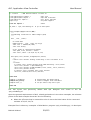
In the “widget tree scansion” all the widgets of the GUI are analyzed. In fact, the root widgets of
the searched tree are the top level windows. Each widget can be skipped (ignored) or added to
a connection. A widget is skipped because it is of type not supported AVC or it has a name not
matching any variable of the application or it is already connected. When a name match is
found and the related connection do not exists, the message “ creating connection ...” appears
with the name of the connection and the object in which resides the connected variable. The
type and the initial value of the variable is also displayed. A widget is added to a connection
because it name matches some application variable. For each added widget, its class type and
its name are printed.
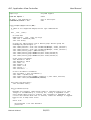
Things to be noticed. The connection “counter” has a label widget that was preloaded with a
valid formatting string ("<b>%d</b>"). The connection “high_speed” has a check button
widget and it has the change handler “high_speed_changed”.
When the main window is closed, all the contained widgets are deleted, so for each deleted
widget that is also connected a remove message appears. When a connection has no more
widgets, it is also removed and a remove message appears.
Fabrizio Pollastri
20/115
AVC, Application View Controller
User Manual
3. GTK2+ reference
This is the part of the user manual specific to the GTK2+ widgets toolkit.
3.1.
Module dependencies
AVC GTK2+ depends on PyGTK [9] the python wrapper for GTK2+ libraries. AVC GTK2+ imports
the following modules from PyGTK.
import gtk
import gobject
3.2.
Widget naming
Both Glade, the interface designer, and GTK2+ allow duplicated naming of widgets.
3.3.
Status bar widget
AVC uses the GTK2+ status bar widget as a simple output label. Only context #1 with one or
none message on status bar stack is used.
3.4.
Interface designer
AVC is fully compatible with Glade, the design tool for GTK2+. Glade produces an interface
description that is saved as a specific xml format (.glade).GTK2+ and GTK3+ reference
This is the part of the user manual specific to the GTK+ widgets toolkit.
Fabrizio Pollastri
21/115
AVC, Application View Controller
User Manual
4. GTK3+ reference
This is the part of the user manual specific to the GTK3+ widgets toolkit.
4.1.
Module dependencies
AVC GTK3+ depends on PyGObject [10] the python wrapper for GTK3+ libraries. AVC GTK3+
imports the following modules from PyGTK.
import gi.repository.GObject as GObject
import gi.repository.Gtk as Gtk
4.2.
Widget naming
Both Glade, the interface designer, and GTK3+ allow duplicated naming of widgets.
4.3.
Interface designer
AVC is fully compatible with Glade, the design tool for GTK3+. Glade produces an interface
description that is saved as a specific xml format (.ui).
Fabrizio Pollastri
22/115
AVC, Application View Controller
User Manual
5. Qt4 and Qt5 reference
This is the part of the user manual specific to Qt4 [3] widgets toolkit.
5.1.
Module dependencies
AVC Qt4 depends on PyQt v4 [11] the python bindings for Qt v4 application framework. AVC
Qt4 imports the following modules from PyQt.
import PyQt4.Qt as qt
5.2.
Widget naming
Qt4 Designer and Qt4 do not allow duplicated naming of widgets. So use the 'double
underscore' mechanism to differentiate widgets names.
5.3.
Application GUI class
The application objects that need to interact with Qt4 GUI, must be instantiated from an
application class that is derived from the QApplication class. Let suppose that the application
GUI class name is "theAppGUI", the application class statement will be
class theAppGUI(QApplication):
5.4.
Interface designer
AVC is fully compatible with Qt4 Designer, the design tool for Qt4. Qt4 Designer produces an
interface description that is saved as a specific xml format (.ui).
Fabrizio Pollastri
23/115
AVC, Application View Controller
User Manual
6. Tk reference
This is the part of the user manual specific to Tk [4] widgets toolkit.
6.1.
Module dependencies
AVC Tk depends on Tkinter [12] the python bindings for Tk application framework. Tkinter is
part of the standard python library. AVC Tk imports the following module from python standard
library.
import Tkinter
6.2.
Widget naming
The Tk toolkit has a specific naming scheme for its widgets. Widget name is generally the
concatenation of its parent's name followed by a period (unless the parent is the root window .
) and a string containing no periods, e. g. “.baseframe.button1”. For this reason, the complete
name of each widget is unique. AVC takes as widget name not the complete Tk name but only
the part after the rightmost dot. For example a widget with the complete Tk name
“.baseframe.button1” has the AVC name “button1”.
6.3.
Interface designer
AVC supports the 'Visual Tcl' interface design tool for Tk. Visual Tcl produces an interface
description that is saved as tcl script.
Fabrizio Pollastri
24/115
AVC, Application View Controller
User Manual
7. wxWidgets reference
This is the part of the user manual specific to wxWidgets [5] widgets toolkit.
7.1.
Module dependencies
AVC wxWidgets depends on wxPython [13] the python bindings for wxWidgets application
framework. AVC wxWidgets imports the following module from python standard library.
import wx
7.2.
Widget naming
Both wxGlade, the interface designer, and wxWidgets allow duplicated naming of widgets.
7.3.
Application GUI class
The application objects that need to interact with wxWidgets GUI, must be instantiated (in the
simplest form) from an application class that is derived from the PySimpleApp class. Let suppose
that the application GUI class name is "theAppGUI", the application class statement will be
class theAppGUI(PySimpleApp):
7.4.
Interface designer
AVC supports the 'wxGlade' interface design tool for wxWidgets and all other design tools
producing an interface description that is saved in the native xml format ('xrc') of wxWidgets.
Fabrizio Pollastri
25/115
AVC, Application View Controller
User Manual
8. Swing reference
This is the part of the user manual specific to Swing [6] widgets toolkit.
8.1.
Module dependencies
AVC Swing depends on jython Swing modules [8], the jython bindings for java Swing
application framework. AVC Swing imports the following module from jython standard library.
from java import awt
from javax import swing
8.2.
Widget naming
Swing allows duplicated naming of widgets.
Fabrizio Pollastri
26/115
AVC, Application View Controller
User Manual
9. GTK2+ examples
9.1.
Spin button example
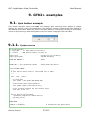
This simple example shows how AVC can manage data exchange from widget to widget
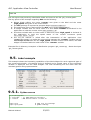
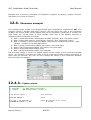
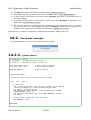
without any specific code in the application. The program creates a window with two widgets: a
spin button and a label. When the value in the spin button is changed by clicking on up or down
arrows or by entering it with the keyboard, the new value is displayed into the label.
9.1.1.
Python source
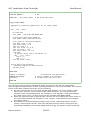
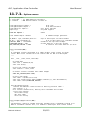
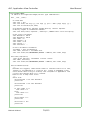
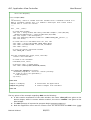
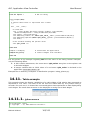
#!/usr/bin/python
# .copyright : (c) 2006 Fabrizio Pollastri
# .license
: GNU General Public License v3
import gtk
import gtk.glade
# gimp tool kit bindings
# glade bindings
from avc import *
# AVC
GLADE_XML = 'gtk_spinbutton.glade'
# GUI glade descriptor
class Example(AVC):
"""
A spin button whose value is replicated into a label
"""
def __init__(self):
# create GUI
self.glade = gtk.glade.XML(GLADE_XML)
# autoconnect GUI signal handlers
self.glade.signal_autoconnect(self)
# the variable holding the spin button value
self.spin_value = 0
def on_destroy(self,window):
"Terminate program at window destroy"
gtk.main_quit()
#### MAIN
example = Example()
Fabrizio Pollastri
# instantiate the application
27/115
AVC, Application View Controller
example.avc_init()
gtk.main()
User Manual
# connect widgets with variables
# run GTK event loop until quit
#### END
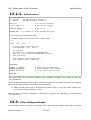
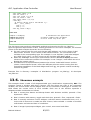
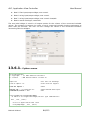
The GUI layout was previously edited with Glade and saved to the file ‘gtk_spinbutton.glade’.
The key points of the example regarding AVC are the following.
●
●
●
During Glade editing, the same name 'spin_value' was given to the spin button and to
the label.
The AVC package is imported at program begin (from avc import *).
The application class is derived from the AVC class (class Example(AVC):).
●
A integer variable with an initial value of 0 and name 'spin_value' is declared in the
application (self.spin_value = 0).
●
The avc_init method is called after the instantation of the application class, to realize
the connections of the two widgets through the 'spin_value' variable and to initialize
the widgets values with the initial value of the variable (example.avc_init()).
Example files in directory 'examples' of distribution: program 'gtk_spinbutton.py' , Glade
descriptor 'gtk_spinbutton.glade'.
9.2.
Calendar example
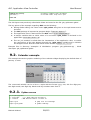
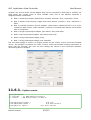
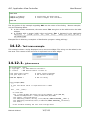
This example shows the graphic rendering of the calendar widget displaying the default date of
January 1, 2000.
The connected variable can be a list or a tuple with the format yyyy, mm, dd: four digit year,
two digit month, two digit day. Month and day numbers start from 1.
9.2.1.
Python source
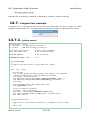
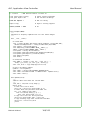
#!/usr/bin/python
# .copyright
: (c) 2013 Fabrizio Pollastri.
# .license
: GNU General Public License v3
import gtk
import gtk.glade
Fabrizio Pollastri
# gimp tool kit bindings
# glade bindings
28/115
AVC, Application View Controller
User Manual
from avc import *
# AVC
GLADE_XML = 'gtk_calendar.glade'
# GUI glade descriptor
class Example(AVC):
"""
Calendar widget connected to label widget (GTK)
"""
def __init__(self):
# create GUI
self.glade = gtk.glade.XML(GLADE_XML)
# autoconnect GUI signal handlers
self.glade.signal_autoconnect(self)
# all types of connected variables
self.calendar_value = (2000,1,1)
def on_destroy(self,window):
"Terminate program at window destroy"
gtk.main_quit()
#### MAIN
example = Example()
example.avc_init()
gtk.main()
# instantiate the application
# connect widgets with variables
# run GTK event loop until quit
#### END
The GUI layout was previously edited with Glade and saved to the file ‘gtk_calendar.glade’.
Apart the general requirements of AVC, already pointed out in the other examples, the relevant
points of the label example about AVC are the following.
●
When the GTK event loop is entered the calendar date is set to the initial value of the
connected variable: January 1, 2000.
Example files in directory 'examples' of distribution: program 'gtk_calendar.py' , Glade
descriptor 'gtk_calendar.glade'.
9.3.
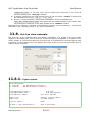
Color selection example
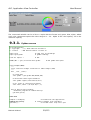
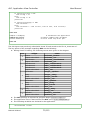
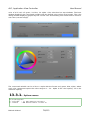
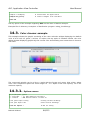
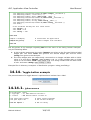
This example shows the graphic rendering of the color selection widget displaying the default
color of 0.25 red, 0.5 green, 1.0 blue, 1.0 alpha.
Fabrizio Pollastri
29/115
AVC, Application View Controller
User Manual
The connected variable can be a list or a tuple with the format red, green, blue, alpha, where
each color component spans the value range 0.0 – 1.0 . Alpha is the color opacity: 1.0 is the
maximun opacity.
9.3.1.
Python source
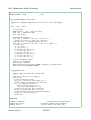
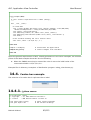
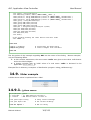
#!/usr/bin/python
# .copyright
: (c) 2013 Fabrizio Pollastri.
# .license
: GNU General Public License v3
import gtk
import gtk.glade
# gimp tool kit bindings
# glade bindings
from avc import *
# AVC
GLADE_XML = 'gtk_colorselection.glade'
# GUI glade descriptor
class Example(AVC):
"""
Color selection widget connected to label widget (GTK)
"""
def __init__(self):
# create GUI
self.glade = gtk.glade.XML(GLADE_XML)
# autoconnect GUI signal handlers
self.glade.signal_autoconnect(self)
# all types of connected variables
self.color_value = (0.25,0.50,1.,1.)
def on_destroy(self,window):
"Terminate program at window destroy"
gtk.main_quit()
#### MAIN
example = Example()
example.avc_init()
gtk.main()
Fabrizio Pollastri
# instantiate the application
# connect widgets with variables
# run GTK event loop until quit
30/115
AVC, Application View Controller
User Manual
#### END
The GUI layout was
‘gtk_colorselection.glade’.
previously
edited
with
Glade
and
saved
to
the
file
Apart the general requirements of AVC, already pointed out in the other examples, the relevant
points of the label example about AVC are the following.
●
When the GTK event loop is entered the color is set to the initial value of the connected
variable: 0.25,0.5,1.0,1.0 .
Example files in directory 'examples' of distribution: program 'gtk_colorselection.py' , Glade
descriptor 'gtk_colorselection.glade'.
9.4.
Counter example
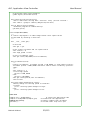
This example shows how AVC can manage data input from a check button widget to the
application and from the application to a label widget without any specific code in the
application. The program creates a window with two widgets: a check button and a label. The
label displays the value of an integer counter. The check button controls the increment speed
of the counter. Initially, it is unchecked meaning that the increment speed of the counter is 2
units per second. When the user checks the check button the increment speed grows to 10
units per seconds and returns to the initial value (2) when the check button is unchecked again.
9.4.1.
Python source
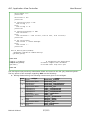
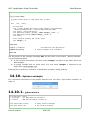
#!/usr/bin/python
# .copyright : (c) 2006 Fabrizio Pollastri
# .license
: GNU General Public License v3
import gobject
import gtk
import gtk.glade
#-#- gimp tool kit bindings
# glade bindings
from avc import *
# AVC
GLADE_XML = 'gtk_counter.glade'
LOW_SPEED = 500
HIGH_SPEED = 100
# GUI glade descriptor
#-#- low and high speed period (ms)
class ExampleGUI:
"Counter GUI creation"
def __init__(self):
# create GUI
glade = gtk.glade.XML(GLADE_XML)
Fabrizio Pollastri
31/115
AVC, Application View Controller
User Manual
# autoconnect GUI signal handlers
glade.signal_autoconnect(self)
def timer(self,period,function):
"Start a GTK timer calling back 'function' every 'period' seconds."
self.timer1 = gobject.timeout_add(period,function)
def on_destroy(iself,window):
"Terminate program at window destroy"
gtk.main_quit()
class ExampleMain(AVC):
"""
A counter displayed in a Label widget whose count speed can be
accelerated by checking a check box.
"""
def __init__(self,gui):
# save GUI
self.gui = gui
# the counter variable and its speed status
self.counter = 0
self.high_speed = False
# start incrementer timer
self.gui.timer(LOW_SPEED,self.incrementer)
def incrementer(self):
"""
Counter incrementer: increment period = LOW_SPEED, if high speed is False,
increment period = HIGH_SPEED otherwise. Return False to destroy previous
timer.
"""
self.counter += 1
if self.high_speed:
period = HIGH_SPEED
else:
period = LOW_SPEED
self.gui.timer(period,self.incrementer)
return False
def high_speed_changed(self,value):
"Notify change of counting speed to terminal"
if value:
print 'counting speed changed to high'
else:
print 'counting speed changed to low'
#### MAIN
example_gui = ExampleGUI()
example = ExampleMain(example_gui)
example.avc_init()
gtk.main()
Fabrizio Pollastri
# create the application GUI
# instantiate the application
# connect widgets with variables
# run GTK event loop until quit
32/115
AVC, Application View Controller
User Manual
#### END
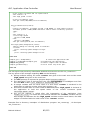
The GUI layout was previously edited with Glade and saved to the file ‘gtk_counter.glade’.
The key points of the example regarding AVC are the following.
●
●
●
●
●
●
During Glade editing, the name 'counter' was given to the label and the name
'high_speed' was given to the check button.
The AVC package is imported at program begin (from avc import *).
The application class is derived from the AVC class (class Example(AVC):).
A integer variable with an initial value of 0 and name 'counter' is declared in the
application to hold the counter value (self.counter = 0).
A boolean variable with an initial value of False and name 'high_speed' is declared in
the application to hold the speed status of the counter increment speed
(self.high_speed = False).
The avc_init method is called after the instantation of the application class
(example.avc_init()) to realize the connections between the 'counter' variable and the
label widget and between the the 'high_speed' variable and the check button, the label
widget is initialized with the initial value of the 'counter' variable.
Example files in directory 'examples' of distribution: program 'gtk_counter.py' , Glade descriptor
'gtk_counter.glade'.
9.5.
Label example
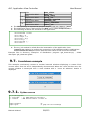
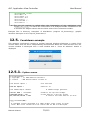
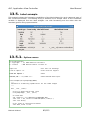
This example shows the formatting capabilities of the label widget. For each supported type of
the connected variable, a formatting string is defined and a sample value of the connected
variable is displayed into two label widgets: one with formatting and the other with the
standard python string representation.
9.5.1.
Python source
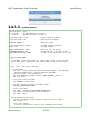
#!/usr/bin/python
# .copyright : (c) 2008 Fabrizio Pollastri
# .license
: GNU General Public License v3
import gtk
import gtk.glade
Fabrizio Pollastri
# gimp tool kit bindings
# glade bindings
33/115
AVC, Application View Controller
User Manual
from avc import *
# AVC
GLADE_XML = 'gtk_label.glade'
# GUI glade descriptor
class Example(AVC):
"""
Showcase of formatting capabilities for the label widget
"""
def __init__(self):
# create GUI
self.glade = gtk.glade.XML(GLADE_XML)
# autoconnect GUI signal handlers
self.glade.signal_autoconnect(self)
# all types of connected variables
self.bool_value = True
self.float_value = 1.0
self.int_value = 1
self.list_value = [1,2,3]
self.str_value = 'abc'
self.tuple_value = (1,2,3)
class Obj:
"A generic object with 2 attributes x,y"
def __init__(self):
self.x = 1
self.y = 2
self.obj_value = Obj()
def on_destroy(self,window):
"Terminate program at window destroy"
gtk.main_quit()
#### MAIN
example = Example()
example.avc_init()
gtk.main()
# instantiate the application
# connect widgets with variables
# run GTK event loop until quit
#### END
The GUI layout was previously edited with Glade and saved to the file ‘gtk_label.glade’.
Apart the general requirements of AVC, already pointed out in the other examples, the relevant
points of the label example about AVC are the following.
● For each control type (for each row) the two label widgets, one in the column “Label
with format” and one in the column “Label without format”, are connected to the
variable of the corresponding type. For example, in row “boolean”, both label widgets
are called “bool_value”, so they connect to the variable self.bool_value .
● When the GTK event loop is entered both columns are set to display the initial values of
the connected variables. For example, in row “integer”, both labels are set to display
the integer value 1.
● The differences of representation between the column “Label with format” and the
column “Label without format” reflect the different printout results coming from the
formatting capabilities of the label widget and from str, the generic textual rendering
Fabrizio Pollastri
34/115
AVC, Application View Controller
User Manual
function of python.
Example files in directory 'examples' of distribution: program 'gtk_label.py' , Glade descriptor
'gtk_label.glade'.
9.6.
Showcase example
This example shows a table of almost all widget/variable type combinations supported by AVC.
The program creates a window with three columns: the first shows the type of the connected
variable, the second shows all the widgets that can be connected to that type of variable, the
third shows the current value of each variable. Each row of the window represent a
widgets/variable combination as follows.
Row 1: memoryless button with boolean variable, pressed = True, unpressed = False.
Row 2: buttons with memory, toggle and check buttons, pressed = True, unpressed =
False.
● Row 3: mutually exclusive choices widgets, radio buttons numbered from 0 to 2 and a
combo box with 3 items, index variable = number of checked radio button and selected
item of combo box.
● Row 4: integer input/output widgets, spin button, entry and slider.
● Row 5: float input/output widgets, spin button, entry and slider.
● Row 6: string input/output widget, entry.
● Row 7: string input/output widget, text view/edit.
● Row 8: status messages, status bar.
The text label widget is used in all output modes for the column of the connected variable
values. The program increment the value of each connected variable looping top-bottom at
three rows per seconds. The user can also change the values in the connected variables
interacting with the widgets.
●
●
9.6.1.
Python source
#!/usr/bin/python
Fabrizio Pollastri
35/115
AVC, Application View Controller
# .copyright
# .license
User Manual
: (c) 2006 Fabrizio Pollastri
: GNU General Public License v3
import gobject
import gtk
import gtk.glade
#-#- gimp tool kit bindings
# glade bindings
from avc import *
# AVC
GLADE_XML = 'gtk_showcase.glade'
INCREMENTER_PERIOD = 333
# ms
# GUI glade descriptor
class Example(AVC):
"A table of all supported widget/control type combinations"
def __init__(self):
# create GUI
self.glade = gtk.glade.XML(GLADE_XML)
# autoconnect GUI signal handlers
self.glade.signal_autoconnect(self)
# the control variables
self.boolean1 = False
self.boolean2 = False
self.radio = 0
self.integer = 0
self.float = 0.0
self.string = ''
self.textview = ''
self.status = ''
# start variables incrementer
increment = self.incrementer()
gobject.timeout_add(INCREMENTER_PERIOD,increment.next)
def incrementer(self):
"""
Booleans are toggled, radio button index is rotated from first to last,
integer is incremented by 1, float by 0.5, string is appended a char
until maxlen when string is cleared, text view/edit is appended a line
of text until maxlen when it is cleared. Status bar message is toggled.
Return True to keep timer alive.
"""
while True:
self.boolean1 = not self.boolean1
yield True
self.boolean2 = not self.boolean2
yield True
if self.radio >= 2:
self.radio = 0
else:
self.radio += 1
yield True
Fabrizio Pollastri
36/115
AVC, Application View Controller
User Manual
self.integer += 1
yield True
self.float += 0.5
yield True
if len(self.string) >= 10:
self.string = ''
else:
self.string += 'A'
yield True
if len(self.textview) >= 200:
self.textview = ''
else:
self.textview += 'line of text, line of text, line of text\n'
yield True
if not self.status:
self.status = 'status message'
else:
self.status = ''
yield True
def on_destroy(self,window):
"Terminate program at window destroy"
gtk.main_quit()
#### MAIN
example = Example()
example.avc_init()
gtk.main()
# instantiate the application
# connect widgets with variables
# run GTK event loop until quit
#### END
The GUI layout was previously edited with Glade and saved to the file ‘gtk_showcase.glade’.
The key points of the example regarding AVC are the following.
●
During Glade editing, the following names were given to the widgets.
Row
1
2
3
4
5
Fabrizio Pollastri
widget
button
output value label
togglebutton
checkbutton
output value label
radiobutton0
radiobutton1
radiobutton2
combobox
output value label
spinbutton
entry
slider
output value label
spinbutton
entry
name
boolean1__button
boolean1__var
boolean2__togglebutton
boolean2__checkbutton
boolean2__var
radio__radiobutton0
radio__radiobutton1
radio__radiobutton2
radio__combobox
radio__var
integer__spinbutton
integer__entry
integer__slider
integer__var
float__spinbutton
float__entry
37/115
AVC, Application View Controller
6
7
8
●
●
●
slider
output value
entry
output value
textview
output value
statusbar
output value
User Manual
float__slider
float__var
string__entry
string__var
textview__textview
textview__var
status__statusbar
status__var
label
label
label
label
The AVC package is imported at program begin (from avc import *).
The application class is derived from the AVC class (class Example(AVC):).
The following variables are declared in the application.
self.boolean1 = False
self.boolean2 = False
self.radio = 0
self.integer = 0
self.float = 0.0
self.string = ''
self.textview = ''
self.status = ''
The avc_init method is called after the instantation of the application class
(example.avc_init()) to realize the connections of all widegts/variable combinations
and to initialize the widgets values with the initial value of the connected variable .
Example files in directory 'examples' of distribution: program 'gtk_showcase.py' , Glade
descriptor 'gtk_showcase.glade'.
●
9.7.
Countdown example
This example continuously creates at random intervals windows displaying a counter. Each
counter starts from 10 and is independently decremented. When the count reaches zero, the
counter window is destroyed. Also a main window with a “close all windows” button is
displayed.
9.7.1.
Python source
#!/usr/bin/python
# .copyright : (c) 2008 Fabrizio Pollastri
# .license
: GNU General Public License v3
import gobject
import gtk
Fabrizio Pollastri
#-#- gimp tool kit bindings
38/115
AVC, Application View Controller
User Manual
import gtk.glade
# glade bindings
from avc import *
# AVC
from random import randint
# random integer generator
GLADE_XML_MAIN = 'gtk_countdown_main.glade' # main window glade descriptor
GLADE_XML_CD = 'gtk_countdown.glade' # count down window glade descriptor
TOPLEVEL_NAME = 'countdown'
# name of the top level widget
COUNTDOWN_PERIOD = 500
# count down at 2 unit per second
MAX_CREATION_PERIOD = 4000
# create a new count down at 1/2 this
class Countdown(AVC):
"""
A countdown counter displayed in a Label widget. Count starts at given
value. When count reaches zero the counter and its GUI are destroyed.
"""
def __init__(self,count_start=10):
# create GUI
self.glade = gtk.glade.XML(GLADE_XML_CD)
# autoconnect GUI signal handlers
self.glade.signal_autoconnect(self)
# init the counter variable
self.counter = count_start
# connect counter variable with label widget
self.avc_connect(self.glade.get_widget(TOPLEVEL_NAME))
# start count down
gobject.timeout_add(COUNTDOWN_PERIOD,self.decrementer)
def decrementer(self):
"Counter decrementer. Return False to destroy previous timer."
self.counter -= 1
if self.counter:
# if counter not zero: reschedule count timer
gobject.timeout_add(COUNTDOWN_PERIOD,self.decrementer)
else:
# counter reached zero: destroy this countdown and its GUI
self.glade.get_widget(TOPLEVEL_NAME).destroy()
return False
class Example(AVC):
"""
Continuously create at random intervals windows with a countdown from 10 to 0.
When a countdown reaches zero, its window is destroyed. Also create a main
window with a "close all" button.
"""
def __init__(self):
# create main window
Fabrizio Pollastri
39/115
AVC, Application View Controller
User Manual
self.glade = gtk.glade.XML(GLADE_XML_MAIN)
# create the first countdown
self.new_countdown()
# close all button connected variable
self.close_all = False
# autoconnect GUI signal handlers
self.glade.signal_autoconnect(self)
def new_countdown(self,count_start=10):
"Create a new countdown"
# create a new countdown
Countdown(count_start)
# autocall after a random delay
gobject.timeout_add(randint(1,MAX_CREATION_PERIOD),self.new_countdown)
return False
# destroy previous timer
def on_destroy(self,window):
"Terminate program at window destroy"
gtk.main_quit()
def close_all_changed(self,value):
"Terminate program at 'close all' button pressing"
gtk.main_quit()
#### MAIN
example = Example()
example.avc_init()
gtk.main()
# instantiate the application
# connect widgets with variables
# run GTK event loop until quit
#### END
The GUI layout was previously edited with Glade and saved to the file
‘gtk_countdown_main.glade’ for the main window and to the file 'gtk_countdown.glade' for the
counter windows.
The key points of the example regarding AVC are the following.
●
●
●
●
●
●
During Glade editing of the main window, the name 'close_all' was given to the button
widget; during Glade editing of the counter window, the name 'counter' was given to
the label widget.
The AVC package is imported at program begin (from avc import *).
Both the application class and the counter class are derived from the AVC class (class
Example(AVC): | class Countdown(AVC):).
A boolean variable with an initial value of False and name 'close_all' is declared in the
application (self.close_all = False).
The method 'close_all_changed' is defined in the application to handle the press event
of the 'close all windows' button.
The avc_init method is called after the instantiation of the application class
(example.avc_init()) to init AVC logic and to realize the connection of the 'close all
windows' button to the 'close_all' variable.
Fabrizio Pollastri
40/115
AVC, Application View Controller
User Manual
A integer variable with an initial default value of 10 and name 'counter' is declared in
the Countdown class (self.counter = count_start)
● The avc_connect method is called at the instantation of the Countdown class
(self.avc_connect(self.glade.get_widget(TOPLEVEL_NAME))) with argument the window
widget of the counter. This call realizes the connection of the label widget to the
'counter' variable.
Example files in directory 'examples' of distribution: program 'gtk_countdown.py' , Glade
descriptors 'gtk_countdown_main.glade' anc 'gtk_countdown.glade'.
●
9.8.
List tree view example
The first row of this example shows the display capabilities of a widget in list view mode:
display of 2D tabular data. The second row shows the display capabilities of a widget in tree
mode: display of a hierarchical data tree. For each row, it is showed the connected python data
equivalent to data displayed by each widget. The rows of the list view are rolled down by one
position every 2 seconds.
9.8.1.
Python source
#!/usr/bin/python
# .copyright : (c) 2008 Fabrizio Pollastri.
# .license
: GNU General Public License v3
import gobject
import gtk
import gtk.glade
#-#- gimp tool kit bindings
# glade bindings
from avc import *
# AVC
import copy
# object cloning support
GLADE_XML = 'gtk_listtreeview.glade'
# GUI glade descriptor
UPDATE_PERIOD = 2000
# ms
class Example(AVC):
Fabrizio Pollastri
41/115
AVC, Application View Controller
User Manual
"""
Showcase of display capabilities for the tree view widget
"""
def __init__(self):
# create GUI
self.glade = gtk.glade.XML(GLADE_XML)
# autoconnect GUI signal handlers
self.glade.signal_autoconnect(self)
# make tree view rows reorderable
self.glade.get_widget('list__treeview').set_reorderable(True)
self.glade.get_widget('tree__treeview').set_reorderable(True)
# connected variables
self.list = {'head':['col1 int','col2 str'], \
'body':[[1,'one'],[2,'two'],[3,'three']]}
self.list_work = copy.deepcopy(self.list)
self.tree = {'head':['col1 int','col2 str'],'body':{ \
# root rows
'1':[1,'one'], \
'2':[2,'two'], \
# children of root row '1'
'1.1':[11,'one one'], \
'1.2':[12,'one two'], \
# children of root row '2'
'2.1':[21,'two one'], \
'2.2':[22,'two two']}}
# start variables update
update = self.update()
gobject.timeout_add(UPDATE_PERIOD,update.next)
def update(self):
"""
Tabular data rows data are rolled down.
"""
rows_num = len(self.list['body'])
while True:
# save last row of data
last_row = self.list_work['body'][-1]
# shift down one position each data row
for i in range(1,rows_num):
self.list_work['body'][-i] = \
self.list_work['body'][-1-i]
# copy last row into first position
self.list_work['body'][0] = last_row
# copy working copy into connected variable
self.list = self.list_work
yield True
def on_destroy(self,window):
"Terminate program at window destroy"
gtk.main_quit()
#### MAIN
Fabrizio Pollastri
42/115
AVC, Application View Controller
example = Example()
example.avc_init()
gtk.main()
User Manual
# instantiate the application
# connect widgets with variables
# run GTK event loop until quit
#### END
The GUI layout was previously edited with Glade and saved to the file ‘gtk_listtreeview.glade’.
Apart the general requirements of AVC, already pointed out in the other examples, the relevant
points of the label example about AVC are the following.
● For the data structure of type list, a control variable named 'self.list' is defined in the
application and connected to label widget is put in the column “Control value” and to
the list view widget put in the column “Widget”. The control variable is set to the
following initial value:
self.list = {'head':['col1 int','col2 str'], \
'body':[[1,'one'],[2,'two'],[3,'three']]}
●
For the data structure of type tree, a control variable named 'self.tree' is defined in the
application and connected to label widget is put in the column “Control value” and to
the tree view widget put in the column “Widget”. The control variable is set to the
following initial value:
self.tree = {'head':['col1 int','col2 str'],'body':{ \
# root rows
'1':[1,'one'], \
'2':[2,'two'], \
# children of root row '1'
'1.1':[11,'one one'], \
'1.2':[12,'one two'], \
# children of root row '2'
'2.1':[21,'two one'], \
'2.2':[22,'two two']}}
●
When the GTK event loop is entered both list and tree view are set to display the initial
values of the connected variables as explained in “List view“ at page 16 and in “Tree
view” at page 16.
Example files in directory 'examples' of distribution: program 'gtk_listtreeview.py' , Glade
descriptor 'gtk_listtreeview.glade'.
Fabrizio Pollastri
43/115
AVC, Application View Controller
User Manual
10. GTK3+ examples
The GTK3+ examples follow the same schema of the GTK2+ examples. The following table
gives a complete list of the files of these examples with a brief description.
Program source
User interface descriptor description
gtk3_calendar.py
gtk3_calendar.ui
A label displaying the selected date in the
calendar
gtk3_colorchooser.py gtk3_colorchooser.ui
A label displaying the selected color in the
calorchooser
gtk3_countdown.py
Continuously
creates
at
random
intervals
windows displaying a decrementing counter. When
the count reaches zero, the counter window is
destroyed. Also a main window with a “close all
windows” button is displayed.
gtk3_countdown_main.ui
gtk3_countdown.ui
gtk3_counter.py
gtk3_counter.ui
A label displaying an incrementing counter and
a check button controlling the incrementing
speed
gtk3_label.py
gtk3_label.ui
Display all the formatting capabilities of the
label widget
gtk3_listtreeview.py gtk3_listtreeview.ui
Display capabilities of list tree widget with
its controlling value
gtk3_showcase.py
gtk3_showcase.ui
Show a table of almost all widget/variable type
combinations supported for GTK3+
gtk3_spinbutton.py
gtk3_spinbutton.ui
A spinbutton whose value is replicated into a
label
As above, but the user interface is generated
programmatically
gtk3_spinbutton_progui.py
10.1.
Spin button example
This simple example shows how AVC can manage data exchange from widget to widget
without any specific code in the application. The program creates a window with two widgets: a
spin button and a label. When the value in the spin button is changed by clicking on up or down
arrows or by entering it with the keyboard, the new value is displayed into the label.
10.1.1.
Python source
#!/usr/bin/python
# .copyright : (c) 2015 Fabrizio Pollastri.
# .license
: GNU General Public License (see below)
import gi.repository.Gtk as Gtk
Fabrizio Pollastri
# gimp tool kit bindings
44/115
AVC, Application View Controller
User Manual
from avc import *
# AVC
UI_XML = 'gtk3_spinbutton.ui'
ROOT_WINDOW = 'root_window'
# GUI descriptor
# root window name
class Example(AVC):
"""
A spin button whose value is replicated into a label
"""
def __init__(self):
# create GUI
self.builder = Gtk.Builder()
self.builder.add_from_file(UI_XML)
self.builder.connect_signals(self)
self.root_window = self.builder.get_object(ROOT_WINDOW)
self.root_window.show_all()
# the variable holding the spin button value
self.spin_value = 0
def on_destroy(self,window):
"Terminate program at window destroy"
Gtk.main_quit()
#### MAIN
example = Example()
example.avc_init()
Gtk.main()
# instantiate the application
# connect widgets with variables
# run GTK event loop until quit
#### END
The GUI layout was previously edited with Glade and saved to the file ‘gtk_spinbutton.glade’.
The key points of the example regarding AVC are the following.
●
●
●
During Glade editing, the same name 'spin_value' was given to the spin button and to
the label.
The AVC package is imported at program begin (from avc import *).
The application class is derived from the AVC class (class Example(AVC):).
●
A integer variable with an initial value of 0 and name 'spin_value' is declared in the
application (self.spin_value = 0).
●
The avc_init method is called after the instantation of the application class, to realize
the connections of the two widgets through the 'spin_value' variable and to initialize
the widgets values with the initial value of the variable (example.avc_init()).
Example files in directory 'examples' of distribution: program 'gtk3_spinbutton.py' , User
interface descriptor 'gtk3_spinbutton.ui'.
Fabrizio Pollastri
45/115
AVC, Application View Controller
User Manual
11. Qt4 examples
11.1.
Spin box example
For a functional description of the graphic interface see the GTK+ “Spin button example“ at
page 27.
11.1.1.
Python source
#!/usr/bin/python
# .copyright : (c) 2006 Fabrizio Pollastri
# .license
: GNU General Public License v3
from PyQt4.QtCore import *
from PyQt4.QtGui import *
from PyQt4.uic import *
import sys
# Qt core
# Qt GUI interface
# ui files realizer
# system support
from avc import *
# AVC
UI_FILE = 'qt4_spinbox.ui'
# qt ui descriptor
class Example(QApplication,AVC):
"A spin box whose value is replicated into a text label"
def __init__(self):
# create GUI
QApplication.__init__(self,sys.argv)
self.root = loadUi(UI_FILE)
self.root.show()
# the variable holding the spin box value
self.spin_value = 0
#### MAIN
example = Example()
example.avc_init()
example.exec_()
# instantiate the application
# connect widgets with variables
# run Qt event loop until quit
#### END
Fabrizio Pollastri
46/115
AVC, Application View Controller
User Manual
The GUI layout was previously edited with Qt4 Designer and saved to the file ‘qt4_spinbox.ui’.
The key points of the example regarding AVC are the following.
●
●
●
●
●
During Qt4 Designer editing, the name 'spin_value__spinbox' was given to the spin
box and the name 'spin_value__label' was given to the label.
The AVC package is imported at program begin (from avc import *).
The application class is derived from the QApplication class of Qt4 and from the AVC
class of AVC (class Example(QApplication,AVC):).
A integer variable with an initial value of 0 and name 'spin_value' is declared in the
application (self.spin_value = 0).
The avc_init method is called after the instantation of the application class
(example.avc_init()) to realize the connections of the two widgets through the
'spin_value' variable and to initialize the widgets values with the initial value of the
variable .
Example files in directory 'examples' of distribution: program 'qt4_spinbox.py', UI descriptor
'qt4_spinbox.ui'.
11.2.
Calendar example
This example shows the graphic rendering of the calendar widget displaying the default date of
January 1, 2000.
The connected variable can be a list or a tuple with the format yyyy, mm, dd: four digit year,
two digit month, two digit day. Month and day numbers start from 1.
11.2.1.
Python source
#!/usr/bin/python
# .copyright : (c) 2013 Fabrizio Pollastri
# .license
: GNU General Public License v3
from PyQt4.QtCore import *
from PyQt4.QtGui import *
from PyQt4.uic import *
import sys
#
#
#
#
from avc import *
# AVC
UI_FILE = 'qt4_calendar.ui'
# qt ui descriptor
Fabrizio Pollastri
Qt core
Qt GUI interface
ui files realizer
system support
47/115
AVC, Application View Controller
User Manual
class Example(QApplication,AVC):
"""
Calendar widget connected to label widget (Qt4)
"""
def __init__(self):
# create GUI
QApplication.__init__(self,sys.argv)
self.root = loadUi(UI_FILE)
self.root.show()
# all types of connected variables
self.calendar_value = (2000,1,1)
#### MAIN
example = Example()
example.avc_init()
example.exec_()
# instantiate the application
# connect widgets with variables
# run Qt event loop until quit
#### END
The GUI layout was previously edited with Qt4 Designer and saved to the file ‘qt4_calendar.ui’.
Apart the general requirements of AVC, already pointed out in the other examples, the relevant
points of the label example about AVC are the following.
●
When the QT event loop is entered the calendar date is set to the initial value of the
connected variable: January 1, 2000.
Example files in directory 'examples' of distribution: program 'qt4_calendar.py', UI descriptor
'qt4_calendar.ui'.
11.3.
Color dialog example
This example shows the graphic rendering of the color selection widget displaying the default
color of 0.25 red, 0.5 green, 1.0 blue, 1.0 alpha. Color selection has two windows. The base
window displaying the connected variable with the default color values (first image). The color
dialog window displaying graphically the current color and allowing user interaction to choose a
new color (second image).
Fabrizio Pollastri
48/115
AVC, Application View Controller
User Manual
The connected variable can be a list or a tuple with the format red, green, blue, alpha, where
each color component spans the value range 0.0 – 1.0 . Alpha is the color opacity: 1.0 is the
maximun opacity.
11.3.1.
Python source
#!/usr/bin/python
# .copyright : (c) 2013 Fabrizio Pollastri
Fabrizio Pollastri
49/115
AVC, Application View Controller
# .license
User Manual
: GNU General Public License v3
from PyQt4.QtCore import *
from PyQt4.QtGui import *
from PyQt4.uic import *
import sys
#
#
#
#
Qt core
Qt GUI interface
ui files realizer
system support
from avc import *
# AVC
UI_FILE = 'qt4_colordialog.ui' # qt ui descriptor
class Example(QApplication,AVC):
"""
ColorDialog connected to label widget (Qt4)
"""
def __init__(self):
# create GUI
QApplication.__init__(self,sys.argv)
self.root = loadUi(UI_FILE)
self.root.show()
# all types of connected variables
self.open_color_chooser = False
self.color_value = (0.25,0.5,1.0,1.0)
def open_color_chooser_changed(self,value):
"""
Create color chooser dialog connecting a color variable to it
"""
if value:
# create color chooser dialog with name matching 'color_value'
self.color_chooser = QColorDialog()
self.color_chooser.setObjectName('color_value__color_chooser')
self.color_chooser.show()
# connect color variable with color chooser
self.avc_connect(self.color_chooser)
#### MAIN
example = Example()
example.avc_init()
example.exec_()
# instantiate the application
# connect widgets with variables
# run Qt event loop until quit
#### END
The GUI layout was
‘qt4_colordialog.ui’.
previously
edited
with
Qt4
Designer
and
saved
to
the
file
Apart the general requirements of AVC, already pointed out in the other examples, the relevant
points of the label example about AVC are the following.
●
When the QT event loop is entered the color is set to the initial value of the connected
variable: 0.25,0.5,1.0,1.0 .
Example files in directory 'examples' of distribution: program 'qt4_colordialog.py', UI descriptor
Fabrizio Pollastri
50/115
AVC, Application View Controller
User Manual
'qt4_colordialog.ui'.
11.4.
Counter example
For a functional description of the graphical interface see
page 31.
11.4.1.
the GTK+ “Counter example“ at
Python source
#!/usr/bin/python
# .copyright : (c) 2006 Fabrizio Pollastri
# .license
: GNU General Public License v3
from PyQt4.QtCore import *
from PyQt4.QtGui import *
from PyQt4.uic import *
import sys
#
#
#
# system
Qt core
Qt GUI interface
ui files realizer
support
from avc import *
# AVC
UI_FILE = 'qt4_counter.ui'
LOW_SPEED = 0.5
HIGH_SPEED = 0.1
# qt ui descriptor
#-#- low and high speed count period (sec)
class ExampleGUI(QApplication):
"Counter GUI creation"
def __init__(self):
# create GUI
QApplication.__init__(self,sys.argv)
self.root = loadUi(UI_FILE)
self.root.show()
def timer_start(self,period,function):
"Start a Qt timer calling back 'function' every 'period' seconds."
self.timer1 = QTimer()
QObject.connect(self.timer1,SIGNAL("timeout()"),function)
self.timer1.start(int(period * 1000.0))
def timer_set_period(self,period):
"Set a new period to timer"
self.timer1.stop()
self.timer1.start(int(period * 1000.0))
class ExampleMain(AVC):
"""
Fabrizio Pollastri
51/115
AVC, Application View Controller
User Manual
A counter displayed in a Label widget whose count speed can be
accelerated by checking a check box.
"""
def __init__(self,gui):
# save GUI
self.gui = gui
# the counter variable and its speed status
self.counter = 0
self.high_speed = False
# start incrementer timer
self.gui.timer_start(LOW_SPEED,self.incrementer)
def incrementer(self):
"""
Counter incrementer: increment period = LOW_SPEED, if high speed
is False, increment period = HIGH_SPEED otherwise.
"""
self.counter += 1
if self.high_speed:
period = HIGH_SPEED
else:
period = LOW_SPEED
self.gui.timer_set_period(period)
def high_speed_changed(self,value):
"Notify change of counting speed to terminal"
if value:
print 'counting speed changed to high'
else:
print 'counting speed changed to low'
#### MAIN
example_gui = ExampleGUI()
example = ExampleMain(example_gui)
example.avc_init()
example_gui.exec_()
# create the application GUI
# instantiate the application
# connect widgets with variables
# run Qt event loop until quit
#### END
The GUI layout was previously edited with Qt4 Designer and saved to the file ‘qt4_counter.ui’.
The key points of the example regarding AVC are the following.
●
●
During Qt4 Designer editing, the name 'counter' was given to the label and the name
'high_speed' was given to the check button.
The AVC package is imported at program begin (from avc import *).
●
The application class is derived from the QApplication class of Qt4 and from the AVC
class of AVC. (class Example(QApplication,AVC):).
●
A integer variable with an initial value of 0 and name 'counter' is declared in the
application to hold the counter value (self.counter = 0).
●
A boolean variable with an initial value of False and name 'high_speed' is declared in
the application to hold the speed status of the counter increment speed
Fabrizio Pollastri
52/115
AVC, Application View Controller
User Manual
(self.high_speed = False).
●
The avc_init method is called after the instantation of the application class
(example.avc_init()) to realize the connections between the 'counter' variable and the
label widget and between the the 'high_speed' variable and the check button, the label
widget is initialized with the initial value of the 'counter' variable .
Example files in directory 'examples' of distribution: program 'qt4_counter.py', UI descriptor
'qt4_counter.ui'.
11.5.
Label example
This example shows the formatting capabilities of the label widget. For each supported type of
the connected variable, a formatting string is defined and a sample value of the connected
variable is displayed into two label widgets: one with formatting and the other with the
standard python string representation.
11.5.1.
Python source
#!/usr/bin/python
# .copyright : (c) 2008 Fabrizio Pollastri
# .license
: GNU General Public License v3
from PyQt4.QtCore import *
from PyQt4.QtGui import *
from PyQt4.uic import *
import sys
# Qt core
# Qt GUI interface
# ui files realizer
# system support
from avc import *
# AVC
UI_FILE = 'qt4_label.ui'
# qt ui descriptor
Fabrizio Pollastri
53/115
AVC, Application View Controller
User Manual
class Example(QApplication,AVC):
"""
Showcase of formatting capabilities for the label widget
"""
def __init__(self):
# create GUI
QApplication.__init__(self,sys.argv)
self.root = loadUi(UI_FILE)
self.root.show()
# all types of connected variables
self.bool_value = True
self.float_value = 1.0
self.int_value = 1
self.list_value = [1,2,3]
self.str_value = 'abc'
self.tuple_value = (1,2,3)
class Obj:
"A generic object with 2 attributes x,y"
def __init__(self):
self.x = 1
self.y = 2
self.obj_value = Obj()
#### MAIN
example = Example()
example.avc_init()
example.exec_()
# instantiate the application
# connect widgets with variables
# run Qt event loop until quit
#### END
The GUI layout was previously edited with Qt4 Designer and saved to the file ‘qt4_label.ui’.
Apart the general requirements of AVC, already pointed out in the other examples, the relevant
points of the label example about AVC are the following.
● For each control type (for each row) the two label widgets, one in the column “Label
with format” and one in the column “Label without format”, are connected to the
variable of the corresponding type. For example, in row “boolean”, both label widgets
are called “bool_value”, so they connect to the variable self.bool_value .
● When the Qt4 event loop is entered both columns are set to display the initial values of
the connected variables. For example, in row “integer”, both labels are set to display
the integer value 1.
● The differences of representation between the column “Label with format” and the
column “Label without format” reflect the different printout results coming from the
formatting capabilities of the label widget and from str, the generic textual rendering
function of python.
Example files in directory 'examples' of distribution: program 'qt4_label.py' , UI descriptor
'qt4_label.ui'.
11.6.
Showcase example
This example shows a table of all widget/variable type combinations supported by AVC. The
program creates a window with three columns: the first shows the type of the connected
Fabrizio Pollastri
54/115
AVC, Application View Controller
User Manual
variable, the second shows all the widgets that can be connected to that type of variable, the
third shows the current value of each variable. Each row of the window represent a
widgets/variable combination.
●
Row 1: memoryless button with boolean variable, pressed = True, unpressed = False.
●
Row 2: buttons with memory, toggle and check buttons, pressed = True, unpressed =
False.
●
Row 3: mutually exclusive choices widgets, radio buttons numbered from 0 to 2 and a
combo box with 3 items, index variable = number of checked radio button and selected
item of combo box.
●
Row 4: integer input/output widgets, spin button, entry and slider.
●
Row 5: float input/output widgets, spin button and entry.
●
Row 6: string input/output widget, entry.
●
Row 7: string input/output widget, text view/edit.
The text label widget is used in all output modes for the column of the connected variable
values. The program increment the value of each connected variable looping top-bottom at
three rows per seconds. The user can also change the values of the connected variables
interacting with the widgets.
11.6.1.
Python source
#!/usr/bin/python
# .copyright : (c) 2006 Fabrizio Pollastri
# .license
: GNU General Public License v3
from PyQt4.QtCore import *
from PyQt4.QtGui import *
from PyQt4.uic import *
Fabrizio Pollastri
# Qt core
# Qt GUI interface
# ui files realizer
55/115
AVC, Application View Controller
User Manual
import sys
# system support
from avc import *
# AVC
UI_FILE = 'qt4_showcase.ui'
INCREMENTER_PERIOD = 333
# qt ui descriptor
# ms
class Example(QApplication,AVC):
"""
A table of all supported widget/control type combinations
"""
def __init__(self):
# create GUI
QApplication.__init__(self,sys.argv)
self.root = loadUi(UI_FILE)
self.root.show()
# group all radio buttons into a button group. Button group not
# managed by Qt4 Designer ?!
self.radio_button0 = self.root.findChild(QWidget,'radio__button0')
self.radio_button1 = self.root.findChild(QWidget,'radio__button1')
self.radio_button2 = self.root.findChild(QWidget,'radio__button2')
self.radio_button_group = QButtonGroup()
self.radio_button_group.addButton(self.radio_button0,0)
self.radio_button_group.addButton(self.radio_button1,1)
self.radio_button_group.addButton(self.radio_button2,2)
# the control variables
self.boolean1 = False
self.boolean2 = False
self.radio = 0
self.integer = 0
self.float = 0.0
self.string = ''
self.textview = ''
# start variables incrementer
self.increment = self.incrementer()
self.timer = QTimer(self)
self.connect(self.timer,SIGNAL("timeout()"),self.timer_function)
self.timer.start(int(INCREMENTER_PERIOD))
def timer_function(self):
self.increment.next()
def incrementer(self):
"""
Booleans are toggled, radio button index is rotated from first to last,
integer is incremented by 1, float by 0.5, string is appended a char
until maxlen when string is cleared, text view/edit is appended a line
of text until maxlen when text is cleared, status bar message is toggled.
Return True to keep timer alive.
"""
while True:
self.boolean1 = not self.boolean1
yield True
Fabrizio Pollastri
56/115
AVC, Application View Controller
User Manual
self.boolean2 = not self.boolean2
yield True
if self.radio == 2:
self.radio = 0
else:
self.radio += 1
yield True
self.integer += 1
yield True
self.float += 0.5
yield True
if len(self.string) >= 10:
self.string = 'A'
else:
self.string += 'A'
yield True
if len(self.textview) >= 200:
self.textview = ''
else:
self.textview += 'line of text, line of text, line of text\n'
yield True
#### MAIN
example = Example()
example.avc_init()
example.exec_()
# instantiate the application
# connect widgets with variables
# run Qt event loop until quit
#### END
The GUI layout was previously edited with Qt4 Designer and saved to the file ‘qt4_showcase.ui’.
The key points of the example regarding AVC are the following.
●
During Qt designer editing, the following names were given to the widgets.
widget
Row 1:
button
output value label
Row 2:
togglebutton
checkbutton
output value label
Row 3:
radiobutton0
radiobutton1
radiobutton2
combobox
output value label
Row 4:
Fabrizio Pollastri
name
boolean1__button
boolean1__var
boolean2__togglebutton
boolean2__checkbutton
boolean2__var
radio__radiobutton0
radio__radiobutton1
radio__radiobutton2
radio__combobox
radio__var
57/115
AVC, Application View Controller
spinbutton
entry
slider
output value
Row 5:
spinbutton
entry
output value
Row 6:
entry
output value
Row 7:
textview
output value
User Manual
label
integer__spinbox
integer__entry
integer__slider
integer__var
label
float__spinbutton
float__entry
float__var
label
string__entry
string__var
label
textview__textview
textview__var
●
The AVC package is imported at program begin (from avc import *).
●
The application class is derived from the QApplication class of Qt4 and from the AVC
class of AVC (class Example(QApplication,AVC):).
●
The following variables are declared in the application.
self.boolean1 = False
self.boolean2 = False
self.radio = 0
self.integer = 0
self.float = 0.0
self.string = ''
self.textview = ''
●
The avc_init method is called after the instantation of the application class
(example.avc_init()) to realize the connections of all widegts/variable combinations and
to initialize the widgets values with the initial value of the connected variable.
Example files in directory 'examples' of distribution: program 'qt4_showcase.py', UI descriptor
'qt4_showcase.ui'.
11.7.
Countdown example
This example continuously creates at random intervals windows displaying a counter. Each
counter starts from 10 and is independently decremented. When the count reaches zero, the
counter window is destroyed. Also a main window with a “close all windows” button is
displayed.
Fabrizio Pollastri
58/115
AVC, Application View Controller
11.7.1.
User Manual
Python source
#!/usr/bin/python
# .copyright : (c) 2008 Fabrizio Pollastri
# .license
: GNU General Public License v3
from PyQt4.QtCore import *
from PyQt4.QtGui import *
from PyQt4.uic import *
import sys
# Qt core
# Qt GUI interface
# ui files realizer
# system support
from avc import *
# AVC
from random import randint
UI_MAIN = 'qt4_countdown_main.ui'
UI_CD = 'qt4_countdown.ui'
TOPLEVEL_NAME = 'countdown'
COUNTDOWN_PERIOD = 500
MAX_CREATION_PERIOD = 4000
# random integer generator
# qt ui descriptor for main window
# qt ui descriptor for countdown window
# name of the top level widget
# count down at 2 unit per second
# create a new count down at 1/2 this
class Countdown(AVC):
"""
A countdown counter displayed in a Label widget. Count starts at given
value. When count reaches zero the counter and its GUI are destroyed.
"""
def __init__(self,count_start=10):
# create GUI
self.root = loadUi(UI_CD)
self.root.show()
# init the counter variable
self.counter = count_start
# connect counter variable with label widget
self.avc_connect(self.root)
# start count down
self.timer = QTimer(self.root)
self.root.connect(self.timer,SIGNAL("timeout()"),self.decrementer)
self.timer.start(COUNTDOWN_PERIOD)
def decrementer(self):
"Counter decrementer. Return False to destroy previous timer."
self.counter -= 1
# if counter reached zero, destroy this countdown and its GUI
if not self.counter:
self.timer.stop()
del self.timer
self.root.close()
class Example(QApplication,AVC):
"""
Continuously create at random intervals windows with a countdown from 10 to 0.
When a countdown reaches zero, its window is destroyed. Also create a main
Fabrizio Pollastri
59/115
AVC, Application View Controller
User Manual
window with a "close all" button.
"""
def __init__(self):
# create main window
QApplication.__init__(self,sys.argv)
self.root = loadUi(UI_MAIN)
self.root.show()
# close all button connected variable
self.close_all = False
# start count down
self.timer = QTimer(self)
self.connect(self.timer,SIGNAL("timeout()"),self.new_countdown)
self.timer.start(randint(1,MAX_CREATION_PERIOD))
def new_countdown(self,count_start=10):
"Create a new countdown"
# create a new countdown
Countdown(count_start)
# autocall after a random delay
self.timer.stop()
self.timer.start(randint(1,MAX_CREATION_PERIOD))
def close_all_changed(self,value):
"Terminate program at 'close all' button pressing"
self.quit()
#### MAIN
example = Example()
example.avc_init()
example.exec_()
# instantiate the application
# connect widgets with variables
# run Qt event loop until quit
#### END
The GUI layout was previously edited with Qt Designer and saved to the file
‘qt4_countdown_main.ui’ for the main window and to the file 'qt4_countdown.ui' for the counter
windows.
The key points of the example regarding AVC are the following.
●
●
●
●
●
●
During Designer editing of the main window, the name 'close_all' was given to the
button widget; during Designer editing of the counter window, the name 'counter' was
given to the label widget.
The AVC package is imported at program begin (from avc import *).
Both the application class and the counter class are derived from the AVC class (class
Example(QApplication,AVC): | class Countdown(AVC):).
A boolean variable with an initial value of False and name 'close_all' is declared in the
application (self.close_all = False).
The method 'close_all_changed' is defined in the application to handle the press event
of the 'close all windows' button.
The avc_init method is called after the instantiation of the application class
Fabrizio Pollastri
60/115
AVC, Application View Controller
User Manual
(example.avc_init()) to init AVC logic and to realize the connection of the 'close all
windows' button to the 'close_all' variable.
● A integer variable with an initial default value of 10 and name 'counter' is declared in
the Countdown class (self.counter = count_start)
● The avc_connect method is called at the instantation of the Countdown class
(self.avc_connect(self.root)) with argument the window widget of the counter. This
call realizes the connection of the label widget to the 'counter' variable.
Example files in directory 'examples' of distribution: program 'qt4_countdown.py' , Qt Designer
descriptors 'qt4_countdown_main.ui' anc 'qt4_countdown.ui'.
11.8.
List tree view example
The first row of this example shows the display capabilities of a widget in list view mode:
display of 2D tabular data. The second row shows the display capabilities of a widget in tree
mode: display of a hierarchical data tree. For each row, it is showed the connected python data
equivalent to data displayed by each widget. The rows of the list view are rolled down by one
position every 2 seconds.
11.8.1.
Python source
#!/usr/bin/python
# .copyright : (c) 2008 Fabrizio Pollastri.
# .license
: GNU General Public License v3
from PyQt4.QtCore import *
from PyQt4.QtGui import *
from PyQt4.uic import *
# Qt core
# Qt GUI interface
# ui files realizer
import copy
import sys
# object cloning support
# system support
from avc import *
# AVC
UI_FILE = 'qt4_listtreeview.ui'
# qt ui descriptor
Fabrizio Pollastri
61/115
AVC, Application View Controller
UPDATE_PERIOD = 2000
User Manual
# ms
class Example(QApplication,AVC):
"""
Showcase of display capabilities for the list tree view widget
"""
def __init__(self):
# create GUI
QApplication.__init__(self,sys.argv)
self.root = loadUi(UI_FILE)
self.root.show()
# connected variables
self.list = {'head':['col1 int','col2 str'], \
'body':[[1,'one'],[2,'two'],[3,'three']]}
self.list_work = copy.deepcopy(self.list)
self.tree = {'head':['col1 int','col2 str'],'body':{ \
# root rows
'1':[1,'one'], \
'2':[2,'two'], \
# children of root row '1'
'1.1':[11,'one one'], \
'1.2':[12,'one two'], \
# children of root row '2'
'2.1':[21,'two one'], \
'2.2':[22,'two two']}}
# start variables update
update = self.update()
self.timer1 = QTimer()
QObject.connect(self.timer1,SIGNAL("timeout()"),update.next)
self.timer1.start(UPDATE_PERIOD)
def update(self):
"""
Tabular data rows data are rolled down.
"""
rows_num = len(self.list['body'])
while True:
# save last row of data
last_row = self.list_work['body'][-1]
# shift down one position each data row
for i in range(1,rows_num):
self.list_work['body'][-i] = \
self.list_work['body'][-1-i]
# copy last row into first position
self.list_work['body'][0] = last_row
# copy working copy into connected variable
self.list = self.list_work
yield True
#### MAIN
example = Example()
example.avc_init()
example.exec_()
Fabrizio Pollastri
# instantiate the application
# connect widgets with variables
# run Qt event loop until quit
62/115
AVC, Application View Controller
User Manual
#### END
The GUI layout was
‘qt4_listtreeview.ui’.
previously
edited
with
Qt
Designer
and
saved
to
the
file
Apart the general requirements of AVC, already pointed out in the other examples, the relevant
points of the list tree view example are the same of the GTK+ “List tree view example”example
at page 41.
Example files in directory 'examples' of distribution: program 'qt4_listtreeview.py' , Qt Designer
descriptor 'qt4_listtreeview.ui'.
Fabrizio Pollastri
63/115
AVC, Application View Controller
User Manual
12. Tk examples
12.1.
Spin box example
For a functional description of the graphical interface see the GTK+ “Spin button example“ at
page 27 .
12.1.1.
Python source
#!/usr/bin/python
# .copyright : (c) 2007 Fabrizio Pollastri
# .license
: GNU General Public License v3
from Tkinter import *
# Tk interface
from avc import *
# AVC
TCL_FILE = 'tk_spinbox.tcl'
# GUI description as tcl script
class Example(AVC):
"""
A spin control whose value is replicated into a label
"""
def __init__(self):
# create GUI
self.root = Tk()
self.root.eval('set argc {}; set argv {}; proc ::main {argc argv} {};')
self.root.tk.evalfile(TCL_FILE)
# terminate program at toplevel window destroy: connect toplevel
# destroy signal to termination handler.
self.root.bind_class('Toplevel','<Destroy>',lambda event: self.root.quit())
# the variable holding the spin control value
self.spin_value = 0
#### MAIN
example = Example()
example.avc_init()
Tkinter.mainloop()
Fabrizio Pollastri
# instantiate the application
# connect widgets with variables
# run Tk event loop until quit
64/115
AVC, Application View Controller
User Manual
#### END
The GUI layout was previously edited with Visual Tcl and saved to the file ‘tk_spinbox.tcl’.
The key points of the example regarding AVC are the following.
●
●
●
●
●
During Visual Tcl editing, the name 'spin_value__spinbox' was given to the spin box
and the name 'spin_value__label' was given to the label.
The AVC package is imported at program begin (from avc import *).
The application class is derived from the from the AVC class of AVC (class
Example(AVC):).
A integer variable with an initial value of 0 and name 'spin_value' is declared in the
application (self.spin_value = 0).
The avc_init method is called after the instantation of the application class, to realize
the connections of the two widgets through the 'spin_value' variable and to initialize
the widgets values with the initial value of the variable (example.avc_init()).
Example files in directory 'examples' of distribution: program 'tk_spinbox.py', graphic interface
descriptor as tcl script 'tk_spinbox.tcl'.
12.2.
Counter example
For a functional description of the graphical interface see
page 31.
12.2.1.
the GTK+ “Counter example“ at
Python source
#!/usr/bin/python
# .copyright : (c) 2006 Fabrizio Pollastri
# .license
: GNU General Public License v3
from Tkinter import *
# Tk interface
from avc import *
# AVC
TCL_FILE = 'tk_counter.tcl'
LOW_SPEED = 500
HIGH_SPEED = 100
# GUI description as tcl script
#-#- low and high speed count period (ms)
class ExampleGUI:
"Counter GUI creation"
def __init__(self):
# create GUI
self.root = Tk()
self.root.eval('set argc {}; set argv {}; proc ::main {argc argv} {};')
self.root.tk.evalfile(TCL_FILE)
Fabrizio Pollastri
65/115
AVC, Application View Controller
User Manual
# terminate program at toplevel window destroy: connect toplevel
# destroy signal to termination handler.
self.root.bind_class('Toplevel','<Destroy>',lambda event: self.root.quit())
def timer(self,period,function):
"Start a Tk timer calling back 'function' every 'period' seconds."
self.root.after(period,function)
class ExampleMain(AVC):
"""
A counter displayed in a Label widget whose count speed can be doubled
by pressing a Toggle Button.
"""
def __init__(self,gui):
# save GUI
self.gui = gui
# the counter variable and its speed status
self.counter = 0
self.high_speed = False
# start incrementer timer
self.gui.timer(LOW_SPEED,self.incrementer)
def incrementer(self):
"""
Counter incrementer: increment period = LOW_SPEED, if high speed is False,
increment period = HIGH_SPEED otherwise.
"""
self.counter += 1
if self.high_speed:
period = HIGH_SPEED
else:
period = LOW_SPEED
self.gui.timer(period,self.incrementer)
def high_speed_changed(self,value):
"Notify change of counting speed to terminal"
if value:
print 'counting speed changed to high'
else:
print 'counting speed changed to low'
#### MAIN
example_gui = ExampleGUI()
example = ExampleMain(example_gui)
example.avc_init()
mainloop()
# create the application GUI
# instantiate the application
# connect widgets with variables
# run Tk event loop until quit
#### END
The GUI layout was previously edited with Visual Tcl and saved to the file ‘tk_counter.tcl’.
The key points of the example regarding AVC are the following.
Fabrizio Pollastri
66/115
AVC, Application View Controller
User Manual
●
During Visual Tcl editing, the name 'counter' was given to the label and the name
'high_speed' was given to the check button.
The AVC package is imported at program begin (from avc import *).
●
The application class is derived from the AVC class of AVC. (class Example(AVC):).
●
A integer variable with an initial value of 0 and name 'counter' is declared in the
application to hold the counter value (self.counter = 0).
●
A boolean variable with an initial value of False and name 'high_speed' is declared in
the application to hold the speed status of the counter increment ( self.high_speed =
False).
●
The avc_init method is called after the instantation of the application class
(example.avc_init()) to realize the connections between the 'counter' variable and the
label widget and between the the 'high_speed' variable and the check button, the label
widget is initialized with the initial value of the 'counter' variable .
●
Example files in directory 'examples' of distribution: program 'tk_counter.py', graphic interface
descriptor as tcl script 'tk_counter.tcl'.
12.3.
Label example
This example shows the formatting capabilities of the label widget. For each supported type of
the connected variable, a formatting string is defined and a sample value of the connected
variable is displayed into two label widgets: one with formatting and the other with the
standard python string representation.
12.3.1.
Python source
#!/usr/bin/python
# .copyright : (c) 2008 Fabrizio Pollastri
# .license
: GNU General Public License v3
Fabrizio Pollastri
67/115
AVC, Application View Controller
User Manual
from Tkinter import *
# Tk interface
from avc import *
# AVC
TCL_FILE = 'tk_label.tcl'
# GUI description as tcl script
class Example(AVC):
"""
Showcase of formatting capabilities for the label widget
"""
def __init__(self):
# create GUI
self.root = Tk()
self.root.eval('set argc {}; set argv {}; proc ::main {argc argv} {};')
self.root.tk.evalfile(TCL_FILE)
# terminate program at toplevel window destroy: connect toplevel
# destroy signal to termination handler.
self.root.bind_class('Toplevel','<Destroy>',lambda event: self.root.quit())
# all types of connected variables
self.bool_value = True
self.float_value = 1.0
self.int_value = 1
self.list_value = [1,2,3]
self.str_value = 'abc'
self.tuple_value = (1,2,3)
class Obj:
"A generic object with 2 attributes x,y"
def __init__(self):
self.x = 1
self.y = 2
self.obj_value = Obj()
#### MAIN
example = Example()
example.avc_init()
Tkinter.mainloop()
# instantiate the application
# connect widgets with variables
# run Tk event loop until quit
#### END
The GUI layout was previously edited with Visual Tcl and saved to the file ‘tk_label.tcl’.
Apart the general requirements of AVC, already pointed out in the other examples, the relevant
points of the label example about AVC are the following.
● For each control type (for each row) the two label widgets, one in the column “Label
with format” and one in the column “Label without format”, are connected to the
variable of the corresponding type. For example, in row “boolean”, both label widgets
are called “bool_value”, so they connect to the variable self.bool_value .
● When the Tk event loop is entered both columns are set to display the initial values of
the connected variables. For example, in row “integer”, both labels are set to display
the integer value 1.
● The differences of representation between the column “Label with format” and the
column “Label without format” reflect the different printout results coming from the
formatting capabilities of the label widget and from str, the generic textual rendering
function of python.
Fabrizio Pollastri
68/115
AVC, Application View Controller
User Manual
Example files in directory 'examples' of distribution: program 'tk_label.py', graphic interface
descriptor as tcl script 'tk_label.tcl'.
12.4.
Showcase example
This example shows a table of all widget/variable type combinations supported by AVC. The
program creates a window with three columns: the first shows the type of the connected
variable, the second shows all the widgets that can be connected to that type of variable, the
third shows the current value of each variable. Each row of the window represent a
widgets/variable combination as follows.
Row 1: memoryless button with boolean variable, pressed = True, unpressed = False.
Row 2: button with memory, check button, pressed = True, unpressed = False.
Row 3: mutually exclusive choices widgets, radio buttons numbered from 0 to 2, index
variable = number of checked radio button.
● Row 4: integer input/output widgets, spin button, entry and slider.
● Row 5: float input/output widgets, spin button, entry and slider.
● Row 6: string input/output widget, entry.
● Row 7: string input/output widget, text view/edit.
The text label widget is used in all output modes for the column of the connected variable
values. The program increment the value of each connected variable looping top-bottom at
three rows per seconds. The user can also change the values of the connected variables
interacting with the widgets.
●
●
●
12.4.1.
Python source
#!/usr/bin/python
# .copyright : (c) 2007 Fabrizio Pollastri
# .license
: GNU General Public License v3
from Tkinter import *
# Tk interface
from avc import *
# AVC
TCL_FILE = 'tk_showcase.tcl'
INCREMENTER_PERIOD = 0.333
# GUI description as tcl script
# seconds
Fabrizio Pollastri
69/115
AVC, Application View Controller
User Manual
class Example(AVC):
"A table of all supported widget/control type combinations"
def __init__(self):
# create GUI
self.root = Tk()
self.root.eval('set argc {}; set argv {}; proc ::main {argc argv} {};')
self.root.tk.evalfile(TCL_FILE)
# terminate program at toplevel window destroy: connect toplevel
# destroy signal to termination handler.
self.root.bind_class('Toplevel','<Destroy>',lambda event: self.root.quit())
# the control variables
self.boolean1 = False
self.boolean2 = False
self.radio = 0
self.integer = 0
self.float = 0.0
self.string = ''
self.textview = ''
# start variables incrementer
increment = self.incrementer()
self.timer_function = increment.next
self.root.after(int(INCREMENTER_PERIOD * 1000.0),self.timer_wrap)
def timer_wrap(self):
"Call given function, reschedule it after return"
self.timer_function()
self.root.after(int(INCREMENTER_PERIOD * 1000.0),self.timer_wrap)
def incrementer(self):
"""
Booleans are toggled, radio button index is rotated from first to last,
integer is incremented by 1, float by 0.5, string is appended a char
until maxlen when string is cleared, text view/edit is appended a line
of text until maxlen when it is cleared.
Return True to keep timer alive.
"""
while True:
self.boolean1 = not self.boolean1
yield True
self.boolean2 = not self.boolean2
yield True
if self.radio == 2:
self.radio = 0
else:
self.radio += 1
yield True
self.integer += 1
yield True
self.float += 0.5
yield True
Fabrizio Pollastri
70/115
AVC, Application View Controller
User Manual
if len(self.string) >= 20:
self.string = 'A'
else:
self.string += 'A'
yield True
if len(self.textview) >= 200:
self.textview = ''
else:
self.textview += 'line of text, line of text, line of text\n'
yield True
#### MAIN
example = Example()
example.avc_init()
Tkinter.mainloop()
# instantiate the application
# connect widgets with variables
# run Tk event loop until quit
#### END
The GUI layout was previously edited with Visual Tcl and saved to the file ‘tk_showcase.tcl’.
The key points of the example regarding AVC are the following.
●
During Visual Tcl editing, the following names were given to the widgets.
Row
1
2
3
4
5
6
7
widget
button
output value label
checkbutton
output value label
radiobutton0
radiobutton1
radiobutton2
output value label
spinbutton
entry
slider
output value label
spinbutton
entry
slider
output value label
entry
output value label
textview
output value label
name
boolean1__button
boolean1__var
boolean2__checkbutton
boolean2__var
radio__radiobutton0
radio__radiobutton1
radio__radiobutton2
radio__var
integer__spinbox
integer__entry
integer__hscale
integer__var
float__spinbox
float__entry
float__hscale
float__var
string__entry
string__var
textview__textview
textview__var
●
The AVC package is imported at program begin (from avc import *).
The application class is derived from the AVC class (class Example(AVC):).
●
The following variables are declared in the application.
●
self.boolean1 = False
Fabrizio Pollastri
71/115
AVC, Application View Controller
User Manual
self.boolean2 = False
self.radio = 0
self.integer = 0
self.float = 0.0
self.string = ''
self.textview = ''
self.status = ''
●
The avc_init method is called after the instantation of the application class
(example.avc_init()) to realize the connections of all widegts/variable combinations and
to initialize the widgets values with the initial value of the connected variable .
Example files in directory 'examples' of distribution: program 'tk_showcase.py', graphic
interface descriptor as tcl script 'tk_showcase.tcl'.
12.5.
Countdown example
This example continuously creates at random intervals windows displaying a counter. Each
counter starts from 10 and is independently decremented. When the count reaches zero, the
counter window is destroyed. Also a main window with a “close all windows” button is
displayed.
12.5.1.
Python source
#!/usr/bin/python
# .copyright : (c) 2008 Fabrizio Pollastri
# .license
: GNU General Public License v3
from Tkinter import *
# Tk interface
from avc import *
# AVC for Tk
from random import randint
TOPLEVEL_NAME = 'countdown'
COUNTDOWN_PERIOD = 500
MAX_CREATION_PERIOD = 4000
# random integer generator
# name of the top level widget
# count down at 2 unit per second
# create a new count down at 1/2 this
class Countdown(AVC):
"""
A countdown counter displayed in a Label widget. Count starts at given
value. When count reaches zero the counter and its GUI are destroyed.
Fabrizio Pollastri
72/115
AVC, Application View Controller
User Manual
"""
def __init__(self,count_start=10):
## create GUI
# main window
self.root = Tk()
self.root.title('AVC Tk countdown example')
self.frame = Frame(self.root,name='countdown',width=350,height=50)
self.frame.pack(expand=1)
# count down label
self.label = Label(self.frame,name='counter')
self.label.place(relx=0.5,rely=0.4,anchor=CENTER)
# terminate program at toplevel window destroy: connect toplevel
# destroy signal to termination handler.
self.root.bind_class('Toplevel','<Destroy>',lambda event: self.root.quit())
# init the counter variable
self.counter = count_start
# connect counter variable with label widget
self.avc_connect(self.root)
# start count down
self.root.after(COUNTDOWN_PERIOD,self.decrementer)
def decrementer(self):
"Counter decrementer. Return False to destroy previous timer."
self.counter -= 1
if self.counter:
# if counter not zero: reschedule count timer
self.root.after(COUNTDOWN_PERIOD,self.decrementer)
else:
# counter reached zero: destroy this countdown and its GUI
self.root.destroy()
class Example(AVC):
"""
Continuously create at random intervals windows with a countdown from 10 to 0.
When a countdown reaches zero, its window is destroyed. Also create a main
window with a "close all" button.
"""
def __init__(self):
## create GUI
# main window
self.root = Tk()
self.root.title('AVC Tk countdown example')
self.frame = Frame(self.root,name='countdown',width=350,height=50)
self.frame.pack(expand=1)
# close all button
self.button = Button(self.frame,name='close_all',text='CLOSE ALL WINDOWS')
self.button.place(relx=0.5,rely=0.5,anchor=CENTER)
Fabrizio Pollastri
73/115
AVC, Application View Controller
User Manual
# terminate program at toplevel window destroy: connect toplevel
# destroy signal to termination handler.
self.root.bind_class('Toplevel','<Destroy>',lambda event: self.root.quit())
# create the first countdown
self.new_countdown()
# close all button connected variable
self.close_all = False
def new_countdown(self,count_start=10):
"Create a new countdown"
# create a new countdown
Countdown(count_start)
# autocall after a random delay
self.root.after(randint(1,MAX_CREATION_PERIOD),self.new_countdown)
def close_all_changed(self,value):
"Terminate program at 'close all' button pressing"
self.root.quit()
#### MAIN
example = Example()
example.avc_init()
mainloop()
# instantiate the application
# connect widgets with variables
# run Tk event loop until quit
#### END
The key points of the example regarding AVC are the following.
●
●
In the main window, the name 'close_all' was given to the button widget; in the counter
window, the name 'counter' was given to the label widget.
The AVC package is imported at program begin (from avc import *).
Both the application class and the counter class are derived from the AVC class (class
Example(AVC): | class Countdown(AVC):).
● A boolean variable with an initial value of False and name 'close_all' is declared in the
application (self.close_all = False).
● The method 'close_all_changed' is defined in the application to handle the press event
of the 'close all windows' button.
● The avc_init method is called after the instantiation of the application class
(example.avc_init()) to init AVC logic and to realize the connection of the 'close all
windows' button to the 'close_all' variable.
● A integer variable with an initial default value of 10 and name 'counter' is declared in
the Countdown class (self.counter = count_start)
● The avc_connect method is called at the instantation of the Countdown class
(self.avc_connect(self.root)) with argument the window widget of the counter. This
call realizes the connection of the label widget to the 'counter' variable.
Example files in directory 'examples' of distribution: program 'tk_countdown_progui.py'.
●
Fabrizio Pollastri
74/115
AVC, Application View Controller
User Manual
13. wxWidgets examples
13.1.
Spin control example
For a functional description of the graphic interface see the GTK+ “Spin button example“ at
page 27.
13.1.1.
Python source
#!/usr/bin/python
# .copyright : (c) 2007 Fabrizio Pollastri
# .license
: GNU General Public License v3
import wx
from wx import xrc
# wx tool kit bindings
# xml resource support
from avc import *
# AVC
WXGLADE_XML = 'wx_spinctrl.xrc'
# GUI wxGlade descriptor
class Example(wx.PySimpleApp,AVC):
"""
A spin button whose value is replicated into a static text
"""
def __init__(self):
## create GUI
# init wx application base class
wx.PySimpleApp.__init__(self)
# create GUI
xml_resource = xrc.XmlResource(WXGLADE_XML)
self.root = xml_resource.LoadFrame(None,'frame_1')
self.root.Show()
## the variable holding the spin button value
self.spin_value = 0
#### MAIN
example = Example()
example.avc_init()
example.MainLoop()
Fabrizio Pollastri
# instantiate the application
# connect widgets with variables
# run wx event loop until quit
75/115
AVC, Application View Controller
User Manual
#### END
The GUI layout was previously edited with wxGlade and saved to the file ‘wx_spinctrl.xrc’.
The key points of the example regarding AVC are the following.
●
●
●
During wxGlade editing, the same name 'spin_value' was given to the spin button and
to the label.
The AVC package is imported at program begin (from avc import *).
The application class is derived from the class PySimpleApp of wxWidgets and from
the class AVC of AVC (class Example(wx.PySimpleApp,AVC):).
●
A integer variable with an initial value of 0 and name 'spin_value' is declared in the
application (self.spin_value = 0).
●
The avc_init method is called after the instantation of the application class, to realize
the connections of the two widgets through the 'spin_value' variable and to initialize
the widgets values with the initial value of the variable (example.avc_init()).
Example files in directory 'examples' of distribution: program 'wx_spinctrl.py' , UI descriptor
'wx_spinctrl.xrc'.
13.2.
Calendar example
This example shows the graphic rendering of the calendar widget displaying the default date of
January 1, 2000.
The connected variable can be a list or a tuple with the format yyyy, mm, dd: four digit year,
two digit month, two digit day. Month and day numbers start from 1.
Fabrizio Pollastri
76/115
AVC, Application View Controller
13.2.1.
User Manual
Python source
#!/usr/bin/python
# .copyright : (c) 2013 Fabrizio Pollastri
# .license
: GNU General Public License v3
import wx
from wx import xrc
# wx tool kit bindings
# xml resource support
from avc import *
# AVC for wx
WXGLADE_XML = 'wx_calendar.xrc' # GUI wxGlade descriptor
class Example(wx.PySimpleApp,AVC):
"""
Calendar widget connected to label widget (GTK)
"""
def __init__(self):
# init wx application base class
wx.PySimpleApp.__init__(self)
# create GUI
xml_resource = xrc.XmlResource(WXGLADE_XML)
self.root = xml_resource.LoadFrame(None,'frame_1')
self.root.Show()
# all types of connected variables
self.calendar_value = (2000,1,1)
#### MAIN
example = Example()
example.avc_init()
example.MainLoop()
# instantiate the application
# connect widgets with variables
# run wx event loop until quit
#### END
The GUI layout was previously edited with wxGlade Designer and saved to the file
‘wx_calendar.xrc’.
Apart the general requirements of AVC, already pointed out in the other examples, the relevant
points of the label example about AVC are the following.
●
When the Wx event loop is entered the calendar date is set to the initial value of the
connected variable: January 1, 2000.
Example files in directory 'examples' of distribution: program 'wx_calendar.py', GUI descriptor
'wx_calendar.xrc'.
13.3.
Color dialog example
This example shows the graphic rendering of the color selection widget displaying the default
Fabrizio Pollastri
77/115
AVC, Application View Controller
User Manual
color of 0.25 red, 0.5 green, 1.0 blue, 1.0 alpha. Color selection has two windows. The base
window displaying the connected variable with the default color values (first image). The color
dialog window displaying graphically the current color and allowing user interaction to choose a
new color (second image).
The connected variable can be a list or a tuple with the format red, green, blue, alpha, where
each color component spans the value range 0.0 – 1.0 . Alpha is the color opacity: 1.0 is the
maximun opacity.
13.3.1.
Python source
#!/usr/bin/python
# .copyright : (c) 2013 Fabrizio Pollastri
# .license
: GNU General Public License v3
Fabrizio Pollastri
78/115
AVC, Application View Controller
User Manual
import wx
from wx import xrc
# wx tool kit bindings
# xml resource support
from avc import *
# AVC for wx
WXGLADE_XML = 'wx_colorpicker.xrc'
# GUI wxGlade descriptor
class Example(wx.PySimpleApp,AVC):
"""
Color picker widget connected to label widget (wx)
"""
def __init__(self):
# init wx application base class
wx.PySimpleApp.__init__(self)
# create GUI
xml_resource = xrc.XmlResource(WXGLADE_XML)
self.root = xml_resource.LoadFrame(None,'frame_1')
# since color picker not supported by wxglade add it by hand
self.gridsizer = self.root.GetSizer()
self.colorpicker = wx.ColourPickerCtrl(self.root,
name='color_value__colorpicker')
self.gridsizer.Add(self.colorpicker,0,wx.CENTER|wx.EXPAND)
self.root.Show()
# the connected variable
self.color_value = (0.25,0.5,1.,1.)
#### MAIN
example = Example()
example.avc_init()
example.MainLoop()
# instantiate the application
# connect widgets with variables
# run wx event loop until quit
#### END
The GUI layout was previously edited with wxGlade Designer and saved to the file
‘wx_colorpicker.xrc’.
Apart the general requirements of AVC, already pointed out in the other examples, the relevant
points of the label example about AVC are the following.
●
When the Wx event loop is entered the color is set to the initial value of the connected
variable: 0.25,0.5,1.0,1.0 .
Example files in directory 'examples' of distribution: program 'wx_colorpicker.py', GUI descriptor
'wx_colorpicker.xrc'.
13.4.
Counter example
For a functional description of the graphical interface see
page 31.
Fabrizio Pollastri
79/115
the GTK+ “Counter example“ at
AVC, Application View Controller
13.4.1.
User Manual
Python source
#!/usr/bin/python
# .copyright : (c) 2007 Fabrizio Pollastri
# .license
: GNU General Public License v3
import wx
from wx import xrc
# wx tool kit bindings
# xml resource support
from avc import *
# AVC
WXGLADE_XML = 'wx_counter.xrc'
LOW_SPEED = 0.5
HIGH_SPEED = 0.1
# GUI wxGlade descriptor
#-#- low and high speed period (ms)
class ExampleGUI(wx.PySimpleApp):
"Counter GUI creation"
def __init__(self):
# init wx application base class
wx.PySimpleApp.__init__(self)
# create GUI
xml_resource = xrc.XmlResource(WXGLADE_XML)
self.root = xml_resource.LoadFrame(None,'frame_1')
self.root.Show()
# timer
self.timer1 = None
def timer(self,period,function):
"Start a wx timer calling back 'function' every 'period' seconds."
if not self.timer1:
self.timer1 = wx.Timer(self.root,wx.NewId())
self.root.Bind(wx.EVT_TIMER,function,self.timer1)
self.timer1.Start(period * 1000,oneShot=True)
class ExampleMain(AVC):
"""
A counter displayed in a Label widget whose count speed can be
accelerated by checking a check button.
"""
def __init__(self,gui):
# save gui
self.gui = gui
Fabrizio Pollastri
80/115
AVC, Application View Controller
User Manual
# the counter variable and its speed status
self.counter = 0
self.high_speed = False
# start incrementer timer
self.gui.timer(LOW_SPEED,self.incrementer)
def incrementer(self,event):
"""
Counter incrementer: increment period = LOW_SPEED, if high speed is False,
increment period = HIGH_SPEED otherwise. Return False to destroy previous
timer.
"""
self.counter += 1
if self.high_speed:
period = HIGH_SPEED
else:
period = LOW_SPEED
self.gui.timer(period,self.incrementer)
def high_speed_changed(self,value):
"Notify change of counting speed to terminal"
if value:
print 'counting speed changed to high'
else:
print 'counting speed changed to low'
#### MAIN
example_gui = ExampleGUI()
example = ExampleMain(example_gui)
example.avc_init()
example_gui.MainLoop()
# create the application GUI
# instantiate the application
# connect widgets with variables
# run wx event loop until quit
#### END
The GUI layout was previously edited with wxGlade and saved to the file ‘wx_counter.xrc’.
The key points of the example regarding AVC are the following.
●
●
●
●
●
●
During wxGlade editing, the name 'counter' was given to the static text and the name
'high_speed' was given to the check box.
The AVC package is imported at program begin (from avc import *).
The application class is derived from the class PySimpleApp fo wxWidgets and from
the class AVC of AVC (class Example(wx.PySimpleApp,AVC):).
A integer variable with an initial value of 0 and name 'counter' is declared in the
application to hold the counter value (self.counter = 0).
A boolean variable with an initial value of False and name 'high_speed' is declared in
the application to hold the speed status of the counter increment speed
(self.high_speed = False).
The avc_init method is called after the instantation of the application class
(example.avc_init()) to realize the connections between the 'counter' variable and the
label widget and between the the 'high_speed' variable and the check button, the label
widget is initialized with the initial value of the 'counter' variable.
Example files in directory 'examples' of distribution: program 'wx_counter.py' , UI descriptor
'wx_counter.xrc'.
Fabrizio Pollastri
81/115
AVC, Application View Controller
13.5.
User Manual
Label example
This example shows the formatting capabilities of the label widget. For each supported type of
the connected variable, a formatting string is defined and a sample value of the connected
variable is displayed into two label widgets: one with formatting and the other with the
standard python string representation.
13.5.1.
Python source
#!/usr/bin/python
# .copyright : (c) 2008 Fabrizio Pollastri
# .license
: GNU General Public License v3
import wx
from wx import xrc
# wx tool kit bindings
# xml resource support
from avc import *
# AVC
WXGLADE_XML = 'wx_label.xrc'
# GUI wxGlade descriptor
class Example(wx.PySimpleApp,AVC):
"""
Showcase of formatting capabilities for the label widget
"""
def __init__(self):
# init wx application base class
wx.PySimpleApp.__init__(self)
# create GUI
xml_resource = xrc.XmlResource(WXGLADE_XML)
self.root = xml_resource.LoadFrame(None,'frame_1')
self.root.Show()
# all types of connected variables
self.bool_value = True
Fabrizio Pollastri
82/115
AVC, Application View Controller
User Manual
self.float_value = 1.0
self.int_value = 1
self.list_value = [1,2,3]
self.str_value = 'abc'
self.tuple_value = (1,2,3)
class Obj:
"A generic object with 2 attributes x,y"
def __init__(self):
self.x = 1
self.y = 2
self.obj_value = Obj()
#### MAIN
example = Example()
example.avc_init()
example.MainLoop()
# instantiate the application
# connect widgets with variables
# run wx event loop until quit
#### END
The GUI layout was previously edited with wxGlade and saved to the file ‘wx_label.xrc’.
Apart the general requirements of AVC, already pointed out in the other examples, the relevant
points of the label example about AVC are the following.
● For each control type (for each row) the two label widgets, one in the column “Label
with format” and one in the column “Label without format”, are connected to the
variable of the corresponding type. For example, in row “boolean”, both label widgets
are called “bool_value”, so they connect to the variable self.bool_value .
● When the wxWidget event loop is entered both columns are set to display the initial
values of the connected variables. For example, in row “integer”, both labels are set to
display the integer value 1.
● The differences of representation between the column “Label with format” and the
column “Label without format” reflect the different printout results coming from the
formatting capabilities of the label widget and from str, the generic textual rendering
function of python.
Example files in directory 'examples' of distribution: program 'wx_label.py', UI descriptor
'wx_label.xrc'.
13.6.
Showcase example
This example shows a table of all widget/variable type combinations supported by AVC. The
program creates a window with three columns: the first shows the type of the connected
variable, the second shows all the widgets that can be connected to that type of variable, the
third shows the current value of each variable. Each row of the window represent a
widgets/variable combination as follows.
●
Row 1: memoryless button and bitmap button with boolean variable, pressed = True,
unpressed = False.
●
Row 2: buttons with memory, toggle and check box, pressed = True, unpressed = False.
●
Row 3: mutually exclusive choices widgets, radio box buttons numbered from 0 to 2, a
choice with 3 items and a combo box with 3 items, index variable = number of checked
radio button and selected item of combo box.
●
Row 4: integer input/output widgets, spin control, text control and slider.
Fabrizio Pollastri
83/115
AVC, Application View Controller
User Manual
●
Row 5: float input/output widget, text control.
●
Row 6: string input/output widget, text control.
●
Row 7: string input/output widget, text control view/edit.
●
Row 8: status messages, status bar.
The text label widget is used in all output modes for the column of the connected variable
values. The program increment the value of each connected variable looping top-bottom at
three rows per seconds. The user can also change the values in the connected variables
interacting with the widgets.
13.6.1.
Python source
#!/usr/bin/python
# .copyright : (c) 2007 Fabrizio Pollastri
# .license
: GNU General Public License v3
import wx
from wx import xrc
# wx tool kit bindings
# xml resource support
from avc import *
# AVC
WXGLADE_XML = 'wx_showcase.xrc'
INCREMENTER_PERIOD = 333
# GUI wxGlade descriptor
# ms
class Example(wx.PySimpleApp,AVC):
"A table of all supported widget/control type combinations"
def __init__(self):
# init wx application base class
wx.PySimpleApp.__init__(self)
Fabrizio Pollastri
84/115
AVC, Application View Controller
User Manual
# create GUI
xml_resource = xrc.XmlResource(WXGLADE_XML)
self.root = xml_resource.LoadFrame(None,'frame_1')
self.root.Show()
# the control variables
self.boolean1 = False
self.boolean2 = False
self.index = 0
self.integer = 0
self.float = 0.0
self.string = ''
self.textview = ''
self.status = ''
# start counter incrementer at low speed
self.timer = wx.Timer(self.root,wx.NewId())
self.root.Bind(wx.EVT_TIMER,self.incrementer_wrap,self.timer)
self.timer.Start(int(INCREMENTER_PERIOD),oneShot=False)
self.increment = self.incrementer()
def incrementer_wrap(self,event):
"Discard event argument and call the real incrementer iterator"
self.increment.next()
def incrementer(self,*args):
"""
Booleans are toggled, radio button index is rotated from first to last,
integer is incremented by 1, float by 0.5, string is appended a char
until maxlen when string is cleared, text view/edit is appended a line
of text until maxlen when it is cleared. Status bar message is toggled.
Return True to keep timer alive.
"""
while True:
self.boolean1 = not self.boolean1
yield True
self.boolean2 = not self.boolean2
yield True
if self.index >= 2:
self.index = 0
else:
self.index += 1
yield True
self.integer += 1
yield True
self.float += 0.5
yield True
if len(self.string) >= 10:
self.string = ''
else:
self.string += 'A'
yield True
if len(self.textview) >= 200:
Fabrizio Pollastri
85/115
AVC, Application View Controller
User Manual
self.textview = ''
else:
self.textview += 'line of text, line of text, line of text\n'
yield True
if not self.status:
self.status = 'status message'
else:
self.status = ''
yield True
#### MAIN
example = Example()
example.avc_init()
example.MainLoop()
# instantiate the application
# connect widgets with variables
# run wx event loop until quit
#### END
The GUI layout was previously edited with wxGlade and saved to the file ‘wx_showcase.xrc’.
The key points of the example regarding AVC are the following.
●
During Glade editing, the following names were given to the widgets.
Row
1
2
3
4
5
6
7
8
widget
button
bitmap button
output value label
togglebutton
checkbox
output value label
radiobox
choice
combobox
output value label
spinctrl
textctrl
slider
output value label
textctrl
output value label
textctrl
output value label
textctrl
output value label
statusbar
output value label
name
boolean1__button
boolean1__bitmapbutton
boolean1__var
boolean2__togglebutton
boolean2__checkbox
boolean2__var
index__radiobox
index__choice
index__combobox
index__var
integer__spinctrl
integer__textctrl
integer__slider
integer__var
float__entry
float__var
string__textctrl
string__var
textview__textctrl
textview__var
status__statusbar
status__var
●
The AVC package is imported at program begin (from avc import *).
The application class is derived from the class PySimpleApp of wxWidgets and from
the class AVC of AVC (class Example(wx.PySimpleApp,AVC):).
●
The following variables are declared in the application.
●
self.boolean1 = False
self.boolean2 = False
self.index = 0
self.integer = 0
Fabrizio Pollastri
86/115
AVC, Application View Controller
User Manual
self.float = 0.0
self.string = ''
self.textview = ''
self.status = ''
●
The avc_init method is called after the instantation of the application class
(example.avc_init()) to realize the connections of all widegts/variable combinations and
to initialize the widgets values with the initial value of the connected variable .
Example files in directory 'examples' of distribution: program 'wx_showcase.py' , UI descriptor
'wx_showcase.xrc'.
13.7.
Countdown example
This example continuously creates at random intervals windows displaying a counter. Each
counter starts from 10 and is independently decremented. When the count reaches zero, the
counter window is destroyed. Also a main window with a “close all windows” button is
displayed.
13.7.1.
Python source
#!/usr/bin/python
# .copyright : (c) 2008 Fabrizio Pollastri
# .license
: GNU General Public License v3
import wx
from wx import xrc
# wx tool kit bindings
# xml resource support
from avc import *
# AVC
from random import randint
# random integer generator
WXGLADE_MAIN = 'wx_countdown_main.xrc'
# main window glade descriptor
WXGLADE_CD = 'wx_countdown.xrc'
# count down window glade descriptor
COUNTDOWN_PERIOD = 500
# count down at 2 unit per second
MAX_CREATION_PERIOD = 4000
# create a new count down at 1/2 this
class Countdown(AVC):
"""
A countdown counter displayed in a Label widget. Count starts at given
value. When count reaches zero the counter and its GUI are destroyed.
Fabrizio Pollastri
87/115
AVC, Application View Controller
User Manual
"""
def __init__(self,count_start=10):
# create GUI
xml_resource = xrc.XmlResource(WXGLADE_CD)
self.root = xml_resource.LoadFrame(None,'frame_1')
self.root.Show()
# init the counter variable
self.counter = count_start
# connect counter variable with label widget
self.avc_connect(self.root)
# start count down
self.timer = wx.Timer(self.root,wx.NewId())
self.root.Bind(wx.EVT_TIMER,self.decrementer,self.timer)
self.timer.Start(COUNTDOWN_PERIOD)
def decrementer(self,event):
"Counter decrementer. Return False to destroy previous timer."
self.counter -= 1
if not self.counter:
# counter reached zero: destroy this countdown and its GUI
self.root.Close()
class Example(wx.PySimpleApp,AVC):
"""
Continuously create at random intervals windows with a countdown from 10 to 0.
When a countdown reaches zero, its window is destroyed. Also create a main
window with a "close all" button.
"""
def __init__(self):
# init wx application base class
wx.PySimpleApp.__init__(self)
# create GUI
xml_resource = xrc.XmlResource(WXGLADE_MAIN)
self.root = xml_resource.LoadFrame(None,'frame_1')
self.root.Show()
# terminate application at main window close
self.root.Bind(wx.EVT_CLOSE,self.on_destroy)
# close all button connected variable
self.close_all = False
# create count down creation timer
self.timer = wx.Timer(self.root,wx.NewId())
self.root.Bind(wx.EVT_TIMER,self.new_countdown,self.timer)
# create the first countdown
self.new_countdown(None)
def new_countdown(self,event,count_start=10):
"Create a new countdown"
Fabrizio Pollastri
88/115
AVC, Application View Controller
User Manual
# create a new countdown
Countdown(count_start)
# autocall after a random delay
self.timer.Start(randint(1,MAX_CREATION_PERIOD),oneShot=True)
def on_destroy(self,window):
"Terminate program at window destroy"
self.Exit()
def close_all_changed(self,value):
"Terminate program at 'close all' button pressing"
self.Exit()
#### MAIN
example = Example()
example.avc_init()
example.MainLoop()
# instantiate the application
# connect widgets with variables
# run wx event loop until quit
#### END
The GUI layout was previously edited with wxGlade and saved to the file
‘wx_countdown_main.xrc’ for the main window and to the file 'wx_countdown.xrc' for the
counter windows.
The key points of the example regarding AVC are the following.
During wxGlade editing of the main window, the name 'close_all' was given to the
button widget; during wxGlade editing of the counter window, the name 'counter' was
given to the label widget.
● The AVC package is imported at program begin (from avc import *).
● Both the application class and the counter class are derived from the AVC class (class
Example(PySimpleApp,AVC): | class Countdown(AVC):).
● A boolean variable with an initial value of False and name 'close_all' is declared in the
application (self.close_all = False).
● The method 'close_all_changed' is defined in the application to handle the press event
of the 'close all windows' button.
● The avc_init method is called after the instantiation of the application class
(example.avc_init()) to init AVC logic and to realize the connection of the 'close all
windows' button to the 'close_all' variable.
● A integer variable with an initial default value of 10 and name 'counter' is declared in
the Countdown class (self.counter = count_start)
● The avc_connect method is called at the instantation of the Countdown class
(self.avc_connect(self.root)) with argument the window widget of the counter. This
call realizes the connection of the label widget to the 'counter' variable.
Example files in directory 'examples' of distribution: program 'wx_countdown.py' , wxGlade
descriptors 'wx_countdown_main.xrc' anc 'wx_countdown.xrc'.
●
13.8.
List tree control example
Fabrizio Pollastri
89/115
AVC, Application View Controller
User Manual
The first row of this example shows the display capabilities of a widget in list view mode:
display of 2D tabular data. The second row shows the display capabilities of a widget in tree
mode: display of a hierarchical data tree. For each row, it is showed the connected python data
equivalent to data displayed by each widget. The rows of the list view are rolled down by one
position every 2 seconds.
13.8.1.
Python source
#!/usr/bin/python
# .copyright : (c) 2008 Fabrizio Pollastri.
# .license
: GNU General Public License v3
import wx
from wx import xrc
# wx tool kit bindings
# xml resource support
from avc import *
# AVC
import copy
# object cloning support
WXGLADE_XML = 'wx_listtreectrl.xrc'
# GUI wxGlade descriptor
UPDATE_PERIOD = 2000
# ms
class Example(wx.PySimpleApp,AVC):
"""
Showcase of display capabilities for the list control and tree control widgets
"""
def __init__(self):
# init wx application base class
wx.PySimpleApp.__init__(self)
# create GUI
xml_resource = xrc.XmlResource(WXGLADE_XML)
self.root = xml_resource.LoadFrame(None,'frame_1')
self.root.Show()
# connected variables
self.list = {'head':['col1 int','col2 str'], \
'body':[[1,'one'],[2,'two'],[3,'three']]}
self.list_work = copy.deepcopy(self.list)
self.tree = {'body':{ \
Fabrizio Pollastri
90/115
AVC, Application View Controller
User Manual
# root rows
'1':'one', \
'2':'two', \
# children of root row '1'
'1.1':'one one', \
'1.2':'one two', \
# children of root row '2'
'2.1':'two one', \
'2.2':'two two'}}
# start a wx timer calling back 'function' every 'period' seconds."
self.timer1 = wx.Timer(self.root,wx.NewId())
self.root.Bind(wx.EVT_TIMER,self.update_wrap,self.timer1)
self.timer1.Start(UPDATE_PERIOD,oneShot=False)
def update_wrap(self,event):
"Discard event argument and call the real update iterator"
self.update().next()
def update(self):
"""
Tabular data rows data are rolled down.
"""
rows_num = len(self.list['body'])
while True:
# save last row of data
last_row = self.list_work['body'][-1]
# shift down one position each data row
for i in range(1,rows_num):
self.list_work['body'][-i] = \
self.list_work['body'][-1-i]
# copy last row into first position
self.list_work['body'][0] = last_row
# copy working copy into connected variable
self.list = self.list_work
yield True
#### MAIN
example = Example()
example.avc_init()
example.MainLoop()
# instantiate the application
# connect widgets with variables
# run wx event loop until quit
#### END
The GUI layout was previously edited with wxGlade and saved to the file ‘wx_listtreectrl.xrc’.
Apart the general requirements of AVC, already pointed out in the other examples, the relevant
points of the list tree view example are the same of the GTK+ “List tree view example”example
at page 41.
Example files in directory 'examples' of distribution: program 'wx_listtreectrl.py' , wxGlade
descriptor 'wx_listtreectrl.xrc'.
Fabrizio Pollastri
91/115
AVC, Application View Controller
User Manual
14. Swing examples
14.1.
Button example
The pressed status of a button is replicated as a boolean into a label.
14.1.1.
Jython source
#!/usr/bin/env jython
# .copyright : (c) 2009 Fabrizio Pollastri.
# .license
: GNU General Public License v3
from javax import swing
from java import awt
# swing toolkit bindings
# awt toolkit bindings
from avc import *
# AVC for Swing
class Example(AVC):
"""
A button whose value is replicated into a label
"""
def __init__(self):
# create GUI
root = swing.JFrame('AVC Swing button example',size=(300,80),
defaultCloseOperation = swing.JFrame.EXIT_ON_CLOSE)
root.layout = awt.FlowLayout()
root.add(swing.JLabel('boolean',swing.SwingConstants.CENTER,
name='boolean__label',))
root.add(swing.JButton('button',name='boolean__button'))
root.show()
# the variable holding the button state
self.boolean = False
#### MAIN
example = Example()
example.avc_init()
# instantiate the application
# connect widgets with variables
#### END
The key points of the example regarding AVC are the following.
Fabrizio Pollastri
92/115
AVC, Application View Controller
●
●
●
●
●
User Manual
The AVC package is imported at program begin (from avc import *).
The application class is derived from the class AVC of AVC (class Example(AVC):).
In GUI creation statements, the same name 'boolean' was given to the button and to
the label widgets.
A boolean variable with an initial value of False and name 'boolean' is declared in the
application (self.boolean = False).
The avc_init method is called after the instantation of the application class, to realize
the connections of the two widgets through the 'boolean' variable and to initialize the
widgets values with the initial value of the variable (example.avc_init()).
Example files in directory 'examples' of distribution: program 'swing_button.py'.
14.2.
Check box example
The clicked status of a check box is replicated into a label.
14.2.1.
Jython source
#!/usr/bin/env jython
# .copyright : (c) 2009 Fabrizio Pollastri.
# .license
: GNU General Public License v3
from javax import swing
from java import awt
# swing toolkit bindings
# awt toolkit bindings
from avc import *
# AVC for Swing
class Example(AVC):
"""
A check box whose value is replicated into a label
"""
def __init__(self):
# create GUI
root = swing.JFrame('AVC Swing check box example',size=(350,80),
defaultCloseOperation = swing.JFrame.EXIT_ON_CLOSE)
root.layout = awt.FlowLayout()
root.add(swing.JLabel('boolean',swing.SwingConstants.CENTER,
name='boolean__label',))
root.add(swing.JCheckBox('check box',name='boolean__checkbox'))
root.show()
# the variable holding the check box value
self.boolean = False
#### MAIN
Fabrizio Pollastri
93/115
AVC, Application View Controller
example = Example()
example.avc_init()
User Manual
# instantiate the application
# connect widgets with variables
#### END
The key points of the example regarding AVC are the same of button example.
Example files in directory 'examples' of distribution: program 'swing_checkbox.py'.
14.3.
Color chooser example
This example shows the graphic rendering of the color selection widget displaying the default
color of 0.25 red, 0.5 green, 1.0 blue, 1.0 alpha, the top tuple of numbers. Below, the color
dialog window displaying graphically the current color and allowing user interaction to choose a
new color.
The connected variable can be a list or a tuple with the format red, green, blue, alpha, where
each color component spans the value range 0.0 – 1.0. Alpha is the color opacity: 1.0 is the
maximun opacity.
14.3.1.
Python source
#!/usr/bin/env jython
# .copyright : (c) 2013 Fabrizio Pollastri
# .license
: GNU General Public License v3
from javax import swing
from java import awt
# swing toolkit bindings
# awt toolkit bindings
from avc import *
# AVC for Swing
Fabrizio Pollastri
94/115
AVC, Application View Controller
User Manual
class Example(AVC):
"""
A color chooser replicated into a label (Swing),
"""
def __init__(self):
# create GUI
root = swing.JFrame('AVC Swing color chooser example',size=(900,380),
defaultCloseOperation = swing.JFrame.EXIT_ON_CLOSE)
root.layout = awt.FlowLayout()
root.add(swing.JLabel('%s',name='color_value__label'))
root.add(swing.JColorChooser(name='color_value__colorchooser'))
root.show()
# the variable holding the color chooser value
self.color_value = (0.25,0.5,1.,1.)
#### MAIN
example = Example()
example.avc_init()
# instantiate the application
# connect widgets with variables
#### END
Apart the general requirements of AVC, already pointed out in the other examples, the relevant
points of the label example about AVC are the following.
●
When the SWING event loop is entered the color is set to the initial value of the
connected variable: 0.25,0.5,1.0,1.0 .
Example files in directory 'examples' of distribution: program 'swing_colorchooser.py'.
14.4.
Combo box example
The selection of a combo box is replicated into a label.
14.4.1.
Jython source
#!/usr/bin/env jython
# .copyright : (c) 2009 Fabrizio Pollastri.
# .license
: GNU General Public License v3
from javax import swing
from java import awt
Fabrizio Pollastri
# swing toolkit bindings
# awt toolkit bindings
95/115
AVC, Application View Controller
from avc import *
User Manual
# AVC for Swing
class Example(AVC):
"""
A combo box whose value is replicated into a label
"""
def __init__(self):
# create GUI
root = swing.JFrame('AVC Swing combo box example',size=(350,110),
defaultCloseOperation = swing.JFrame.EXIT_ON_CLOSE)
root.layout = awt.FlowLayout()
root.add(swing.JLabel('index',name='radio__label',))
root.add(swing.JComboBox(['choiche 0','choiche 1','choiche 2'],
name='radio__combobox'))
root.show()
# the variable holding the combo box selection index
self.radio = 0
#### MAIN
example = Example()
example.avc_init()
# instantiate the application
# connect widgets with variables
#### END
The key points of the example regarding AVC are the same of the Swing “button example”,
only the following differs.
●
●
In GUI creation statements, the same name 'radio' was given to the combo box and to
the label widgets.
A integer variable with an initial value of 0 and name 'radio' is declared in the
application (self.radio = 0).
Example files in directory 'examples' of distribution: program 'swing_combobox.py'.
14.5.
Countdown example
This example continuously creates at random intervals windows displaying a counter. Each
counter starts from 10 and is independently decremented. When the count reaches zero, the
counter window is destroyed. Also a main window with a “close all windows” button is
displayed.
Fabrizio Pollastri
96/115
AVC, Application View Controller
14.5.1.
User Manual
Jython source
#!/usr/bin/env jython
# .copyright : (c) 2009 Fabrizio Pollastri
# .license
: GNU General Public License v3
from javax import swing
from java import awt
# swing toolkit bindings
# awt toolkit bindings
from avc import *
# AVC for Swing
from random import randint
import sys
# random integer generator
# system support
FIRST_COUNT_DELAY = 1000
COUNTDOWN_PERIOD = 500
MAX_CREATION_PERIOD = 4000
# let avc_init be called
# count down at 2 unit per second
# create a new count down at 1/2 this
class Countdown(AVC):
"""
A countdown counter displayed in a Label widget. Count starts at given
value. When count reaches zero the counter and its GUI are destroyed.
"""
def __init__(self,count_start=10):
# create GUI
self.root = swing.JFrame('AVC Swing countdown example',size=(350,60),
defaultCloseOperation = swing.JFrame.EXIT_ON_CLOSE)
self.root.layout = awt.FlowLayout()
self.root.add(swing.JLabel('counter',name='counter__label',))
self.root.show()
# init the counter variable
self.counter = count_start
# connect counter variable with label widget
self.avc_connect(self.root)
# start count down
self.timer = swing.Timer(COUNTDOWN_PERIOD,None)
self.timer.actionPerformed = self.decrementer
self.timer.start()
def decrementer(self,*args):
"Counter decrementer. Return False to destroy previous timer."
self.counter -= 1
if not self.counter:
# counter reached zero: destroy this countdown and its GUI
Fabrizio Pollastri
97/115
AVC, Application View Controller
User Manual
self.root.dispose()
class Example(AVC):
"""
Continuously create at random intervals windows with a countdown from 10 to 0.
When a countdown reaches zero, its window is destroyed. Also create a main
window with a "close all" button.
"""
def __init__(self):
# create main window
self.root = swing.JFrame('AVC Swing countdown example',size=(350,60),
defaultCloseOperation = swing.JFrame.EXIT_ON_CLOSE)
self.root.layout = awt.FlowLayout()
self.root.add(swing.JButton('CLOSE ALL',name='close_all__button',))
self.root.show()
# create the first countdown after avc_init call
self.timer = swing.Timer(FIRST_COUNT_DELAY,None)
self.timer.actionPerformed = self.new_countdown
self.timer.start()
# close all button connected variable
self.close_all = False
def new_countdown(self,event,count_start=10):
"Create a new countdown"
# create a new countdown
Countdown(count_start)
# autocall after a random delay
self.timer.setDelay(MAX_CREATION_PERIOD)
def close_all_changed(self,value):
"Terminate program at 'close all' button pressing"
for frame in self.root.getFrames():
frame.dispose()
sys.exit()
#### MAIN
example = Example()
example.avc_init()
# instantiate the application
# connect widgets with variables
#### END
The key points of the example regarding AVC are the following.
●
In GUI creation statements of the main window, the name 'close_all' was given to the
button widget, while in counter window creation, the name 'counter' was given to the
label widget.
The AVC package is imported at program begin (from avc import *).
●
Both the application class and the counter class are derived from the AVC class (class
●
Fabrizio Pollastri
98/115
AVC, Application View Controller
User Manual
Example(AVC): | class Countdown(AVC):).
A boolean variable with an initial value of False and name 'close_all' is declared in the
application (self.close_all = False).
● The method 'close_all_changed' is defined in the application to handle the press event
of the 'close all windows' button.
● The avc_init method is called after the instantiation of the application class
(example.avc_init()) to init AVC logic and to realize the connection of the 'close all
windows' button to the 'close_all' variable.
● A integer variable with an initial default value of 10 and name 'counter' is declared in
the Countdown class (self.counter = count_start)
● The avc_connect method is called at the instantation of the Countdown class
(self.avc_connect(self.root)) with argument the window widget of the counter. This
call realizes the connection of the label widget to the 'counter' variable.
Example files in directory 'examples' of distribution: program 'swing_countdown.py'.
●
14.6.
Counter example
For a functional description of the graphical interface see
page 31.
14.6.1.
the GTK+ “Counter example“ at
Jython source
#!/usr/bin/env jython
# .copyright : (c) 2009 Fabrizio Pollastri.
# .license
: GNU General Public License v3
from javax import swing
from java import awt
# swing toolkit bindings
# awt toolkit bindings
from avc import *
# AVC for Swing
LOW_SPEED = 500
HIGH_SPEED = 100
#-#- low and high speed period (ms)
class ExampleGUI:
"Counter GUI creation"
def __init__(self):
# create GUI
root = swing.JFrame('AVC Swing counter example',size=(350,60),
defaultCloseOperation = swing.JFrame.EXIT_ON_CLOSE)
root.layout = awt.FlowLayout()
root.add(swing.JLabel('counter',name='counter__label',))
root.add(swing.JCheckBox('high speed',name='high_speed__checkbox'))
root.show()
# create a timer for incrementer
self.timer = swing.Timer(LOW_SPEED,None)
Fabrizio Pollastri
99/115
AVC, Application View Controller
User Manual
class ExampleMain(AVC):
"""
A counter displayed in a Label widget whose count speed can be
accelerated by checking a check box.
"""
def __init__(self,gui):
# save GUI
self.gui = gui
# the counter variable and its speed status
self.counter = 0
self.high_speed = False
# start variable incrementer
self.gui.timer.actionPerformed = self.incrementer
self.gui.timer.start()
def incrementer(self,*args):
"""
Counter incrementer: increment period = LOW_SPEED, if high speed is False,
increment period = HIGH_SPEED otherwise. Return False to destroy previous
timer.
"""
self.counter += 1
if self.high_speed:
period = HIGH_SPEED
else:
period = LOW_SPEED
self.gui.timer.setDelay(period)
return True
def high_speed_changed(self,value):
"Notify change of counting speed to terminal"
if value:
print 'counting speed changed to high'
else:
print 'counting speed changed to low'
#### MAIN
example_gui = ExampleGUI()
example = ExampleMain(example_gui)
example.avc_init()
# create the application GUI
# instantiate the application
# connect widgets with variables
#### END
The key points of the example regarding AVC are the same of the Swing “button example”,
only the following differs.
●
●
●
In GUI creation statements, the name 'counter' was given to the label and the name
'high_speed' was given to the check box.
A integer variable with an initial value of 0 and name 'counter' is declared in the
application to hold the counter value (self.counter = 0).
A boolean variable with an initial value of False and name 'high_speed' is declared in
the application to hold the speed status of the counter increment speed
Fabrizio Pollastri
100/115
AVC, Application View Controller
User Manual
(self.high_speed = False).
Example files in directory 'examples' of distribution: program 'swing_counter.py'.
14.7.
Progress bar example
A progress bar is continuosly first pulsed and then advanced from 0% to 100%. Its value
(negative when pulsed, 0.0 – 1.0 when advanced from 0% to 100%) is replicated into a label.
14.7.1.
Jython source
#!/usr/bin/env jython
# .copyright : (c) 2009 Fabrizio Pollastri.
# .license
: GNU General Public License v3
from javax import swing
from java import awt
# swing toolkit bindings
# awt toolkit bindings
from avc import *
# AVC for Swing
INCREMENTER_PERIOD = 333
# ms
class Example(AVC):
"""
A progress bar whose value is replicated into a label
"""
def __init__(self):
# create GUI
root = swing.JFrame('AVC Swing progress bar example',size=(350,60),
defaultCloseOperation = swing.JFrame.EXIT_ON_CLOSE)
root.layout = awt.FlowLayout()
root.add(swing.JLabel('progressbar',name='progressbar__label',))
root.add(swing.JProgressBar(name='progressbar__progressbar'))
root.show()
# the variable holding the progress bar value
self.progressbar = -1.0
# start variables incrementer
increment = self.incrementer()
self.timer = swing.Timer(INCREMENTER_PERIOD,None)
self.timer.actionPerformed = lambda event: increment.next()
self.timer.start()
def incrementer(self):
"""
Progress bar is alternatively shuttled or incremented from 0 to 100%
"""
while True:
Fabrizio Pollastri
101/115
AVC, Application View Controller
User Manual
if self.progressbar >= 0.9999:
self.progressbar = -1.0
else:
self.progressbar = round(self.progressbar + 0.1,1)
yield
#### MAIN
example = Example()
example.avc_init()
# instantiate the application
# connect widgets with variables
#### END
The key points of the example regarding AVC are the same of the Swing “button example”,
only the following differs.
●
●
In GUI creation statements, the same name 'progressbar' was given to the progress
bar and to the label widgets.
A float variable with an initial value of -1.0 and name 'progressbar' is declared in the
application (self.progressbar = -1.0).
Example files in directory 'examples' of distribution: program 'swing_progressbar.py'.
14.8.
Radio button example
The selection status of three radio buttons is replicated into a label.
14.8.1.
Jython source
#!/usr/bin/env jython
# .copyright : (c) 2009 Fabrizio Pollastri.
# .license
: GNU General Public License v3
from javax import swing
from java import awt
# swing toolkit bindings
# awt toolkit bindings
from avc import *
# AVC for Swing
class Example(AVC):
"""
A radio button whose value is replicated into a label
"""
def __init__(self):
# create GUI
root = swing.JFrame('AVC Swing radio button example',size=(350,100),
defaultCloseOperation = swing.JFrame.EXIT_ON_CLOSE)
Fabrizio Pollastri
102/115
AVC, Application View Controller
User Manual
root.layout = awt.FlowLayout()
root.add(swing.JLabel('index',name='radio__label',))
radio_button1 = swing.JRadioButton('choice 0',name='radio__radiobutton1')
radio_button2 = swing.JRadioButton('choice 1',name='radio__radiobutton2')
radio_button3 = swing.JRadioButton('choice 2',name='radio__radiobutton3')
radio_group = swing.ButtonGroup()
radio_group.add(radio_button1)
radio_group.add(radio_button2)
radio_group.add(radio_button3)
radio_box = swing.Box(swing.BoxLayout.Y_AXIS)
radio_box.add(radio_button1)
radio_box.add(radio_button2)
radio_box.add(radio_button3)
root.add(radio_box)
root.show()
# the variable holding the radio button selection index
self.radio = 0
#### MAIN
example = Example()
example.avc_init()
# instantiate the application
# connect widgets with variables
#### END
The key points of the example regarding AVC are the same of the Swing “button example”,
only the following differs.
●
●
In GUI creation statements, the same name 'radio' was given to the three radio button
and to the label widgets.
A integer variable with an initial value of 0 and name 'radio' is declared in the
application (self.radio = 0).
Example files in directory 'examples' of distribution: program 'swing_radiobutton.py'.
14.9.
Slider example
A slider whose value is replicated into a label.
14.9.1.
Jython source
#!/usr/bin/env jython
# .copyright : (c) 2009 Fabrizio Pollastri.
# .license
: GNU General Public License v3
from javax import swing
from java import awt
# swing toolkit bindings
# awt toolkit bindings
from avc import *
# AVC for Swing
Fabrizio Pollastri
103/115
AVC, Application View Controller
User Manual
class Example(AVC):
"""
A slider whose value is replicated into a label
"""
def __init__(self):
# create GUI
root = swing.JFrame('AVC Swing slider example',size=(320,60),
defaultCloseOperation = swing.JFrame.EXIT_ON_CLOSE)
root.layout = awt.FlowLayout()
root.add(swing.JLabel('integer',name='integer__label',))
root.add(swing.JSlider(name='integer__slider'))
root.show()
# the variable holding the slider value
self.integer = 0
#### MAIN
example = Example()
example.avc_init()
# instantiate the application
# connect widgets with variables
#### END
The key points of the example regarding AVC are the same of the Swing “button example”,
only the following differs.
●
●
In GUI creation statements, the same name 'integer' was given to the slider and to the
label widgets.
A integer variable with an initial value of 0 and name 'integer' is declared in the
application (self.integer = 0).
Example files in directory 'examples' of distribution: program 'swing_slider.py'.
14.10.
Spinner example
For a functional description of the graphic interface see the GTK+ “Spin button example“ at
page 27.
14.10.1.
Jython source
#!/usr/bin/env jython
# .copyright : (c) 2009 Fabrizio Pollastri.
# .license
: GNU General Public License v3
from javax import swing
from java import awt
Fabrizio Pollastri
# swing toolkit bindings
# awt toolkit bindings
104/115
AVC, Application View Controller
from avc import *
User Manual
# AVC for Swing
class Example(AVC):
"""
A spinner whose value is replicated into a label
"""
def __init__(self):
# create GUI
root = swing.JFrame('AVC Swing spinner example',size=(320,60),
defaultCloseOperation = swing.JFrame.EXIT_ON_CLOSE)
root.layout = awt.FlowLayout()
root.add(swing.JLabel('%s',name='spin_value__label',preferredSize=(80,20)))
root.add(swing.JSpinner(name='spin_value__spinner',preferredSize=(80,20)))
root.show()
# the variable holding the spinner value
self.spin_value = 0
#### MAIN
example = Example()
example.avc_init()
# instantiate the application
# connect widgets with variables
#### END
The key points of the example regarding AVC are the same of the Swing “button example”,
only the following differs.
●
●
In GUI creation statements, the same name 'spin_value' was given to the spinner and
to the label widgets.
A integer variable with an initial value of 0 and name 'spin_value' is declared in the
application (self.spin_value = 0).
Example files in directory 'examples' of distribution: program 'swing_spinner.py'.
14.11.
Table example
This example shows the display capabilities of a table widget of 2D tabular data arranged as
explained in “List view“. The rows of the list view are rolled down by one position every 2
seconds. For each row, it is showed the connected python data equivalent to data displayed by
each widget. The same data structure is also displayed as string into a label widget.
14.11.1.
Jython source
#!/usr/bin/env jython
# .copyright : (c) 2009 Fabrizio Pollastri.
Fabrizio Pollastri
105/115
AVC, Application View Controller
# .license
User Manual
: GNU General Public License v3
from javax import swing
from java import awt
# swing toolkit bindings
# awt toolkit bindings
from avc import *
# AVC for Swing
import copy
# object cloning support
UPDATE_PERIOD = 2000
# ms
class Example(AVC):
"""
Showcase of display capabilities for the table widget
"""
def __init__(self):
# create GUI
root = swing.JFrame('AVC Swing table example',size=(500,120),
defaultCloseOperation = swing.JFrame.EXIT_ON_CLOSE)
root.layout = awt.FlowLayout()
root.add(swing.JLabel(name='list__label',))
table = swing.JTable(name='list__table')
scrollpane = swing.JScrollPane()
scrollpane.setPreferredSize(awt.Dimension(200,65))
scrollpane.getViewport().setView(table)
root.add(scrollpane)
root.show()
# connected variables
self.list = {'head':['col1 int','col2 str'], \
'body':[[1,'one'],[2,'two'],[3,'three']]}
self.list_work = copy.deepcopy(self.list)
# start variables update
update = self.update()
self.timer = swing.Timer(UPDATE_PERIOD,None)
self.timer.actionPerformed = lambda event: update.next()
self.timer.start()
def update(self):
"""
Tabular data rows data are rolled down.
"""
rows_num = len(self.list['body'])
while True:
# save last row of data
last_row = self.list_work['body'][-1]
# shift down one position each data row
for i in range(1,rows_num):
self.list_work['body'][-i] = \
self.list_work['body'][-1-i]
# copy last row into first position
self.list_work['body'][0] = last_row
# copy working copy into connected variable
self.list = self.list_work
yield
Fabrizio Pollastri
106/115
AVC, Application View Controller
User Manual
#### MAIN
example = Example()
example.avc_init()
# instantiate the application
# connect widgets with variables
#### END
The key points of the example regarding AVC are the same of the Swing “button example”,
only the following differs.
●
●
In GUI creation statements, the same name 'list' was given to the table and to the label
widgets.
A variable with a proper initial value and name 'list' is declared in the application
(self.list = {'head':['col1 int','col2 str'], 'body':[[1,'one'],[2,'two'],
[3,'three']]}0).
Example files in directory 'examples' of distribution: program 'swing_table.py'.
14.12.
Text area example
This example shows a string displayed into a text area widget. The string can be edited in the
text area. The content of the text area is replicated into a label widget.
14.12.1.
Jython source
#!/usr/bin/env jython
# .copyright : (c) 2009 Fabrizio Pollastri.
# .license
: GNU General Public License v3
from javax import swing
from java import awt
# swing toolkit bindings
# awt toolkit bindings
from avc import *
# AVC for Swing
class Example(AVC):
"""
A text area whose value is replicated into a label
"""
def __init__(self):
# create GUI
root = swing.JFrame('AVC Swing text area example',size=(480,80),
defaultCloseOperation = swing.JFrame.EXIT_ON_CLOSE)
root.layout = awt.FlowLayout()
root.add(swing.JLabel('String',size=(100,60),name='textview__label'))
root.add(swing.JTextArea(rows=2,columns=20,name='textview__textarea'))
root.show()
# the variable holding the text area strings/lines
Fabrizio Pollastri
107/115
AVC, Application View Controller
User Manual
self.textview = '0123456789'
#### MAIN
example = Example()
example.avc_init()
# instantiate the application
# connect widgets with variables
#### END
The key points of the example regarding AVC are the same of the Swing “button example”,
only the following differs.
●
●
In GUI creation statements, the same name 'textview' was given to the text area and
to the label widgets.
A string variable with an initial value of '0123456789' and name 'textview' is declared
in the application (self.textview = '0123456789').
Example files in directory 'examples' of distribution: program 'swing_textarea.py'.
14.13.
Text field example
This example shows three text field widgets that can be used as data entry: the first for integer,
the second for float and the third for string. The value of each text field is replicated into a label
widget.
14.13.1.
Jython source
#!/usr/bin/env jython
# .copyright : (c) 2009 Fabrizio Pollastri.
# .license
: GNU General Public License v3
from javax import swing
from java import awt
# swing toolkit bindings
# awt toolkit bindings
from avc import *
# AVC for Swing
class Example(AVC):
"""
A text field whose value is replicated into a label
"""
def __init__(self):
# create GUI
root = swing.JFrame('AVC Swing text field example',size=(320,110),
defaultCloseOperation = swing.JFrame.EXIT_ON_CLOSE)
root.layout = awt.FlowLayout()
root.add(swing.JLabel('integer entry'))
root.add(swing.JLabel('integer',name='integer__label',))
Fabrizio Pollastri
108/115
AVC, Application View Controller
User Manual
root.add(swing.JTextField(columns=10,name='integer__textfield'))
root.add(swing.JLabel(' float entry '))
root.add(swing.JLabel('float',name='float__label',))
root.add(swing.JTextField(columns=10,name='float__textfield'))
root.add(swing.JLabel('string entry '))
root.add(swing.JLabel('string',name='string__label',))
root.add(swing.JTextField(columns=10,name='string__textfield'))
root.show()
# the variables holding the text field values
self.integer = 0
self.float = 0.0
self.string = 'abc'
#### MAIN
example = Example()
example.avc_init()
# instantiate the application
# connect widgets with variables
#### END
The key points of the example regarding AVC are the same of the Swing “button example”,
only the following differs.
●
●
In GUI creation statements, the name 'integer' was given to the first text field and label
widget pair. The name 'float' was given to the second widget pair and the name
'string' was given to the third pair.
The three widget pairs are respectively connected to an integer variable with an initial
value of 0 and name 'integer' (self.integer = 0), to a float variable with an initial
value of 0.0 and name 'float' (self.float = 0), to a string variable with an initial value
of 'abc' and name 'string' (self.string = 'abc')
Example files in directory 'examples' of distribution: program 'swing_textfield.py'.
14.14.
Toggle button example
The pressed status of a toggle button is replicated as a boolean into a label.
14.14.1.
Jython source
#!/usr/bin/env jython
# .copyright : (c) 2009 Fabrizio Pollastri.
# .license
: GNU General Public License v3
from javax import swing
from java import awt
# swing toolkit bindings
# awt toolkit bindings
from avc import *
# AVC for Swing
Fabrizio Pollastri
109/115
AVC, Application View Controller
User Manual
class Example(AVC):
"""
A toggle button whose value is replicated into a label
"""
def __init__(self):
# create GUI
root = swing.JFrame('AVC Swing toggle button example',size=(360,80),
defaultCloseOperation = swing.JFrame.EXIT_ON_CLOSE)
root.layout = awt.FlowLayout()
root.add(swing.JLabel('boolean',swing.SwingConstants.CENTER,
name='boolean__label',))
root.add(swing.JToggleButton('toggle button',name='boolean__togglebutton'))
root.show()
# the variable holding the toggle button status
self.boolean = False
#### MAIN
example = Example()
example.avc_init()
# instantiate the application
# connect widgets with variables
#### END
The key points of the example regarding AVC are the same of the Swing “button example”,
only the following differs.
●
●
In GUI creation statements, the same name 'boolean' was given to the toggle button
and to the label widgets.
A boolean variable with an initial value of False and name 'boolean' is declared in the
application (self.boolean = False).
Example files in directory 'examples' of distribution: program 'swing_togglebutton.py'.
14.15.
Tree example
This example shows the display capabilities of a tree widget: a hierarchical data tree is
displayed. The same data structure is also displayed as string into a label widget.
Fabrizio Pollastri
110/115
AVC, Application View Controller
14.15.1.
User Manual
Jython source
#!/usr/bin/env jython
# .copyright : (c) 2009 Fabrizio Pollastri.
# .license
: GNU General Public License v3
from javax import swing
from java import awt
# swing toolkit bindings
# awt toolkit bindings
from avc import *
# AVC for Swing
import copy
# object cloning support
class Example(AVC):
"""
Showcase of display capabilities for the tree view widget
"""
def __init__(self):
# create GUI
root = swing.JFrame('AVC Swing tree example',size=(800,220),
defaultCloseOperation = swing.JFrame.EXIT_ON_CLOSE)
root.layout = awt.FlowLayout()
root.add(swing.JLabel(name='tree__label',))
self.jtree = swing.JTree(name='tree__table')
self.jtree.setEditable(True)
scrollpane = swing.JScrollPane()
scrollpane.setPreferredSize(awt.Dimension(200,160))
scrollpane.getViewport().setView(self.jtree)
root.add(scrollpane)
root.show()
# connected variables
self.tree = {'body':{ \
# root rows
'1':'one', \
'2':'two', \
# children of root row '1'
'1.1':'one one', \
'1.2':'one two', \
# children of root row '2'
'2.1':'two one', \
'2.2':'two two'}}
#### MAIN
example = Example()
example.avc_init()
# instantiate the application
# connect widgets with variables
# expand first level rows in the tree
for i in range(example.jtree.getRowCount()):
example.jtree.expandRow(i)
#### END
The key points of the example regarding AVC are the same of the Swing “button example”,
only the following differs.
Fabrizio Pollastri
111/115
AVC, Application View Controller
●
●
User Manual
In GUI creation statements, the same name 'tree' was given to the tree and to the label
widgets.
A variable with a proper initial value and name 'tree' is declared in the application
(self.tree = {'body':{'1':'one','2':'two','1.1':'one one','1.2':'one
two','2.1':'two one','2.2':'two two'}}).
Example files in directory 'examples' of distribution: program 'swing_tree.py'.
Fabrizio Pollastri
112/115
AVC, Application View Controller
User Manual
15. References
[1]
Python, http://www.python.org/
[2]
GTK+, http://www.gtk.org/
[3]
Qt4, http://trolltech.com/products/qt/
[4]
Tk, http://www.tcl.tk/
[5]
wxWidgets, http://www.wxwidgets.org/
[6]
Swing, http://java.sun.com/docs/books/tutorial/uiswing/index.html
[7]
Java, http://java.sun.com/
[8]
Jython, http://www.jython.org/
[9]
Pygtk, http://www.pygtk.org/
[10]
PyGObject, https://wiki.gnome.org/Projects/PyGObject
[11]
PyQt v3 and v4, http://www.riverbankcomputing.com/software/pyqt/intro
[12]
Tkinter, http://effbot.org/tkinterbook/
[13]
wxPython, http://www.wxpython.org/
[14]
Glade, http://glade.gnome.org/
[15]
Qt designer, http://trolltech.com/products/qt/features/designer/
[16]
Visual Tcl, http://vtcl.sourceforge.net/
[17]
wxGlade, http://www.wxglade.org/
[18]
GNU General Public License, http://www.gnu.org/licenses/gpl.html/
[19]
GNU Free Documentation License, http://www.gnu.org/copyleft/fdl.html
Fabrizio Pollastri
113/115
AVC, Application View Controller
User Manual
GNU Free Documentation License
Version 1.2, November 2002
Copyright (C) 2000,2001,2002 Free Software Foundation, Inc.
51 Franklin St, Fifth Floor, Boston, MA 02110-1301 USA
Everyone is permitted to copy and distribute verbatim copies of this license document, but changing it is not allowed.
0. PREAMBLE
The purpose of this License is to make a manual, textbook, or other functional and useful document "free" in the sense of freedom: to assure everyone the effective freedom to copy
and redistribute it, with or without modifying it, either commercially or noncommercially.
Secondarily, this License preserves for the author and publisher a way to get credit for their work, while not being considered responsible for modifications made by others.
This License is a kind of "copyleft", which means that derivative works of the document must themselves be free in the same sense. It complements the GNU General Public License,
which is a copyleft license designed for free software.
We have designed this License in order to use it for manuals for free software, because free software needs free documentation: a free program should come with manuals providing
the same freedoms that the software does. But this License is not limited to software manuals; it can be used for any textual work, regardless of subject matter or whether it is
published as a printed book. We recommend this License principally for works whose purpose is instruction or reference.
1. APPLICABILITY AND DEFINITIONS
This License applies to any manual or other work, in any medium, that contains a notice placed by the copyright holder saying it can be distributed under the terms of this License.
Such a notice grants a world-wide, royalty-free license, unlimited in duration, to use that work under the conditions stated herein. The "Document", below, refers to any such
manual or work. Any member of the public is a licensee, and is addressed as "you". You accept the license if you copy, modify or distribute the work in a way requiring permission
under copyright law.
A "Modified Version" of the Document means any work containing the Document or a portion of it, either copied verbatim, or with modifications and/or translated into another
language.
A "Secondary Section" is a named appendix or a front-matter section of the Document that deals exclusively with the relationship of the publishers or authors of the Document to
the Document's overall subject (or to related matters) and contains nothing that could fall directly within that overall subject. (Thus, if the Document is in part a textbook of
mathematics, a Secondary Section may not explain any mathematics.) The relationship could be a matter of historical connection with the subject or with related matters, or of
legal, commercial, philosophical, ethical or political position regarding them.
The "Invariant Sections" are certain Secondary Sections whose titles are designated, as being those of Invariant Sections, in the notice that says that the Document is released under
this License. If a section does not fit the above definition of Secondary then it is not allowed to be designated as Invariant. The Document may contain zero Invariant Sections. If
the Document does not identify any Invariant Sections then there are none.
The "Cover Texts" are certain short passages of text that are listed, as Front-Cover Texts or Back-Cover Texts, in the notice that says that the Document is released under this
License. A Front-Cover Text may be at most 5 words, and a Back-Cover Text may be at most 25 words.
A "Transparent" copy of the Document means a machine-readable copy, represented in a format whose specification is available to the general public, that is suitable for revising the
document traightforwardly with generic text editors or (for images composed of pixels) generic paint programs or (for drawings) some widely available drawing editor, and that is
suitable for input to text formatters or for automatic translation to a variety of formats suitable for input to text formatters. A copy made in an otherwise Transparent file format
whose markup, or absence of markup, has been arranged to thwart or discourage subsequent modification by readers is not Transparent. An image format is not Transparent if used
for any substantial amount of text. A copy that is not "Transparent" is called "Opaque".
Examples of suitable formats for Transparent copies include plain ASCII without markup, Texinfo input format, LaTeX input format, SGML or XML using a publicly available
DTD, and standard-conforming simple HTML, PostScript or PDF designed for human modification. Examples of transparent image formats include PNG, XCF and JPG. Opaque
formats include proprietary formats that can be read and edited only by proprietary word processors, SGML or XML for which the DTD and/or processing tools are not generally
available, and the machine-generated HTML, PostScript or PDF produced by some word processors for output purposes only.
The "Title Page" means, for a printed book, the title page itself, plus such following pages as are needed to hold, legibly, the material this License requires to appear in the title page.
For works in formats which do not have any title page as such, "Title Page" means the text near the most prominent appearance of the work's title, preceding the beginning of the
body of the text.
A section "Entitled XYZ" means a named subunit of the Document whose title either is precisely XYZ or contains XYZ in parentheses following text that translates XYZ in another
language. (Here XYZ stands for a specific section name mentioned below, such as "Acknowledgements", "Dedications", "Endorsements", or "History".) To "Preserve the Title" of
such a section when you modify the Document means that it remains a section "Entitled XYZ" according to this definition.
The Document may include Warranty Disclaimers next to the notice which states that this License applies to the Document. These Warranty Disclaimers are considered to be
included by reference in this License, but only as regards disclaiming warranties: any other implication that these Warranty Disclaimers may have is void and has no effect on the
meaning of this License.
2. VERBATIM COPYING
You may copy and distribute the Document in any medium, either commercially or noncommercially, provided that this License, the copyright notices, and the license notice saying
this License applies to the Document are reproduced in all copies, and that you add no other conditions whatsoever to those of this License. You may not use technical measures to
obstruct or control the reading or further copying of the copies you make or distribute. However, you may accept compensation in exchange for copies. If you distribute a large
enough number of copies you must also follow the conditions in section 3.
You may also lend copies, under the same conditions stated above, and you may publicly display copies.
3. COPYING IN QUANTITY
If you publish printed copies (or copies in media that commonly have printed covers) of the Document, numbering more than 100, and the Document's license notice requires Cover
Texts, you must enclose the copies in covers that carry, clearly and legibly, all these Cover Texts: Front-Cover Texts on the front cover, and Back-Cover Texts on the back cover.
Both covers must also clearly and legibly identify you as the publisher of these copies. The front cover must present
the full title with all words of the title equally prominent and visible. You may add other material on the covers in addition. Copying with changes limited to the covers, as long as
they preserve the title of the Document and satisfy these conditions, can be treated as verbatim copying in other respects.
If the required texts for either cover are too voluminous to fit legibly, you should put the first ones listed (as many as fit reasonably) on the actual cover, and continue the rest onto
adjacent pages.
If you publish or distribute Opaque copies of the Document numbering more than 100, you must either include a machine-readable Transparent copy along with each Opaque copy,
or state in or with each Opaque copy a computer-network location from which the general network-using public has access to download using public-standard network protocols a
complete Transparent copy of the Document, free of added material. If you use the latter option, you must take reasonably prudent steps, when you begin distribution of Opaque
copies in quantity, to ensure that this Transparent copy will remain thus accessible at the stated location until at least one year after the last time you distribute an Opaque copy
(directly or through your agents or retailers) of that edition to the public.
It is requested, but not required, that you contact the authors of the Document well before redistributing any large number of copies, to give them a chance to provide you with an
updated version of the Document.
4. MODIFICATIONS
You may copy and distribute a Modified Version of the Document under the conditions of sections 2 and 3 above, provided that you release the Modified Version under precisely this
License, with the Modified Version filling the role of the Document, thus licensing distribution and modification of the Modified Version to whoever possesses a copy of it. In
addition, you must do these things in the Modified Version:
A. Use in the Title Page (and on the covers, if any) a title distinct from that of the Document, and from those of previous versions (which should, if there were any, be listed in the
History section of the Document). You may use the same title as a previous version if the original publisher of that version gives permission.
B. List on the Title Page, as authors, one or more persons or entities responsible for authorship of the modifications in the Modified Version, together with at least five of the
principal authors of the Document (all of its principal authors, if it has fewer than five), unless they release you from this requirement.
C. State on the Title page the name of the publisher of the Modified Version, as the publisher.
D. Preserve all the copyright notices of the Document.
E. Add an appropriate copyright notice for your modifications adjacent to the other copyright notices.
F. Include, immediately after the copyright notices, a license notice giving the public permission to use the Modified Version under the terms of this License, in the form shown in the
Addendum below.
G. Preserve in that license notice the full lists of Invariant Sections and required Cover Texts given in the Document's license notice.
H. Include an unaltered copy of this License.
I. Preserve the section Entitled "History", Preserve its Title, and add to it an item stating at least the title, year, new authors, and publisher of the Modified Version as given on the
Title Page. If there is no section Entitled "History" in the Document, create one stating the title, year, authors, and publisher of the Document as given on its Title Page, then add
an item describing the Modified Version as stated in the previous sentence.
J. Preserve the network location, if any, given in the Document for public access to a Transparent copy of the Document, and likewise the network locations given in the Document
for previous versions it was based on. These may be placed in the "History" section. You may omit a network location for a work that was published at least four years before the
Document itself, or if the original publisher of the version it refers to gives permission.
K. For any section Entitled "Acknowledgements" or "Dedications", Preserve the Title of the section, and preserve in the section all the substance and tone of each of the contributor
acknowledgements and/or dedications given therein.
L. Preserve all the Invariant Sections of the Document, unaltered in their text and in their titles. Section numbers or the equivalent are not considered part of the section titles.
M. Delete any section Entitled "Endorsements". Such a section may not be included in the Modified Version.
N. Do not retitle any existing section to be Entitled "Endorsements" or to conflict in title with any Invariant Section.
O. Preserve any Warranty Disclaimers.
If the Modified Version includes new front-matter sections or appendices that qualify as Secondary Sections and contain no material copied from the Document, you may at your
option designate some or all of these sections as invariant. To do this, add their titles to the list of Invariant Sections in the Modified Version's license notice. These titles must be
distinct from any other section titles.
You may add a section Entitled "Endorsements", provided it contains nothing but endorsements of your Modified Version by various parties--for example, statements of peer review
or that the text has been approved by an organization as the authoritative definition of a standard.
You may add a passage of up to five words as a Front-Cover Text, and a passage of up to 25 words as a Back-Cover Text, to the end of the list of Cover Texts in the Modified
Version. Only one passage of Front-Cover Text and one of Back-Cover Text may be added by (or through arrangements made by) any one entity. If the Document already includes
Fabrizio Pollastri
114/115
AVC, Application View Controller
User Manual
a cover text for the same cover, previously added by you or by arrangement made by the same entity you are acting on behalf of, you may not add another; but you may replace the
old one, on explicit permission from the previous publisher that added the old one.
The author(s) and publisher(s) of the Document do not by this License give permission to use their names for publicity for or to assert or imply endorsement of any Modified Version.
5. COMBINING DOCUMENTS
You may combine the Document with other documents released under this License, under the terms defined in section 4 above for modified versions, provided that you include in the
combination all of the Invariant Sections of all of the original documents, unmodified, and list them all as Invariant Sections of your combined work in its license notice, and that you
preserve all their Warranty Disclaimers.
The combined work need only contain one copy of this License, and multiple identical Invariant Sections may be replaced with a single copy. If there are multiple Invariant Sections
with the same name but different contents, make the title of each such section unique by adding at the end of it, in parentheses, the name of the original author or publisher of that
section if known, or else a unique number. Make the same adjustment to the section titles in the list of Invariant Sections in the license notice of the combined work.
In the combination, you must combine any sections Entitled "History" in the various original documents, forming one section Entitled "History"; likewise combine any sections
Entitled "Acknowledgements", and any sections Entitled "Dedications". You must delete all sections Entitled "Endorsements".
6. COLLECTIONS OF DOCUMENTS
You may make a collection consisting of the Document and other documents released under this License, and replace the individual copies of this License in the various documents
with a single copy that is included in the collection, provided that you follow the rules of this License for verbatim copying of each of the documents in all other respects.
You may extract a single document from such a collection, and distribute it individually under this License, provided you insert a copy of this License into the extracted document,
and follow this License in all other respects regarding verbatim copying of that document.
7. AGGREGATION WITH INDEPENDENT WORKS
A compilation of the Document or its derivatives with other separate and independent documents or works, in or on a volume of a storage or distribution medium, is called an
"aggregate" if the copyright resulting from the compilation is not used to limit the legal rights of the compilation's users beyond what the individual works permit. When the
Document is included in an aggregate, this License does not apply to the other works in the aggregate which are not themselves derivative works of the Document.
If the Cover Text requirement of section 3 is applicable to these copies of the Document, then if the Document is less than one half of the entire aggregate, the Document's Cover
Texts may be placed on covers that bracket the Document within the aggregate, or the electronic equivalent of covers if the Document is in electronic form. Otherwise they must
appear on printed covers that bracket the whole aggregate.
8. TRANSLATION
Translation is considered a kind of modification, so you may distribute translations of the Document under the terms of section 4. Replacing Invariant Sections with translations
requires special permission from their copyright holders, but you may include translations of some or all Invariant Sections in addition to the original versions of these Invariant
Sections. You may include a translation of this License, and all the license notices in the Document, and any Warranty Disclaimers, provided that you also include the original
English version of this License and the original versions of those notices and disclaimers. In case of a disagreement between the translation and the original version of this License or
a notice or disclaimer, the original version will prevail.
If a section in the Document is Entitled "Acknowledgements", "Dedications", or "History", the requirement (section 4) to Preserve its Title (section 1) will typically require changing
the actual title.
9. TERMINATION
You may not copy, modify, sublicense, or distribute the Document except as expressly provided for under this License. Any other attempt to copy, modify, sublicense or distribute
the Document is void, and will automatically terminate your rights under this License. However, parties who have received copies, or rights, from you under this License will not
have their licenses terminated so long as such parties remain in full compliance.
10. FUTURE REVISIONS OF THIS LICENSE
The Free Software Foundation may publish new, revised versions of the GNU Free Documentation License from time to time. Such new versions will be similar in spirit to the
present version, but may differ in detail to address new problems or concerns. See http://www.gnu.org/copyleft/.
Each version of the License is given a distinguishing version number. If the Document specifies that a particular numbered version of this License "or any later version" applies to it,
you have the option of following the terms and conditions either of that specified version or of any later version that has been published (not as a draft) by the Free Software
Foundation. If the Document does not specify a version number of this License, you may choose any version ever published (not as a draft) by the Free Software Foundation.
-----------END
Fabrizio Pollastri
115/115