1
AVC, Application View Controller
User Manual
●
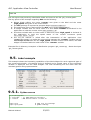
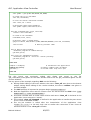
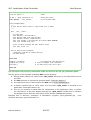
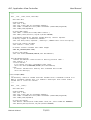
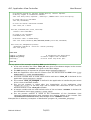
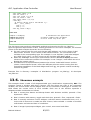
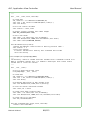
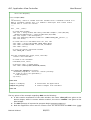
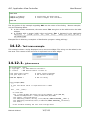
During Visual Tcl editing, the name 'counter' was given to the label and the name
'high_speed' was given to the check button.
The AVC package is imported at program begin (from avc import *).
●
The application class is derived from the AVC class of AVC. (class Example(AVC):).
●
A integer variable with an initial value of 0 and name 'counter' is declared in the
application to hold the counter value (self.counter = 0).
●
A boolean variable with an initial value of False and name 'high_speed' is declared in
the application to hold the speed status of the counter increment ( self.high_speed =
False).
●
The avc_init method is called after the instantation of the application class
(example.avc_init()) to realize the connections between the 'counter' variable and the
label widget and between the the 'high_speed' variable and the check button, the label
widget is initialized with the initial value of the 'counter' variable .
●
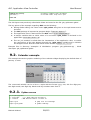
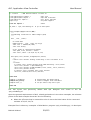
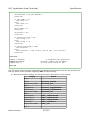
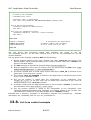
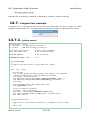
Example files in directory 'examples' of distribution: program 'tk_counter.py', graphic interface
descriptor as tcl script 'tk_counter.tcl'.
12.3.
Label example
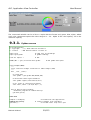
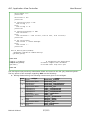
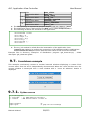
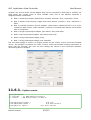
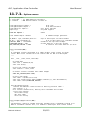
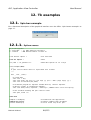
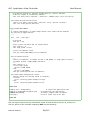
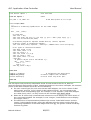
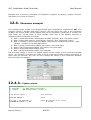
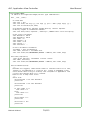
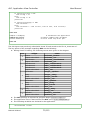
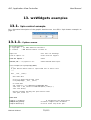
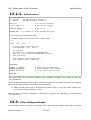
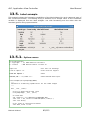
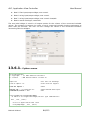
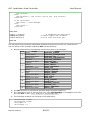
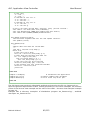
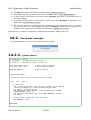
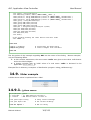
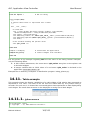
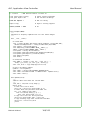
This example shows the formatting capabilities of the label widget. For each supported type of
the connected variable, a formatting string is defined and a sample value of the connected
variable is displayed into two label widgets: one with formatting and the other with the
standard python string representation.
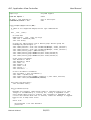
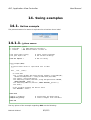
12.3.1.
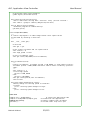
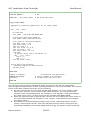
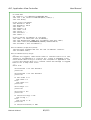
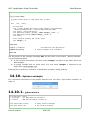
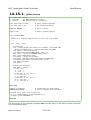
Python source
#!/usr/bin/python
# .copyright : (c) 2008 Fabrizio Pollastri
# .license
: GNU General Public License v3
Fabrizio Pollastri
67/115