1
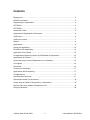
Contents
Background ............................................................................................................... 3
ORCID Information .................................................................................................... 3
Registering an Organisation ...................................................................................... 4
OPTION A ................................................................................................................. 4
OPTION B ................................................................................................................. 5
Information Table ...................................................................................................... 5
Organisation Registration Confirmation ..................................................................... 6
OAD Users ................................................................................................................ 6
OAD User Access ..................................................................................................... 7
Details ....................................................................................................................... 8
Applications ............................................................................................................... 9
Submit an Application.............................................................................................. 12
Email/Print this Application ...................................................................................... 12
Application Form Status .......................................................................................... 15
All Applications Requiring Action by OAD/Head of Department ............................... 15
Applications for Review ........................................................................................... 15
Under Review by Head of Department (or equivalent) ............................................. 16
In Progress .............................................................................................................. 16
Submitted ................................................................................................................ 16
Proceed on Notification ........................................................................................... 17
Applications Not Proceeding ................................................................................... 17
All Applications ........................................................................................................ 17
Administrative Accounts .......................................................................................... 17
Department Heads (or equivalent) ........................................................................... 19
Assign User as Head of Department (or equivalent) ................................................ 19
Remove User from Heads of Department List ......................................................... 19
Change Password ................................................................................................... 20
eGrants User Guide OAD
2
Last updated: 20/05/2014