1
Background
The eGrants system enables applicants to apply for grants online. The system
provides a workflow to guide users through the necessary steps towards final
submission to the Wellcome Trust.
This document provides an overview to help guide Organisation Administration
Departments (OAD) on the application process on eGrants. You may find it helpful to
read this in conjunction with the eGrants User Guide and eGrants Frequently Asked
Questions.
This document is intended as a quick ‘How To’ reference for the main functionality
that Organisation Administration Departments are likely to use.
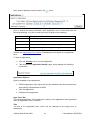
Additional information can be found in the ‘Information’ box on the left-hand side of
the screen. This is displayed throughout all pages of eGrants and provides
information and support during the application process:
•
Help
•
eGrants FAQ
•
Registered Administering Organisations
•
Sample Application Forms
•
Email and Download Queue*
•
Grant Conditions
•
Policies and Positions
•
Feedback*
*Please note, the email/download queue and the feedback options are only available
once you have registered with eGrants.
Specific guidance can be found in the
icons.
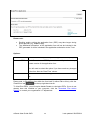
ORCID Information
ORCID is a non-profit initiative that has established unique person
identifiers for researchers and contributors to research and
associated funded activity, covering all sectors and disciplines.
As part of eGrants registration, applicants can either verify or register an ORCID id
where we will be able to pre-populate their ORCID profile with any awarded grant
details from the Wellcome Trust. Further information can be found in the ORCID
FAQ.
Should you have any further questions relating to ORCID and its integration with
eGrants, please contact eGrants Support ([email protected]) or
ORCID Support ([email protected]).
eGrants User Guide OAD
3
Last updated: 20/05/2014