1
Android OS version 5.0 (and later)
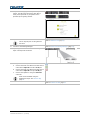
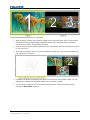
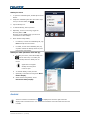
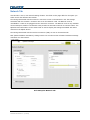
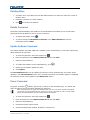
1. From Google Play on your Android device, download Christie Brio Screen Projector.
2. Connect your device to the same Wi-Fi as Brio.
3. Launch the app.
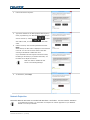
4. Select the Brio from the list, enter the IP address of the Brio, or enter the FQDN (Fully
Qualified Domain Name) you want to connect to and then select Start.
A FQDN is the complete domain name for a specific computer, or host, on the Internet. The
FQDN consists of two parts: the hostname and the domain name (for example mybrio.company.int.
5. To disconnect, select Stop.
Whiteboarding and Annotating
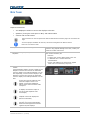
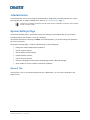
A HID compliant multi-touch display is required for the Brio whiteboard and annotation mode. If using
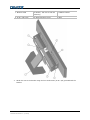
one display, the display must be connected to the Output A connector and to the USB port labeled #3
on the Brio prior to powering on the Brio.
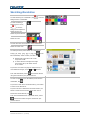
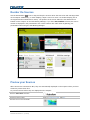
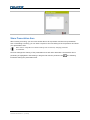
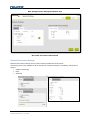
The Meeting Manager is used to sketch and annotate on touch displays. Annotation is visible on touch
displays only.
To join an active whiteboard session from any personal device, the personal device must have a
mouse or be a touch-enabled device. When whiteboarding mode is active, you sketch on a white
background. When annotating mode is active, you sketch over a background (either a saved
whiteboard background image or a source). Annotation is only available on your primary output. If a
source has annotation and is moved to the secondary output, the annotation is hidden while the
source is on the secondary output.
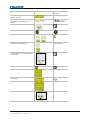
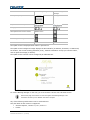
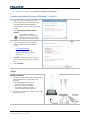
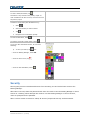
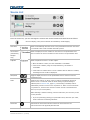
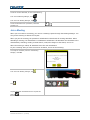
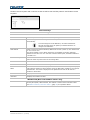
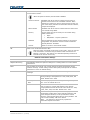
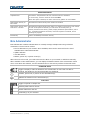
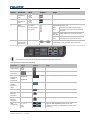
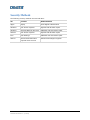
The Touch Control has various states as shown below. The touch Meeting Manager is displayed on the
primary output when you tap the Touch Control.
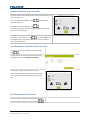
Whiteboard tools are available for sketching over a white background or a previously loaded
background image on the whiteboard.
Annotation tools are available for sketching over a source or the splash screen.
Current annotation is hidden and the annotation tools are unavailable.
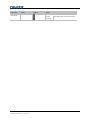
A problem has been detected. Open the web Meeting Manager for more information.
Brio User Guide
020-101758-04 Rev. 1 (7-2015)
28