1
To make a Z stack
The z-scan software works by selecting the top and bottom of the sample. For very precise mechanical
scanning the Piezo drive is used. So you need to navigate through the stack using the Piezo motor. DO NOT
TOUCH THE FOCUS ON THE MICROSCOPE STAND!!!
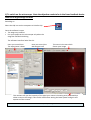
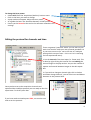
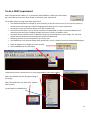
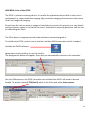
1) Open the protocols menu (as for Time series)
2) Select Z Stack from the options.
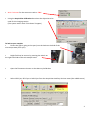
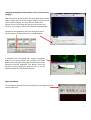
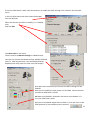
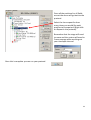
In the Z protocol select Repeat Z and choose Edit
If Centre Z scan is selected the centre will be assumed to
be the plane in focus.
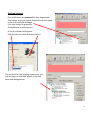
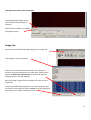
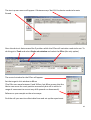
3) In the protocol select and edit the Repeat Z.
This makes the Z scan menu appear.
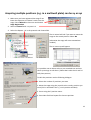
The top and bottom of the Z stack should be chosen by moving the
piezo focus drive using the dialogue at the bottom of the menu.
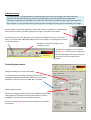
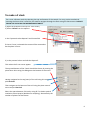
Having navigated to the top (start) of the cell using this menu
pick Set Start
Then navigate to the bottom of the cell using the piezo control
menu and pick Set End
Select the space between Z slices by using dZ. To obtain optimal
resolution select Nyquist (double over sampling). Alternatively the
number of planes can be chosen
9