1
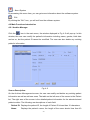
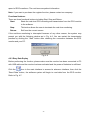
then click the “Query” button to search the corresponding patient.
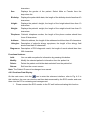
Functional buttons:
Delete:
The user can delete the current record(s) of the current user by clicking this
button.
Add:
By clicking this button, the user can import the record(s) that has been
saved on the PC to the software for reviewing and management.
Export:
By clicking this button, the user can export the current record(s) of the
current user to PC with the extension of .dnt or .bmp.
4.2.4.3 Heart Rate Trend
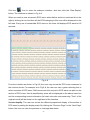
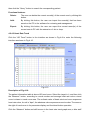
Click the “HR Trend” button in the interface as shown in Fig.4-8 to enter the following
interface as shown in Fig.4-10.
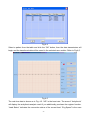
Fig.4-10
Description of Fig.4-10:
The patient information table is above HR trend curve. Select the target in it, and then click
the “Measure” button, according to record number and average heart rate value a trend
curve is drawn in trend curve area. The ordinate value of heart rate trend curve expresses
heart rate value, its unit is “bpm”; the abscissa value expresses record number. The area on
the right of trend curve is for parameter display and functional button operation.
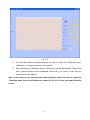
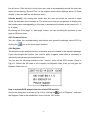
Click the “Measure” button and shift mouse in the heart rate trend graph area, a blue staff
- 18 -