1
1. General Introduction
Keep-it-Easy System is an application software running on a computer in conjunction with
the handheld ECG monitor. You can use the software on your computer to analyze, display,
replay, export, import and print data transferred from the ECG monitor.
2. Requirements For Running Keep-it-Easy System
To run the Keep-it-Easy System, your computer requires a hardware configuration with a
minimum of PIII500 CPU, 64M internal memory, CD-ROM drive, a minimum of a 10G hard
disc.
Requirement for Operating System:
Microsoft Windows 2000/XP/Vista operating system.
3. Installation
3.1 Insert the attached installation CD into your computer’s CD-ROM driver.
3.2
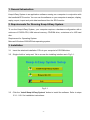
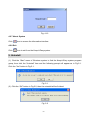
Single click the “setup.exe” file to access the installing interface as in Fig.3-1.
Fig.3-1
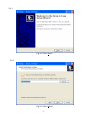
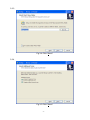
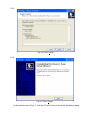
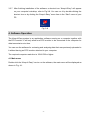
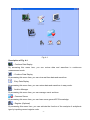
3.3 Click the “Install Keep-it-Easy System” button to install the software. Refer to steps
3.3.1 ~3.3.6 for installation instructions:
-4-