1
Fig.4-4
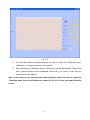
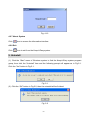
Select a patient from the table and click the “OK” button, then the data transmission will
begin and the transferred data will be saved in the selected user archive. Refer to Fig.4-5.
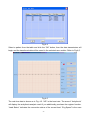
Fig.4-5
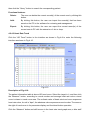
The real-time data is shown as in Fig. 4-5. “HR” is the heart rate. The area of “Arrhythmia”
will display the arrhythmia analysis result if you additionally purchase the register function.
“Lead Status” indicates the connection status of the current lead. “Ecg Speed” is the scan
- 13 -