1
Digital Projection Lightning
Series NoTOC
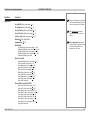
CONTENTS
INSTALLATION AND QUICK-START GUIDE...............................1
WHAT’S IN THE BOX?.................................................................... 3
PROJECTOR OVERVIEW................................................................ 4
Front and rear views.............................................................................. 4
Lamp compartment with hours meter.................................................... 5
LCD lamp-hours meter............................................................................. 5
Control panel indicators......................................................................... 6
Connection panel indicators................................................................... 7
REMOTE CONTROL. . ...................................................................... 9
Infrared reception................................................................................... 9
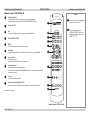
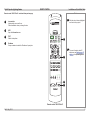
Remote control 105-023 Rev B............................................................ 10
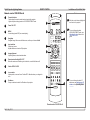
Remote control 105-023 Rev A............................................................ 12
POSITIONING THE SCREEN AND PROJECTOR. . .......................... 13
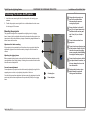
Mounting the projector......................................................................... 13
Adjustment for table mounting.................................................................. 13
Adjusting the rigging frame...................................................................... 13
Coarse frame adjustment........................................................................ 13
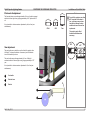
Pitch and roll adjustment...................................................................... 14
Yaw adjustment.................................................................................... 14
Stacking projectors.............................................................................. 15
FITTING THE LENS . . ..................................................................... 16
OPERATING THE PROJECTOR. . ................................................... 17
Switching the projector on.................................................................... 17
Switching the projector off.................................................................... 18
Selecting an input signal or test pattern............................................... 19
Input signal......................................................................................... 19
Test pattern......................................................................................... 19
Rev D July 2014
Adjusting the lens................................................................................. 20
Zoom................................................................................................. 20
Focus................................................................................................ 20
Shift.................................................................................................. 20
Adjusting the image............................................................................. 21
Orientation.......................................................................................... 21
Keystone............................................................................................ 21
Picture............................................................................................... 21
CONNECTION GUIDE.............................................................................23
SIGNAL INPUTS AND OUTPUTS. . ................................................. 25
Rear Connection Panel........................................................................ 25
VGA (input 1)..................................................................................... 25
HDMI (input 2), DVI (input 3)................................................................ 25
SPDIF................................................................................................ 25
3G-SDI (input 4).................................................................................. 25
CVBS1 (input 5).................................................................................. 25
S-Video (input 6)................................................................................. 25
Component (input 7)............................................................................ 25
CVBS2 (input 8).................................................................................. 25
Side Connection Panel on 3D projectors............................................. 26
DVI (input 9)....................................................................................... 26
DVI/HDMI (input 10)............................................................................. 26
Special considerations when using Inputs 9-11................................... 27
Differences between Inputs 9-11 and Inputs 1-8............................................ 27
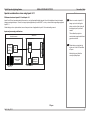
Input and processing architecture............................................................. 27
iii