1
Digital Projection Lightning
Series NoTOC
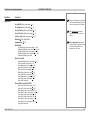
CONTENTS (continued)
EDID on the DVI and VGA inputs........................................................ 28
Using HDMI/DVI switchers with the projector............................................... 28
DVI Input connection example............................................................. 29
3D connections.................................................................................... 30
3D sources up to 60Hz requiring frame doubling and left/right interleaving........... 30
3D sources above 60Hz not requiring frame doubling..................................... 30
Dual Pipe 3D....................................................................................... 30
3D Sync in.......................................................................................... 30
3D Sync out........................................................................................ 30
3D connection examples........................................................................ 31
CONTROL CONNECTIONS.. .......................................................... 32
Service port.......................................................................................... 32
Wired remote control............................................................................ 32
RS232.................................................................................................. 32
LAN...................................................................................................... 32
Update port.......................................................................................... 32
LAN connection examples................................................................... 33
RS232 connection example................................................................. 34
OPERATING GUIDE.................................................................................35
USING THE PROJECTOR.. ............................................................ 41
Lens menu........................................................................................... 42
Zoom................................................................................................. 42
Focus................................................................................................ 42
Calibrate Zoom and Calibrate Focus.......................................................... 42
Center Lens........................................................................................ 42
Nudge................................................................................................ 42
Lens Presets....................................................................................... 43
Image menu......................................................................................... 44
Video Filters........................................................................................ 44
VGA Setup.......................................................................................... 44
Color menu.......................................................................................... 45
Gamut............................................................................................... 45
Black Level and Gain sliders.................................................................... 45
Geometry menu................................................................................... 46
Aspect Ratio........................................................................................ 46
Overscan............................................................................................ 46
Size & Position..................................................................................... 47
Blanking............................................................................................. 47
Geometry Engine.................................................................................. 48
USING THE MENUS...................................................................... 37
Menus and sub-menus........................................................................ 37
Drop-down lists.................................................................................... 38
Sliders.................................................................................................. 39
Commands........................................................................................... 39
Editing fields......................................................................................... 40
Rev D July 2014
iv