1
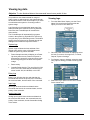
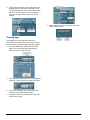
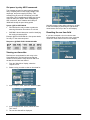
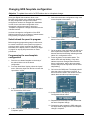
Programming masks
Objective: To describe the basic uses and programming of masks in the ControlKeeper system
ControlKeeper masks
Masks change the way a switch or analog input
works during a specified time of day. Since masks
are tied to a specific time of day, they will need
maintenance if you change the schedule times.
A single mask index record may be applied to any
switch or analog input in the system.
Mask types
There are six mask types available. If a mask is not
going to be used, please set this to ‘Not Used’.
•
•
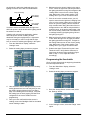
No Offs: OFF commands from the masked input
will be ignored during the period when the mask
is active. Please note that if the input’s timer is
counting while the mask period begins and
expires during the mask period, the timer’s OFF
command will occur. To make sure that expired
timers will not cause the lights to go off during
this period you will also need to assign a No
Timer mask.
No Ons: All ON commands from the masked
input will be ignored during the period when the
mask is active.
•
Ignored: All commands from the masked input
will be ignored during the period when the mask
is active. The control panel acts as if the link
between the input and the output has been
removed during the period that the mask is
active.
•
No Timer: When an input with a timer turns ON
during the period that the mask is active or if the
input timer times out during the period that the
mask is active, no OFF command will be issued
by the timer.
•
•
p53
No Warn: If an input that initiates a warn turns
OFF during the period that the mask is active,
the OFF will cause an immediate OFF rather
than waiting for the warning delay. If the input is
turned OFF just prior to the start of the mask and
the warn off timer starts counting down into the
period that the mask is active, that warning will
be issued.
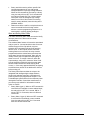
Re-evaluate: At the mask’s END TIME the
ControlKeeper re-evaluates the current status of
each relay that has been controlled by the
masked input. The ControlKeeper determines
the correct ON or OFF state for the relays based
on the status of other inputs that are linked to it,
and turns the relay ON or OFF based on that
evaluation. The BEGIN TIME of the mask is
irrelevant other than the fact that it must occur
prior to the END TIME. Please note that if other
masks are set up on the switch, they will take
precedence over the RE-EVALUATE mask. For
instance, if a NO OFFS mask is active at the REEVALUTE mask’s END TIME and the switch is
OFF when the re-evaluation occurs, the off
command from the switch will not be issued.
Select/refresh the panel to program
Before beginning programming steps in this section,
be certain to select the correct panel to program or
process a panel ‘refresh’ command to update any
stale data on the display. Refer to “Before you begin”
on page 9 for step-by-step instructions on these
procedures.
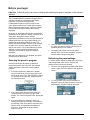
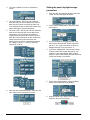
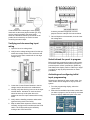
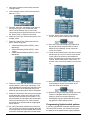
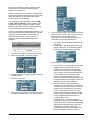
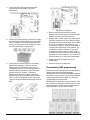
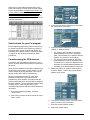
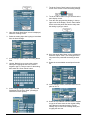
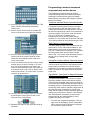
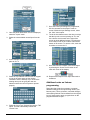
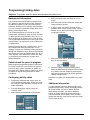
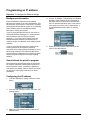
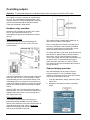
Configuring the mask:
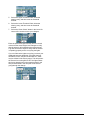
1. From the ‘Main Menu’ display, select the ‘Masks’
menu.
2. Touch the mask index you wish to program.
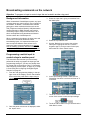
3. Once the mask ‘Settings’ screen loads, touch the
‘Active’ field to place an ‘X’ in it.
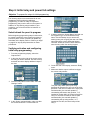
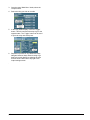
4. If desired, select the ‘Mask Name’ field and use
the keypad to type a new 8-character name.
Select the ‘Accept’ button.
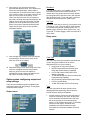
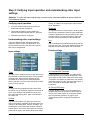
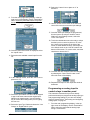
5. Touch the ‘Type’ field. Select the ‘desired mask
type from the list.