1
Digital Projection E-Vision
USING THE MENUS
6000 Series
Operating Guide
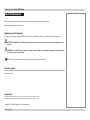
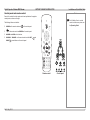
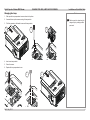
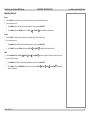
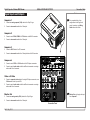
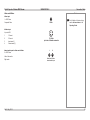
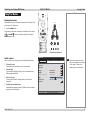
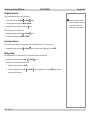
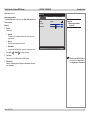
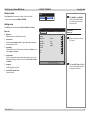
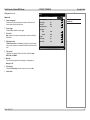
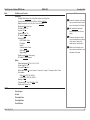
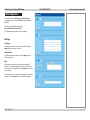
Changing slider values
Notes
1. Navigate to the menu item and press the LEFT
arrow to adjust the value.
or RIGHT
Some menu options and controls
may not be available due to settings
in other menus. These will be
shaded gray on the actual menu.
2. When ready, press MENU or RETURN to exit the slider.
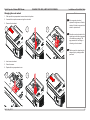
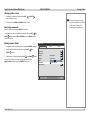
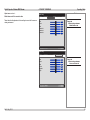
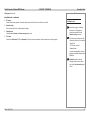
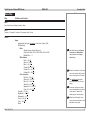
Executing commands
Select a command item and press ENTER to execute it.
In some cases you will see a confirmation message. Use the LEFT
and
arrows to select OK or RETURN, and press ENTER again to
confirm your choice.
RIGHT
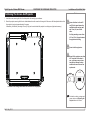
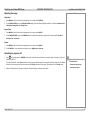
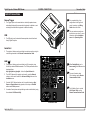
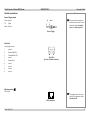
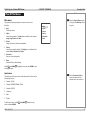
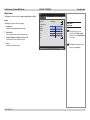
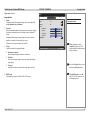
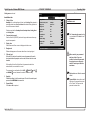
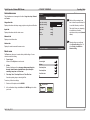
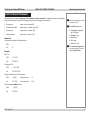
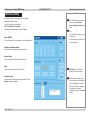
Editing numeric fields
Menu Title
1. Navigate to the item containing the fields and press ENTER to access it.
2. Move from field to field within the line using the LEFT
RIGHT
and
Tab 2
Tab 3
Sub-menu 1
arrows.
3. Alter the value of a field by pressing the UP
Tab 1Tab
Active
Sub-menu 2
and DOWN
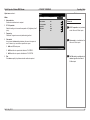
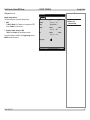
Once you have made your changes on the page, navigate to the
Apply Settings command and press ENTER to execute it.
arrows.
Setting 1
Current value
Setting 2
Current value
Slider
Active Item
Numeric
Field
123 . 456 . 789 . 012
50
Apply settings
Rev D July 2014
34