1
File .
Close [w]
23.6.10
AVI. . .
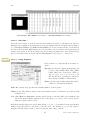
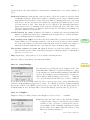
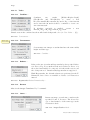
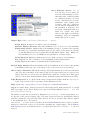
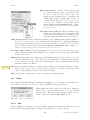
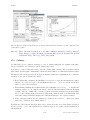
Uses a built in version of the AVI reader plugin to open an AVI file
(JPEG or PNG compressed, or uncompressed) as a stack or virtual
stack (one slice per video frame). AVI files can also be opened using
File . Open. . . or drag and drop but macros must use this command
to gain access to the dialog box options.
Please note that ImageJ only supports a restricted number of AVI
formats (cf. plugin source code).
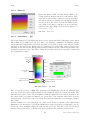
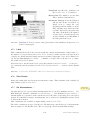
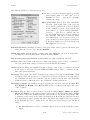
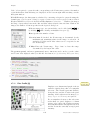
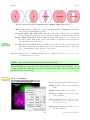
Since version 1.41b an improved version of the AVI reader [10] retrieves animation speed from
image frame rate, adds support for YUV formats, the ability to specify the starting and ending
frame, an option to convert to 8–bit grayscale, an option to open the movie as a virtual stack,
along with many bug fixes.
23.7
Close [w]
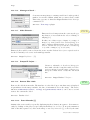
Closes the active image.
23.8
Close All
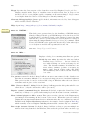
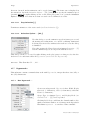
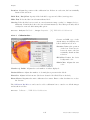
Closes all open images. An alert is displayed if
there are unsaved changes.
23.9
Save [s]
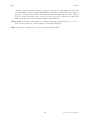
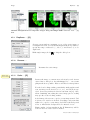
Saves the active image in TIFF format, the ‘default’ format of ImageJ (cf. II Image Types:
Lossy Compression and Metadata). To save only a selected area, create a rectangular selection
and use the Image . Duplicate. . . [D] command. Note that Save [s] and File . Save As . Tiff. . . are
redundant commands.
23.10
Save As .
Use this submenu to save the active image in TIFF, GIF, JPEG, or ‘raw’ format. Can also be
used to save measurement results, lookup tables, selections, and selection XY coordinates.
23.10.1
Tiff. . .
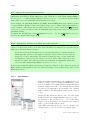
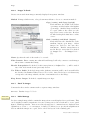
Saves the active image or stack in TIFF format in redundancy with File . Save [s]. TIFF is the
only format (other than ‘raw’) that supports all ImageJ data types (8–bit, 16–bit, 32–bit float
and RGB) and the only format that saves spatial and density calibration. In addition, with
IJ 1.43 and later, selections and overlays are also saved in the TIFF header.
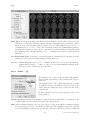
By default, 16–bit and 32–bit images are saved using big-endian byte order. Check Save TIFF
and Raw in Intel Byte Order in the Edit . Options . Input/Output. . . dialog box to save using
little-endian byte order.
See also: Native Formats, II Image Types: Lossy Compression and Metadata, X Warning on
JPEG compression
46
Latest revision: 2011/08/06