1
Image Types and Formats
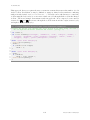
In ImageJ the equivalent to ‘Redo’ is the Process . Repeat Command [R], that re-runs the previous
used command (skipping Edit . Undo [z] and File . Open. . . commands).
See also: Plugins . Utilities . Reset. . . , Multi Undo plugin
7
Image Types and Formats
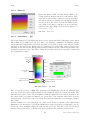
Digital Images are two-dimensional grids of pixel intensities values with the width and height of
the image being defined by the number of pixels in x (rows) and y (columns) direction. Thus,
pixels (picture elements) are the smallest single components of images, holding numeric values –
pixel intensities – that range between black and white. The characteristics of this range, i.e.,
the number of unique intensity (brightness) values that can exist in the image is defined as the
bit–depth of the image and specifies the level of precision in which intensities are coded, e.g.: A
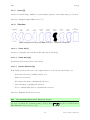
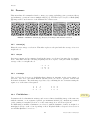
2–bit image has 22 = 4 tones: 00 (black), 01 (gray), 10 (gray), and 11 (white). A 4–bit image
has 24 = 16 tones ranging from 0000 (0) to 1111 (16), etc. In terms of bits per pixel (bpp), the
most frequent types of images that ImageJ deals with (ImageJ2 will support many more types
of image data) are :
8–bit
Images that can display 256 (28 ) gray levels (integers only).
16–bit
Images that can display 65, 536 (216 ) gray levels (integers only).
32–bit
Images that can display 4, 294, 967, 296 (232 ) gray levels (integers and fractional
values). 32–bit images pixels can have any intensity value (i.e., any real number)
including NaN (Not a Number). In computing these are called floating point
images.
RGB Color Images that can display 256 values in the Red, Green and Blue channel. These
are 24–bit (23×8 ) images. RGB color images can also be 32–bit color images
(24–bit color images with additional eight bits coding alpha blending values, i.e.,
transparency).
See also: Color Images
Native Formats
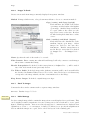
Natively (i.e. without the need of third-party plugins) ImageJ opens the following formats:
TIFF, GIF, JPEG, PNG, DICOM, BMP, PGM and FITS. Many more formats are
supported with the aid of plugins. These are discussed in Non–native Formats.
Improved
in IJ 1.45m
TIFF
1
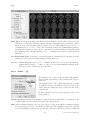
(Tagged Image File Format) is the ‘default’ format of ImageJ (cf. File . Save [s]).
Images can be 1–bit, 8–bit, 16–bit (unsigned1 ), 32–bit (real) or RGB color. TIFF
files with multiple images of the same type and size open as Stacks or Hyperstacks.
ImageJ opens lossless compressed TIFF files (see II Image Types: Lossy Compression
and Metadata) by the LZW, PackBits and ZIP (Deflate/Inflate) [2] compression
schemes. In addition, TIFF files can be opened and saved as ZIP archives.
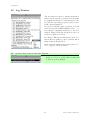
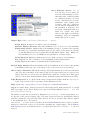
Tiff tags and information needed to import the file (number of images, offset to
first images, gap between images) are printed to the Log Window when ImageJ is
running in Debug Mode (Edit . Options . Misc. . . , see Settings and Preferences).
A numeric variable is signed if it can represent both positive and negative numbers, and unsigned if it can only
represent positive numbers.
10
Latest revision: 2011/08/06