1
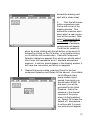
Axis Axis Style group. Uncheck Autoscale, set Minimum to
0.01 and Maximum to 100. Select OK to close the dialog
and make the change take effect.
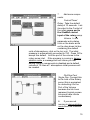
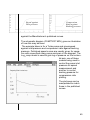
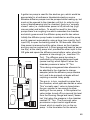
18. Clicking on the left-hand button in the top right corner of the
Plot window will iconise the window and cause it to be
placed over the schematic diagram box for the plotter. If you
scroll the main drawing window using its scroll bars, the icon
position will scroll to follow its schematic box.
19. To leave the program select File/Exit. If the drawing has
changed since you last saved it, you will be prompted to
save it, if not the program will exit immediately.
Refer to Where to go next for references to other useful documentation.
Where to go next
VACSIM is shipped with a few example schematics; these are
called DEMO1.MDL, DEMO2.MDL etc. You should look at these
to gather some idea of how they work and read their associated
notes DEMO1.WRI, DEMO2.WRI etc.
Refer to CHAPTER 4 - VACUUM SYSTEM DESIGN GUIDELINES for a general introduction to modelling vacuum systems.
CHAPTER 5 on VACUUM SYSTEM COMPONENT MODELS
gives details of how the various components are modelled and
highlights important aspects of the individual models.
CHAPTER 6 - AN EXAMPLE APPLICATION describes a relevant application of VacSim in improving performance and
reducing costs
CHAPTER 7 - DETAILED PROGRAM REFERENCE describes
the VACSIM user interface and system operation in detail.
20