1
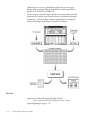
might want to transfer funds from an account that has available funds
into the account that has inadequate funds.
The system performs funds checking on budget transfers and budget
journal entries to prevent you from transferring funds that you have
already spent or committed to spend.
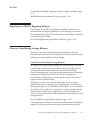
Changing Budgetary Control Options for a Summary Template
You cannot change budgetary control options associated with a
summary template.
You can, however, drop the summary template and create a new one
with new options.
Changing Budgetary Control Options for a Budget Organization
You cannot change budgetary control options associated with a budget
organization.
You can, however, delete a range of accounts within the budget
organization. You can then add a new range of accounts whose
budgetary control options you can change.
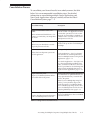
Changing Funds Check Level
You can change the Funds Check Level from absolute to advisory and
from advisory to absolute.
If you change from absolute to advisory, you can complete transactions
that exceed available funds.
If you change from advisory budgetary control to absolute budgetary
control, the system prohibits transactions exceeding available funds.
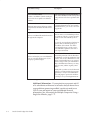
☞
Attention: If you change the Funds Check Level from
advisory to absolute, you might have already overspent the
budget.
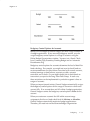
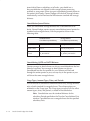
Changing Amount Type and Boundary
You can change the Amount Type for checking available funds from
PTD to QTD, from QTD to YTD, and so forth. However, if you
change from a larger Amount Type to a smaller Amount Type (YTD to
PTD, for example), you might have a smaller pool of available funds
against which you can certify transactions. You should not change the
Amount Type and Boundary for budgetary control to circumvent a lack
of available funds.
Budgeting
2 – 91