1
combinations table to have a single–column index. You should
create indexes for segments you expect to have many distinct
values (instead of just a few distinct values).
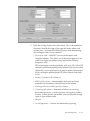
• You must enter a value set in the Value Set field for each segment
of the Accounting Flexfield. Value sets for the Accounting
Flexfield must be independent, table, or dependent–type value
sets. Do not use value sets with a validation type of None for the
Accounting Flexfield.
• You must check the Required check box for each segment.
• We recommend that you set the Description Size for each of your
Accounting Flexfield segments to 30 or less so that your flexfield
pop–up window does not scroll horizontally.
• You must check the Display check box for each segment. The
Accounting Flexfield requires that all segments be displayed.
Hiding segments will adversely affect your application features,
such as MassAllocations.
• When defining a segment for future use, you must adhere to all
the rules listed above. It is recommended you define a default
value for the segment, such as zeros. See: Defining an
Accounting Flexfield Segment for Future Use: page 9 – 36.
4.
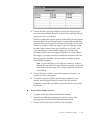
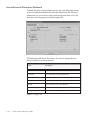
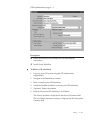
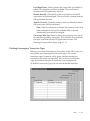
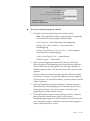
Define your flexfield qualifiers for your Accounting Flexfield.
Oracle Applications use flexfield qualifiers to identify certain
segments in your Accounting Flexfield. You specify your flexfield
qualifier values in the Qualifiers zone of the Define Key Flexfield
Segments form.
• If you are using globalization features, you may have additional
segment qualifiers, such as ”Reconciliation,” which are created in
post–installation steps. See: Oracle Applications Localizations
Post–Install Manual.
5.
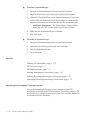
Define the natural account segment. A natural account segment
contains values representing account types, such as cash, accounts
receivable, product revenue and salary expense. In the Flexfield
Qualifiers window, select the Enabled check box for the Natural
Account Segment to indicate that the segment you are defining is
your natural account segment. You can define only one natural
account segment in your account.
6.
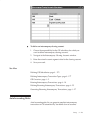
Define the balancing segment. General Ledger uses your balancing
segment to ensure that all journals balance for each value of your
balancing segment. General Ledger also uses your balancing
segment to ensure that entries that impact more than one balancing
Setup
9 – 39