1
Chapter 13: Creating Your Graphic Presentation
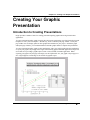
Using the Layout Page Window
The layout page window acts as a “display panel” for worksheets and graphs which are created and edited
in associated child windows. The worksheets and graphs displayed in the layout page window are pictures,
or objects. Arrange the pictures in the layout page window to create a custom presentation to print from
Origin or to export to the Clipboard or a graphic file.
To learn more about using the layout page window, see Tutorial 6, "Creating Presentations with the Layout
Page" in the Getting Started Manual.
Opening a Layout Page Window
To open a layout page window, perform the following:
1) Select File:New. This menu command opens the New dialog box.
2) Select Layout from the Window Type list box.
3) Click OK to close the dialog box and open the layout page window.
Layout page windows are named Layout1, Layout2, etc.
Adding a Graph or Worksheet Picture to the Layout Page
Window
To add a graph or worksheet to the layout page window, perform the following:
1) Select Layout:Add Graph or Layout:Add Worksheet when the desired layout page window is active.
This menu command opens the Select Graph (or Worksheet) Object dialog box.
2) Click on the desired graph or worksheet window name in the list box provided.
3) Click OK.
4) Click once in the layout page window to create a picture with a default size. Alternatively, drag out a
box in the layout page window to create a picture of the specified size. Release the mouse button and a
picture (object) of the associated graph or worksheet is displayed.
If the source window is a worksheet window, the worksheet grid and cell values display as a picture in the
layout page window. Text labels in the worksheet window will not display in the layout page window.
If the source window is a graph window, all graphics within the page display in the layout page window.
Thus, text labels and other objects display in the layout page window if the label at least partially displays
inside the page of the graph window. (The gray area in the graph window is outside of the page.)
Working with Pictures in the Layout Page Window
To enhance your graphic presentation, Origin provides tools to customize the display of pictures in the
layout page window. Pictures in the layout page are graphic objects. Thus, they can be moved, sized, and
have their backgrounds altered like other graphic objects. However, layout page pictures differ from other
Using the Layout Page Window • 404