1
Database Interface
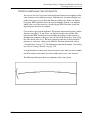
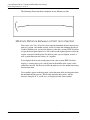
DBMS SQL Interface
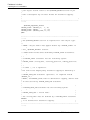
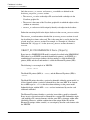
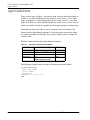
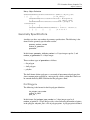
OBJECT_ID and FILE_NAME are obtained from the digitized object and the value
for QUERY_TYPE is obtained from the currently selected QUERY_TYPE in the
Query Types dialog box. These variables are used by the query statement to obtain
the verification information.
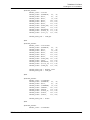
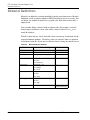
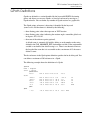
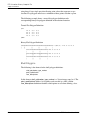
You can also use additional tables to provide substitution values for the queries.
These tables are optional and are used if additional substitution values are needed.
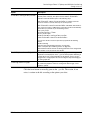
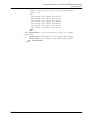
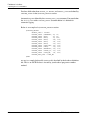
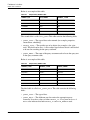
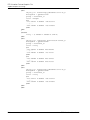
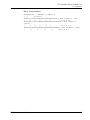
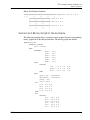
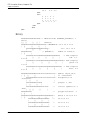
Below is an example of this type of table:
OBJECT_ID
FILE_NAME
LINE_NUM
VENDOR
PART_NUM
12345678
plant
LN-1000
Tube-Turn
PN-1000
12345679
plant
LN-1000
Tube-Turn
PN-1001
12345680
plant
LN-2000
Crane
PN-2000
12345681
plant
LN-2000
Crane
PN-2000
12345682
plant
LN-3000
Crane
PN-2001
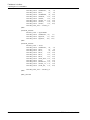
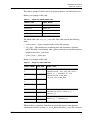
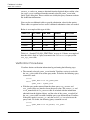
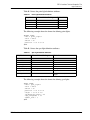
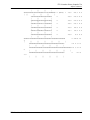
Table A-4, “Sample PVS_SQL_STMT Table” on page A-13 shows an example of
how this table is used in a query statement in the construction query of the
PVS_SQL_STMT table.
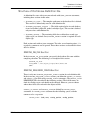
Verification Procedures
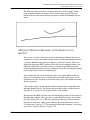
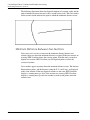
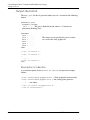
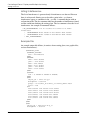
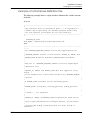
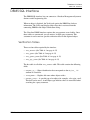
Visualizer obtains verification information by performing the following steps:
1.
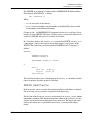
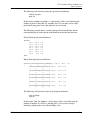
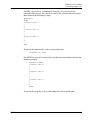
The currently selected QUERY_TYPE from the Visualizer session is used with
the PVS_QUERY table to locate the query mode. To do this, the following query
statement is used:
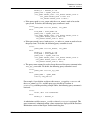
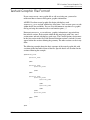
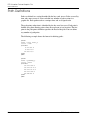
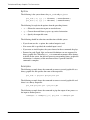
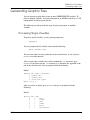
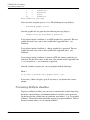
select
QUERY_MODE from PVS_QUERY_MODE
where
QUERY_TYPE = @QUERY_TYPE
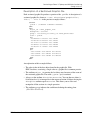
2.
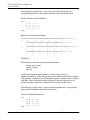
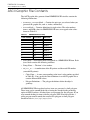
With the query mode returned from the above query, PVS_OBJECT and
PVS_QUERY tables are joined to locate the query name. The OBJECT_ID and
FILE_NAME fields of PVS_OBJECT table are matched with the information
obtained from the digitized object, and the value of the QUERY_TYPE field of
the PVS_QUERY table is matched with the query type obtained from Visualizer.
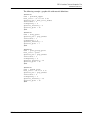
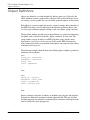
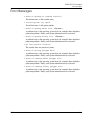
If the query mode is OBJECT_ID, only the OBJECT_ID is used to locate the
query name. To do this, the following query statement is used:
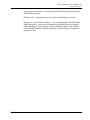
select
QUERY_NAME from PVS_OBJECT, PVS_QUERY
where
A-14
EPD.Visualizer User Guide