1
EPD.Visualizer Binary Graphic File
Object Definition
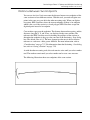
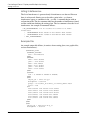
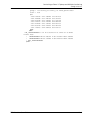
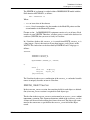
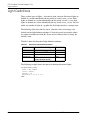
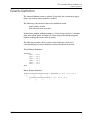
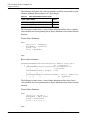
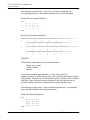
The discipline_attribute_number, group_attribute_number, and
object_id_attribute_number are 2-byte integers with a value equal to the value in
Table C-2 on page C-3. The attribute_length is a 4-byte integer, and
attribute_value is an ASCII string with the length specified by the attribute_length
value.
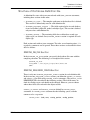
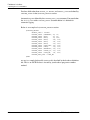
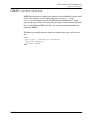
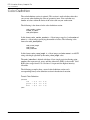
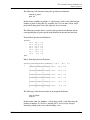
The color_attribute is either a symbolic value in which a color name previously
defined in the color definition section is used or a literal value in which the actual
RGB values are specified.
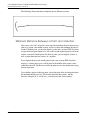
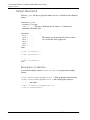
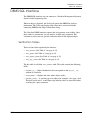
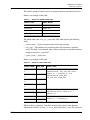
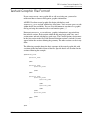
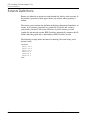
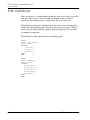
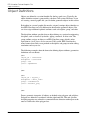
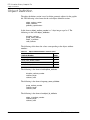
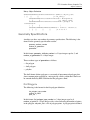
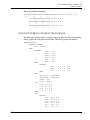
The following is the format for the symbolic color attribute:
color_attribute_number
symbolic_color_type_number
attribute_length
attribute_value
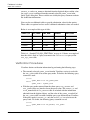
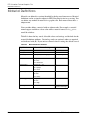
In this format, the color_attribute_number is a 2-byte integer with a value equal to
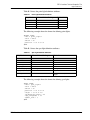
the value in Table C-3, “Object Attribute Numbers and their Values” on page C-8
and symbolic_color_type_number is a 2-byte integer with a value equal to the
value in Table C-4, “Color Type Number and their Values” on page C-10,
attribute_length is a 4-byte integer, and attribute_value is a ASCII string
specifying a color name previously defined with length specified by the attribute
length value.
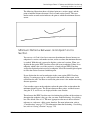
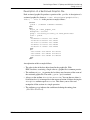
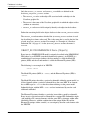
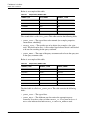
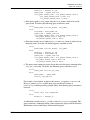
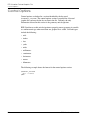
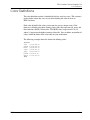
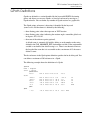
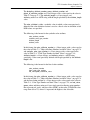
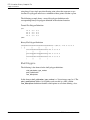
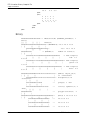
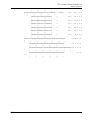
The following is the format for the literal color attribute:
color_attribute_number
literal_color_type_number
red_value green_value blue_value
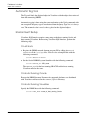
In this format, the color_attribute_number is a 2-byte integer with a value equal to
the value in Table C-3, “Object Attribute Numbers and their Values” on page C-8
and the literal color attribute is a 2-byte integer with a value equal to the value in
Table C-4, “Color Type Number and their Values” on page C-10, and red_value,
green_value, and blue_value are 4-byte single-precision floating-point numbers
that represent red, green, and blue values (RGB), in that order. Valid RGB values
range from 0.0 to 1.0, where 1.0 represents the highest value allowable.
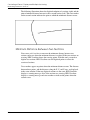
EPD.Visualizer User Guide
C-9