1
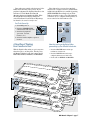
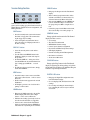
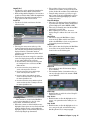
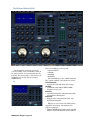
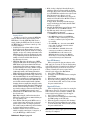
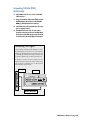
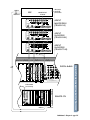
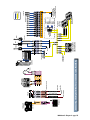
Transport Section
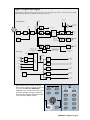
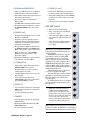
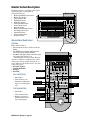
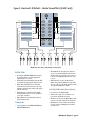
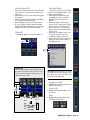
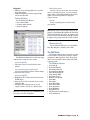
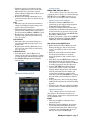
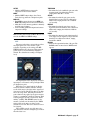
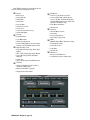
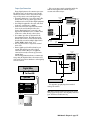
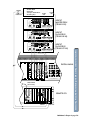
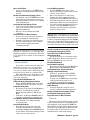
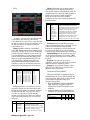
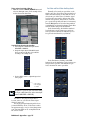
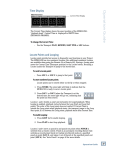
SMPTE VIEW button
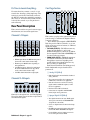
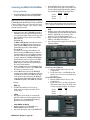
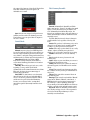
This section provides control for external recorder
transports, time display, snapshots, locates, and loops.
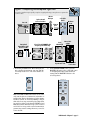
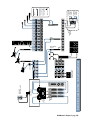
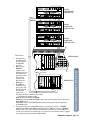
This button toggles between SMPTE/MTC time
and BBT (Bars/Beats/Ticks) in the Position display.
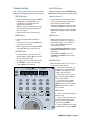
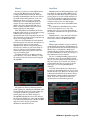
POSITION display
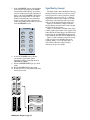
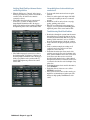
Number Buttons 0–9
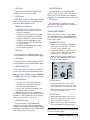
• Shows the numeric representation of SMPTE
or MIDI Time Code (Hours: Minutes: Seconds: Frames) or a musically referenced
display (Bars: Beats: Ticks).
• Used to numerically enter Snapshot, Locate,
and Loop points in the Range display, and
time values in the Position display.
• When the console is receiving time code, this
display continually updates according to the
time code position.
• Displays entered values for Locate storage.
• When numeric buttons are used to enter data,
you must press ENTER to complete the action.
• Pressing the number keys while holding CONTROL scrolls through the on-screen interface
windows.
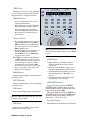
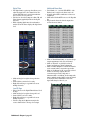
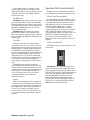
RANGE display
ENTER button
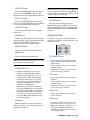
• Shows the snapshot number in Snapshot
mode.
• Initiates numeric changes that have been
typed into the snapshot, locate, position, or
range display from the console number buttons (or standard IBM-style keyboard
connected to the console).
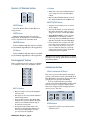
• Shows the most recently entered MMC locate
point when in Locator mode.
• When looping it shows the beginning (FROM)
and ending (TO) locate points for the loop.
• Pressing CONTROL and ENTER increases the
SNAPSHOT or LOCATOR selection (control
surface only).
• Pressing ALT and ENTER decreases the
SNAPSHOT or LOCATOR selection (control
surface only).
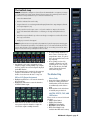
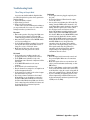
SET TIME button
• Press this button to enter a new time in the
Position Display (in Hours: Minutes: Seconds:
Frames or Bars: Beats: Ticks)
• The number buttons are used to enter the time.
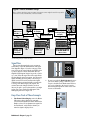
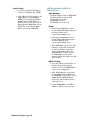
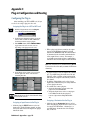
LOCATOR button
• Press ENTER to complete the action. This
sends an MMC locate command.
RANGE
POSITION
HOURS
MINUTES
• Allows the number buttons to be used for entering specific location numbers.
• Each location number (00 – 99)
may represent a specific time during
an MTC-referenced playback or recording, if previously stored.
SECONDS
FRAMES
BEATS
TICKS
FROM
TO
SET TIME
BARS
SMPTE VIEW
LOOP
1
2
3
4
5
6
7
8
9
0
ENTER
LOOP
STORE
LOCATOR
SNAPSHOT
MODE
REWIND
FAST FWD
STOP
PLAY
RECORD
SHUTTLE
JOG & SHUTTLE
JOG
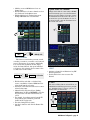
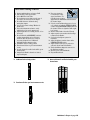
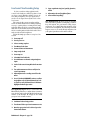
• When in this mode, the left two
digits in the Range display indicate
the locate point number.
• Locate points can be captured
while tape is moving. Simply hit
STORE, the Locate number, and then
ENTER at the instant you wish to
store a location.
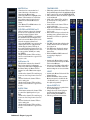
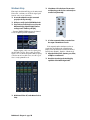
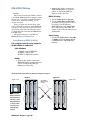
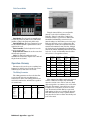
LOOP button
• Used to set the start and end Locate
points in a Loop.
• To loop a segment, first enter the
locate start point using the numeric
buttons (onboard or computer keyboard), then press ENTER.
• Next, press LOOP, enter the ending
locate point number, then press ENTER.
D8B Manual • Chapter 2 • page 39