1
Calls and voicemail
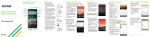
Make a call
1.From the home screen, tap
Phone
.
2.Select an option to place
a call:
• Dial: Manually enter
telephone number.
•Call logs: Return or retry
a call.
•Contacts: Call from your
address book.
• Favorites: Frequent and
favorite contacts.
•Groups: Contacts
organized by category.
Use call waiting
Call waiting helps you answer
a call while you are on an
existing call.
1.While on a call, you will
hear a tone if another
call comes in.
2.Answer the new call. Your current call will
automatically be placed on hold, and both
calls will be listed on-screen.
3. Simply tap a call in the list to make it active.
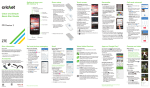
Check voicemail
1.From the home screen, tap Phone
.
2.From the Dial tab at the top of the screen, tap
Voicemail
or tap and hold the 1 key
.
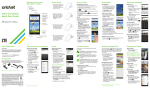
QSlide Function
Multitask with QSlide
1.From any screen, swipe
down from the top of
the screen to see the
Notifications panel.
2.Tap a QSlide app from the
menu. The app will appear
as a resizable, moveable
window on the screen.
3.Drag the corner to enlarge
the window and drag the
top bar to move it. Tap
to make the QSlide app
full size. Tap
to make
it smaller again. Tap
Slider
to adjust the
transparency of the window.
4.Repeat steps 1 and 2 to
open a second QSlide app.
5.To exit a QSlide app, tap
Close
.