1
Getting to know your
LG Optimus L70™
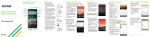
Volume keys
Earpiece
Headset port
Microphone
Proximity sensor
Front-facing
camera
Status and
notifications bar
Power/lock key
Touch screen
Home key
(Long press for
Google Now™)
Menu key
(Long press for
recent apps/
task manager)
Charging/data port
Microphone
Back key
Email
Email setup (Gmail™,
Yahoo!®, etc.)
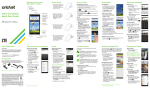
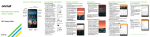
1.From the home screen, tap
Email
.
2.Select an email provider.
3.Enter the email address and
password and then tap Next.
4.Your email will begin to
synchronize with your phone.
Tap Done.
Create and send an email
message
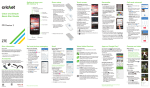
1.From the home screen, tap
Email
.
2.To compose a new message,
tap Compose
.
3.Tap the To field and enter an
email address or name.
4.Enter a subject and message.
5.To attach files, tap Attach
and follow on-screen
instructions.
6.Tap Send.
Note: To set up corporate email, contact your IT
administrator.