1
Personalize
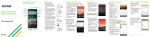
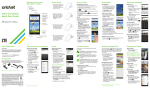
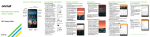
Customizing home screens
Tap and hold a blank part
of the home screen and
choose Apps, Widgets, or
Wallpapers. Swipe to scroll
through available options.
Tap an item to add it to a
home screen.
Organizing home screens
•To move a widget, shortcut,
or folder, tap and hold
and then drag it to a
new location.
•To delete, tap and hold
and then drag an item
to Remove.
•To create a folder, tap and
hold an icon and drag it on
top of another icon.
•To rename a folder, tap it,
tap the name, and tap the
Folder name field to bring
up the keyboard.
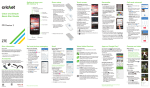
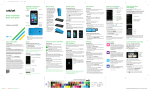
Camera and video
Take a picture
1.From the home screen, tap
Camera
.
2.Tap Settings
to adjust
your camera settings. Zoom
in and out by pinching/
spreading two fingers on
the screen.
3.Tap Shutter
or press a
Volume key to take a photo.
View pictures
1.From the home screen,
tap Apps
.
2.Tap Gallery
.
Take a video
1.In camera mode, drag
Camera/camcorder
slider
to switch to
the camcorder.
2.Tap Record
to start
and tap Stop recording
to end recording.
Send a picture
1.After taking a picture, tap the thumbnail in the
corner of the screen and then tap Share
.
2.Tap to choose a sharing option, such as text
message or email.