1
Chapter 1: Getting Started with Windows PowerShell
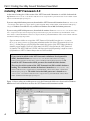
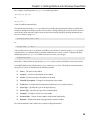
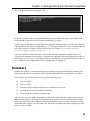
Figure 1-2 shows the appearance of the Framework folder on a clean install of Windows 2003 Service
Pack 1 after the .NET Framework 2.0 runtime has been installed.
Figure 1-2
You don’t need to delete the v1.0.3705 or v1.1.4322 folders. In fact, you are likely to cause problems for
applications that need earlier versions of the .NET Framework if you delete those folders. The .NET
Framework 2.0 is designed to run side by side with .NET Framework 1.0 and 1.1.
To install the .NET Framework 2.0, follow these steps.
1.
Navigate in Windows Explorer to the folder where you downloaded the installer,
dotnetfx.exe.
2.
3.
4.
5.
6.
Double-click the installer. On the splash screen that opens, click Next.
On the EULA screen, accept the license agreement and click Install.
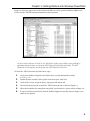
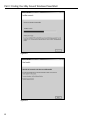
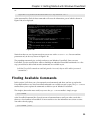
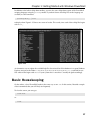
The installer then proceeds to install the .NET Framework 2.0, as shown in Figure 1-3.
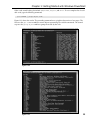
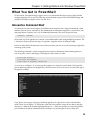
When the installation has completed successfully, you should see a screen similar to Figure 1-4.
If you have Internet connectivity, click the Product Support Center link shown in Figure 1-4 to
check for any updates.
5