1
rr;;,.-0 PYLE PR()"
"
"
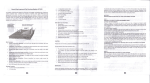
.""{., FRONT PANEL FUNCTION
Front Panel
,
1
,,
,
I
/
0
0
-
_ ...... ..'u ............." .....
~
_.
Q
~
,
'- <Ii
o 0'6,15 ..::
.
~-
t
I~"
I I
I
I
11
(1)POWE R SWITCH
Press to switch the power unit ON or OFF.
(2) USB INPUT JACKS
Please notes that th is USB only can read
MP3 form fi tes not supportable for PWMA
files . In case of any damage to this unit ,
When you take USB out, please select the
bullon .. PAUSE"" or other input source.
(3) PREV <
When it is TUNER , it means the preview
station; When it is USB , it means the
preview song .
(4)NEXT >
When it is TUNER , it means the next station;
When it is USB, it mea ns the next song.
(5)MENU CONTROL
This is used to increment and decrement
level lor the se lected fu nction of Master
Volume, Bass, Treb le, Balance, Auto
stati on seek.
(6) INPUT
This is used to select the input sources
DVD/CD, TUN ER, lPOD/ MP3, AUX
(7)S UB .OUTVOLUME CONTROL
(8)MASTER VOLUME CONTROL
Ad justs the volume level, Turn the knob.
Clockwise to increase the volume.
(9) ECHO CONTROL
Turn the knob to adjust the MIC echo level.
"
13,
•
...-. @ fO
t
t
I
@@@
•••
I
"0
0
I I
(10) MIC TONE
Ad j usts the lone of MtC.
(11) MIC VOLUME
Ad ju sts the volume level. Turn the knob
ctockwise to increase the MIC volume.
(12) LED
Ad ju st the blue lights and blu e rings.
(13) Al B SPEAK ERS OUTPUT SELECTOR
Three modes: A, e, A+ B
(14)FUNCTION DISPLAYED FLUORESCENT
WINDOW
(15) AM / FM , PLAY/ PAUSE
Press it to select AM / FM when it is tuni ng,
and to play or pause when you use USB
input.
(16) AUTO SCAN
AM / FM au to scan selector, sca n and store
stations automatically. Ca n store 50 station s.
(17) MIC INPUT JACKS 1 &2
KARAOKE MIC con nect to Ih ese jack.
(18) HEADPHONE JACK
Headp hone connect to this jack.
(19) IPOD/ MP3 JACK
IPOD/ MP3 connect to this jack .