1
User Names and Passwords Required For Avid Shared Storage and Product Servers
User Names and Passwords Required For Avid
Shared Storage and Product Servers
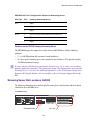
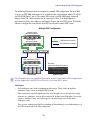
Some Avid products require user accounts on the Avid shared storage system. The user names
and passwords on the Avid shared storage system must match the user names and passwords on
the product server. If you are using a PortServer for Avid Unity MediaNetwork, these user
accounts must also have the same accounts and passwords on the PortServer system.
n
Passwords are case sensitive; the passwords must match exactly.
Creating the Server Execution User Account
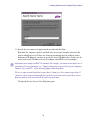
When you install the Interplay Engine software you must specify the user name and password of
the Server Execution User account. The Server Execution User is a Windows operating system
user account that is used only to run the Interplay Engine processes.
n
You should always use the Custom install option when installing the Interplay Engine software
so that you can specify the Server Execution User.
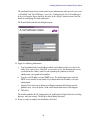
You have the following options for creating the Server Execution User:
•
If your Interplay system is joined to a Windows domain, you can create a domain user (for
example, “IPEngine”). The Interplay Engine installer will associate the appropriate
permissions with the account. If you want to run the Avid Interplay Engine within your
domain and also want to automatically make use of domain user management, such as
Windows Domain or LDAP, you must specify a domain user as the Server Execution User.
For Interplay Engine failover cluster systems, you must specify a Windows domain user.
•
You have the option of allowing the Interplay Engine installer to create the account. Select a
name before the installation and specify the name and a password during the installation.
The installer will create a local user in the Administrators group with the appropriate
permissions.
•
You can also create a local Administrator account manually and specify that account during
the installation. The account must have local administration rights on the operating system
for the Interplay Engine server (both nodes on a cluster system). The account must have the
following local security policy settings set to enabled:
-
Act as part of the operating system
-
Back up files and directories
-
Restore files and directories
-
Adjust memory quotas for a process
-
Log on as a service
27