1
Installing Software on the Media Services and Media Services Provider Servers
For information on configuring Interplay Media Services providers, see the Avid Interplay Media
Services Setup and User’s Guide.
Installing Avid Service Framework for Local Workflow Components
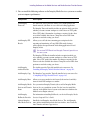
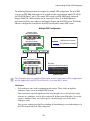
The following components require the 64-bit version of Avid Service Framework for Client:
•
Interplay Transcode Provider
•
Interplay STP Encode Provider
•
Interplay Copy
•
Interplay Move
The other providers can run with either the 32-bit version or the 64-bit version of Avid Service
Framework. See “Selecting the 32-Bit or 64-Bit Version of Avid Service Framework” on
page 34.
c
Do not install both the 32-bit Framework and the 64-bit Framework on the same system.
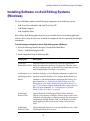
To install the Framework for the Local Workflow Components:
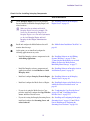
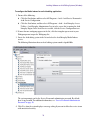
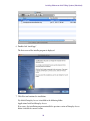
1. Navigate to the following installer page:
Servers > Avid Interplay Media Services
2. Choose the appropriate installer as follows:
-
For Transcode, STP Encode, Copy, and Move, select the 64-bit Framework.
-
For the other providers, select either the 32-bit or 64-bit Framework.
Installing the WAN Workflow Components
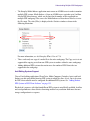
Use this installer screen to install the WAN workflow providers. The Delivery service provider
and the Delivery Receiver service allow you to transfer clips, shotlists, and cuts only sequences
and the media files to another workgroup.
n
You also install the Interplay Streaming server as part of the WAN workflow. See “Installing and
Configuring the Interplay Streaming Server” on page 131.
To install the Media Services WAN Workflow Components:
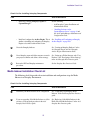
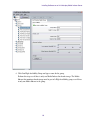
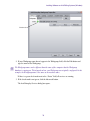
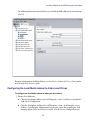
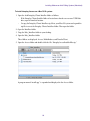
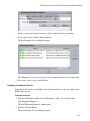
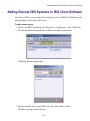
1. On the system that you want to install the provider, select the following from the Interplay
Installer Main Menu:
Servers > Avid Interplay Media Services > Install WAN Workflow Support
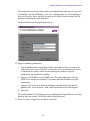
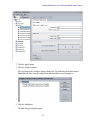
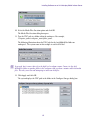
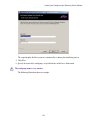
The Install Avid Interplay Media Services WAN Workflow window opens.
55