1
Chelsio Adapter Board Installation
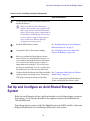
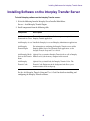
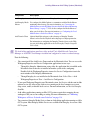
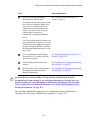
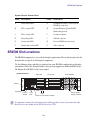
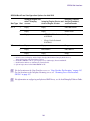
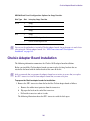
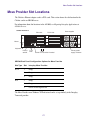
SR2500 Back Panel Configuration Options for Copy Provider
Slot Type
Slot
Interplay Copy Provider
PCI-X
3
Empty
2
Empty
1
Empty
3
Empty
2
Chelsio 10 Gb adapter board
1
Chelsio 10 Gb adapter board
PCIe
n
You can use the onboard nics instead of Chelsio adapter boards, but performance is much better
when using the Chelsio adapter boards. See “ISIS Connections and Client Software
Installation” on page 169.
Chelsio Adapter Board Installation
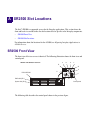
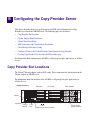
The following information summarizes the Chelsio 10 Gb adapter board installation.
Before you install the Chelsio adapter boards you must replace the long brackets that are
attached to the board with the shorter brackets that come in the kit.
n
Avid recommends that you prepare the adapter boards one at a time to ensure that you replace
the SFP+ transceiver into the same adapter board that you removed it from.
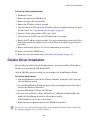
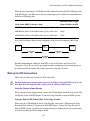
To prepare the Chelsio adapter boards for installation:
1. Remove the SFP+ transceiver from the back of the Chelsio adapter board as follows:
a.
Remove the rubber insert protector from the transceiver.
b.
Flip open the latch on the end of the transceiver.
c.
Pull out the transceiver and set it aside.
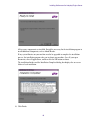
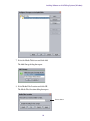
The following illustration shows the SFP+ transceiver with the latch open.
166