1
Installing Software on the Interplay Transfer Server
Installing Software on the Interplay Transfer Server
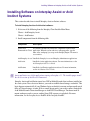
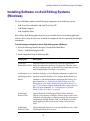
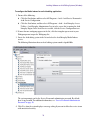
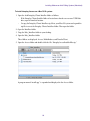
To install Interplay software on the Interplay Transfer server:
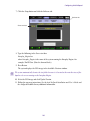
1. Select the following from the Interplay Server Installer Main Menu:
Servers > Avid Interplay Transfer Engine
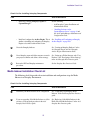
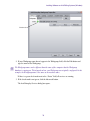
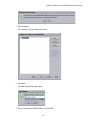
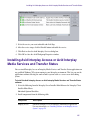
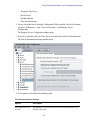
2. Install components from the following table:
Component
Description
Avid Service
The installer automatically installs the components required for an
Framework for Client Interplay Transfer application.
Avid Interplay Access Installs the Interplay Access and Interplay Administrator applications.
Avid Interplay
Transfer Engine
For information on configuring the Interplay Transfer server and the
Interplay Media Services and Transfer Status application, see the
Interplay Transfer Setup and User’s Guide.
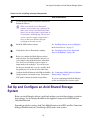
Avid Interplay Media (Option) Lets you monitor Interplay Transfer jobs as well as Interplay
Services and Transfer Media Services jobs from any computer in the network.
Status
Avid Interplay
Transfer Cache
(Option) Lets you install only the Interplay Transfer Cache. The
Transfer Cache Engine runs in the background and allows you to
monitor transfers in the workgroup.
See the Avid Interplay Transfer Setup and User’s Guide for details on installing and
configuring the Interplay Transfer software.
48