1
SOFTWARE APPLICATION
Main Screen
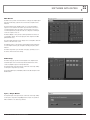
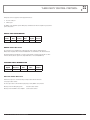
The Main Screen provides an audio matrix for setting up the amplifier input
and output relationship, signal level meters and various amplifier status
indicators.
The audio matrix provides amplifier inputs on each row and amplifier
outputs on each column. A 2x2 matrix is presented when connected to
2 channel amplifiers and a 4x4 matrix is presented when connected to
4 channel amplifiers. By default all models are configured 1:1 with input
1 routed to output 1, and so on.
The Master Output section provides real time graduated level meters for
each amplifier channel. The meters display the DSP output level in dBFS
(dB below Full Scale).
The current VCA attenuation level is displayed for each amplifier channel in
real time in the VCA Levels section.
The Amplifier Status section provides fault and thermal status indications
for each amplifier channel, plus an amplifier standby (low power) status
indicator.
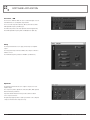
The Audio Setup button opens the Audio Setup page, providing access to
the various DSP functions and settings.
Audio Setup
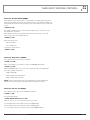
The Audio Setup page provides a block diagram of the amplifier audio
chain, with inputs on the left hand side, VCA and DSP functions in the
centre and amplifier outputs on the right hand side.
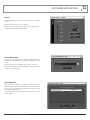
The amplifier inputs and outputs may be renamed as desired by clicking
on the input or output name (see below).
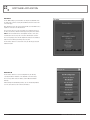
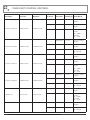
Each external VCA may be individually enabled or disabled using the VCA
Enable buttons.
Input / Output Names
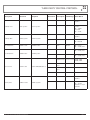
The amplifier inputs and outputs may be renamed as desired by clicking
on the input or output name. Input/Output names may be freely defined
with a maximum of 15 characters permitted.
AMD SERIES INSTALLATION AND OPERATION MANUAL
PAGE 7