1
Chapter 4
BIOS Setup
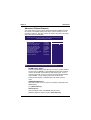
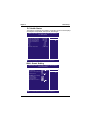
Main Menu
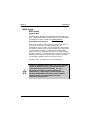
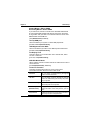
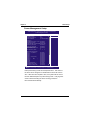
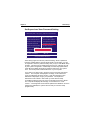
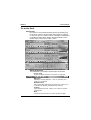
T he main menu allows you to select from several setup pages. Use the
arrow keys to select among these pages and press <Enter> key to enter
the sub-menu. A brief description of each highlighted selection appears
at the bottom of the screen.
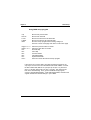
CMOS Setup Utility-Copyright(c) 1984-2001 Award Software
Standard CMOS Features
IWILL Smart Setting
Advanced BIOS Features
Load Fail-Safe Defaults
Advanced Chipset Features
Load Optimized Defaults
Integrated Peripherals
Set Supervisor Password
Power Management Setup
Set User Password
PnP/PCI Configurations
Save & Exit Setup
PC Health Status
Exit Without Saving
ESC: Quit
F10: Save & Exit Setup
: Select Item
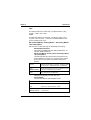
Time, Date Hard Disk Type...
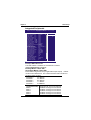
Stardard CMOS features
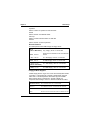
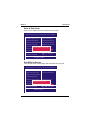
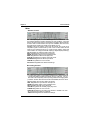
CMOS Setup Utility-Copyright(c) 1984-2001 Award Software
Standard CMOS Features
Date (mm:dd:yy)
Time (hh:mm:ss)
Mon, Jun 18 2001
15:17:48
IDE
IDE
IDE
IDE
[None]
[None]
[None]
[None]
Primary Master
Primary Slave
Secondary Master
Secondary Slave
Item Help
Menu Level
Change the day, month,
year and century
Drive A
[1.44M,3.5i n.]
Drive B
[None]
Floppy 3 Mode Support [Disabled]
Video
Halt On
Base Memory
Extended Memory
Total Memory
[EGA/VGA]
[All Errors]
640k
523264K
524288K
: Move Enter: Select +/-/PU/PD: Value F10: Save ESC: Exit F1: General Help
F5: Previous Values F6: Fail-Safe Defaults F7: Optimized Defaults
26